AccuBook ERP - POS, Billing & Accounting Software - Offline
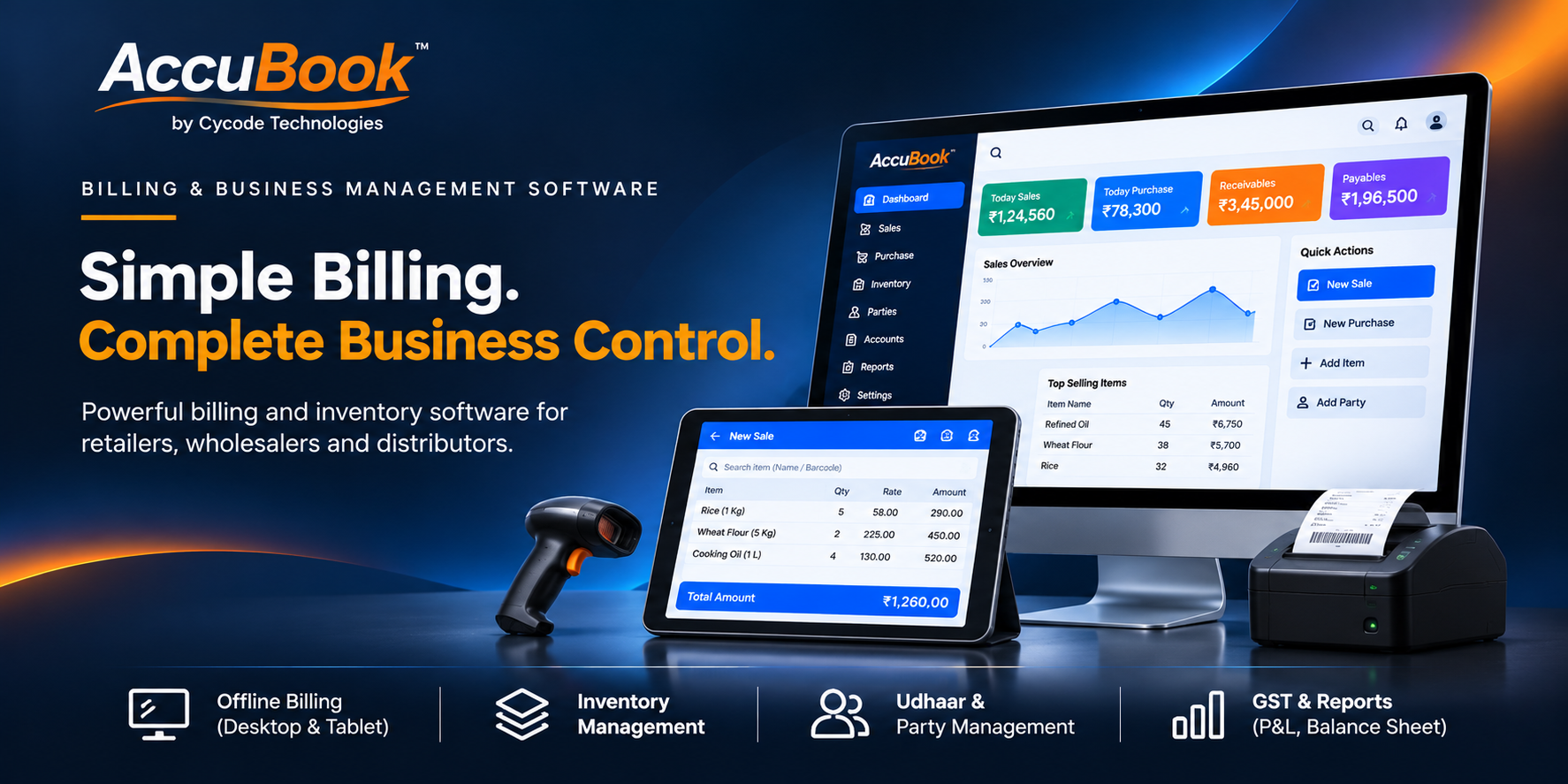
AccuBook ERP — GST & Non-GST Billing, Retail POS, Restaurant KOT, Hotel Room Booking, Inventory & Business Accounting
Running a business means managing much more than issuing a bill. Retailers need fast counter billing and accurate stock records. Wholesalers and distributors need to manage products, purchases and sales across a large inventory. Restaurants need order-taking, kitchen coordination and food billing. Hotels need room availability, guest bookings and checkout records. Every business needs a clearer way to organize its day-to-day transactions.
AccuBook ERP by Cycode Technologies is a business management, billing, Point of Sale (POS), inventory and accounting solution designed for Indian retailers, wholesalers, distributors, supermarkets, restaurants, cafés, hotels, guest houses and growing businesses.
Manage GST and non-GST invoice workflows, barcode-based retail billing, restaurant KOT, dine-in and takeaway orders, hotel room bookings, stock movements, low-stock alerts, sales and purchase records, and Tally-oriented accounting workflows through one integrated business platform.
Whether you run a neighborhood shop, a busy supermarket, a wholesale distribution business, a restaurant, a café or an accommodation property, AccuBook helps bring everyday business activities into a more organized system—so you can spend less time managing disconnected records and more time serving customers and growing your business.
Stop Managing Sales, Stock, Orders and Accounts in Separate Places
As a business grows, manual registers and disconnected tools can make it harder to keep billing, inventory and financial records aligned. AccuBook brings the key operational areas together in one management environment.
Slow counter billing
Manually searching for products, entering prices and preparing bills can slow down busy retail counters and increase avoidable mistakes.
Unclear stock position
When stock records are updated separately from sales and purchases, owners may struggle to identify available items and products that need replenishment.
Multiple billing requirements
Businesses may need GST invoice formats for applicable transactions and non-GST invoice formats for other appropriate business scenarios.
Restaurant order confusion
Taking orders, communicating them to the kitchen and preparing the final bill can become difficult when each step is handled manually.
Hotel booking coordination
Room availability, guest bookings, check-in or checkout information and accommodation charges need a clear operational record.
Scattered accounting records
Owners need organized sales and purchase records and a practical way to coordinate operational billing data with their accounting process.
Six Core Business Modules. Multiple Industries. One Connected System.
AccuBook combines billing, industry-specific POS workflows, inventory and accounting-oriented tools. The modules are designed to address different business types while giving owners a more unified way to manage routine transactions.
Retail POS & Barcode Billing
Make everyday retail billing faster and more organized. Identify products through barcode-based billing, prepare sales invoices and keep inventory connected to routine sales activity.
- Barcode-based product billing
- Fast retail sales invoice generation
- Product and item selection workflow
- Inventory updates linked with sales, as supported
- Suitable for shops and busy retail counters
- Organized transaction records
Restaurant POS, KOT & Food Billing
Coordinate restaurant orders and kitchen workflows through a dedicated restaurant POS. Manage dine-in and takeaway orders, generate Kitchen Order Tickets and prepare food-service bills.
- Kitchen Order Ticket (KOT) workflow
- Dine-in order management
- Takeaway order management
- Food-service billing
- Organized restaurant order records
- Suitable for restaurants and cafés
Hotel Room Booking & Guest Billing
Manage accommodation operations with room booking records, a room matrix and checkout workflows. Maintain a clearer view of room-related activity and accommodation billing.
- Room booking matrix
- Room availability organization
- Guest booking records
- Guest checkout workflows
- Accommodation billing
- Suitable for hotels and guest houses
Advanced Inventory & Stock Management
Bring product records and stock movements into a more systematic process. Monitor inventory levels and identify items that may need replenishment.
- Item and product management
- Product variants and item records
- Stock movement tracking
- Low-stock threshold alerts
- Inventory visibility for business operations
- Useful for retailers, wholesalers and distributors
Accounting Records & Tally Workflows
Coordinate operational billing records with established accounting processes. AccuBook provides structured sales and purchase records and Tally-oriented data export workflows.
- Sales and purchase ledgers
- Structured transaction records
- Tally data export workflows
- Financial data prepared for accounting use
- Support for established accounting processes
- Reduce repeated manual data preparation
Dual Billing — GST & Non-GST
Support different invoice workflows with GST billing for transactions where GST invoicing applies and non-GST billing formats for appropriate business scenarios.
- GST invoice generation
- Non-GST invoice format
- Multi-format billing workflows
- Centralized transaction records
- Organized sales and purchase information
- Appropriate billing selection for business needs
GST and Non-GST Billing — Choose the Appropriate Invoice Workflow for Each Business Requirement
Different businesses and transactions can have different invoicing requirements. AccuBook provides dual billing workflows to support GST invoice generation and non-GST invoice formats where appropriate. Keep your day-to-day billing organized while maintaining structured transaction records for your business and accounting processes.
One Billing System for Different Invoice Requirements
AccuBook's dual billing approach is designed for businesses that need to work with different invoice formats. The correct invoice type must always be selected according to the seller's GST registration status, the nature of the supply and applicable tax rules.
GST Billing
Prepare GST invoice records for applicable taxable transactions. Organize the invoice information and related sales data as part of the regular billing workflow.
- GST invoice format
- Tax calculation support as configured
- Sales invoice records
- Structured data for accounting processes
Non-GST Billing
Use the non-GST billing format for appropriate business situations, such as transactions where a GST tax invoice is not applicable under the business's circumstances and applicable rules.
- Non-GST invoice format
- Organized sales transaction records
- Routine business billing workflow
- Centralized billing history
From Retail Counters to Wholesale Distribution — Keep Billing and Stock Connected
Whether you sell a handful of products or handle a broad catalogue, billing and inventory are closely connected. AccuBook brings retail POS, product records and stock movement tracking into one business workflow.
Retail Shops & General Stores
Manage daily counter billing, barcode-based product selection, sales invoices and stock records for routine shop operations.
Supermarkets & Grocery Stores
Use POS billing and inventory workflows to organize a broad range of products and monitor stock availability.
Wholesalers
Manage product records, sales and purchase information and inventory movement for wholesale trading operations.
Distributors
Bring product inventory and billing records into a more structured operating process for distribution businesses.
Mobile, Electronics & Specialty Retail
Organize product and variant records, barcode billing and inventory monitoring for specialty retail outlets.
Apparel & Footwear Stores
Maintain product and variant information and use POS billing to support everyday sales transactions.
Hardware & Building Material Traders
Keep item records, stock movements and billing activity organized for product-based trading operations.
Agri-Traders & General Distributors
Use inventory and billing workflows to support trading operations with multiple products and routine stock movement.
Restaurant POS with KOT — Organize Orders from Service Counter to Kitchen
Restaurant operations require coordination between the person taking an order, the kitchen preparing it and the counter preparing the final bill. AccuBook includes a dedicated restaurant POS workflow for dine-in and takeaway orders with Kitchen Order Ticket support.
Kitchen Order Ticket Workflow
Organize order information for kitchen preparation through the KOT process included in the restaurant module.
- Create restaurant orders
- Generate Kitchen Order Tickets
- Support kitchen order communication
Dine-In & Takeaway Billing
Manage food-service orders and billing workflows for customers dining at your premises or collecting takeaway orders.
- Dine-in order management
- Takeaway order management
- Food-service billing
For Cafés, Eateries & Food Outlets
Use the restaurant POS capabilities to organize counter orders, kitchen tickets and food billing for supported food-service businesses.
- Restaurant billing workflow
- KOT-supported order handling
- Dine-in and takeaway support
Hotel Room Booking & Guest Checkout — Keep Accommodation Records Organized
Hotels and guest houses need a clear view of room bookings, guest stays and accommodation charges. AccuBook's hotel management module includes a room booking matrix, guest checkout workflows and accommodation billing to support essential room-related operations.
Room booking matrix
Use the room matrix to organize room-related booking activity and help staff review accommodation records.
Room availability workflow
Maintain a structured view of room booking activity and availability information as supported by the configured room matrix.
Guest checkout
Manage guest checkout workflows and the related accommodation billing process.
Accommodation billing
Prepare room-related billing records as part of the overall business billing environment.
Inventory, Sales, Purchases and Accounting-Oriented Records in One Workflow
A billing system becomes more useful when it is connected to the records that help a business understand its products and transactions. AccuBook includes inventory tracking, sales and purchase ledgers, and Tally-oriented export workflows to support business administration.
Product & Item Management
Maintain item records and product variants so staff can identify products during billing and inventory administration.
- Item and product records
- Variant management
- Product-based billing workflow
Stock Movement & Replenishment Awareness
Track stock movement and use low-stock threshold alerts to identify products that may require attention.
- Stock movement tracking
- Low-stock threshold alerts
- Inventory monitoring
Sales & Purchase Ledgers
Maintain organized sales and purchase transaction records to support business accounting routines.
- Sales ledger records
- Purchase ledger records
- Structured transaction information
Tally Data Export Workflows
Prepare operational billing data for use in established Tally accounting workflows through the supported export functionality.
- Tally-ready data exports
- Financial record coordination
- Reduced repeated manual data preparation
Who Should Use AccuBook ERP?
AccuBook is designed for businesses whose daily operations depend on billing, product records, inventory, food-service orders, accommodation bookings or accounting-oriented transaction data.
Retail Shops & General Stores
Handle day-to-day billing, barcode product selection, invoices and inventory records.
Supermarkets & Grocery Stores
Organize high-frequency counter billing and product stock information.
Wholesalers & Distributors
Manage product records, billing and inventory movements for trading operations.
Restaurants & Cafés
Use KOT, dine-in, takeaway and food-service billing workflows.
Hotels & Guest Houses
Organize room booking matrix, guest checkout and accommodation billing.
Departmental & Specialty Stores
Manage product records, variants, barcode billing and stock monitoring.
Small & Medium Businesses
Move routine billing and transaction records from manual processes into a structured software workflow.
Businesses Using Tally
Use AccuBook's supported Tally data export workflows to coordinate operational billing records with accounting processes.
Not Only for Business Owners — A Product Opportunity for Freelancers, IT Agencies & Software Resellers
AccuBook can also be a product foundation for technology professionals who want to serve retailers, traders, restaurants and accommodation businesses. With the appropriate extended license, you can create a focused software offering and build services around installation, configuration, training and support.
Freelance Developers
Move beyond one-off website projects. Offer business billing and POS deployments, permitted branding, configuration, customer onboarding and approved customization services.
IT & Web Development Agencies
Add billing and ERP software to your portfolio. Approach local shops, supermarkets, distributors, restaurants and hotels alongside your web development, hosting and digital marketing clients.
Software Resellers & Consultants
Build a local or regional sales channel for business management software. Demonstrate the appropriate modules, prepare proposals and coordinate customer implementation.
New Software Entrepreneurs
Start with an existing billing and business-management product foundation instead of creating each module from scratch. Focus on market positioning and customer acquisition.
Hardware & POS Solution Providers
Complement compatible POS and barcode hardware offerings with a software solution for billing and inventory, after verifying device compatibility.
Accounting & Business Consultants
Help businesses structure their billing and transaction workflows and coordinate the software rollout with their existing accounting processes.
Multiple Revenue Streams for AccuBook Resellers and Technology Partners
A business software project can include several services beyond the initial product sale. Your actual commercial model depends on the license permissions, the requirements of each customer, the services you deliver and the costs of maintaining the relationship.
Software Sales & Deployment
Offer AccuBook to eligible retailers, wholesalers, distributors, restaurants and hotels under the commercial rights included in your extended license.
Installation & Initial Setup
Charge for deployment, environment preparation, business configuration, initial product setup and user onboarding within your service scope.
White-Label Branding
Where expressly permitted, present the software under your own business identity and create your own local or industry-focused software brand.
Product & Inventory Setup
Help customers organize product catalogues, item variants, barcode records and opening stock information as a paid setup service.
Restaurant & Hotel Configuration
Provide setup assistance for restaurant billing workflows, KOT, dine-in and takeaway operations, or hotel room records and booking workflows.
Training & Staff Onboarding
Train cashiers, store managers, restaurant staff and hotel reception teams on the workflows included in the customer's deployed setup.
Maintenance & Technical Support
Offer separately scoped support services for troubleshooting, backups, environment checks, maintenance and customer assistance.
Websites & Digital Business Services
Bundle the software with business websites, restaurant websites, hotel websites, hosting, SEO and digital marketing services that your agency can deliver.
How to Start Selling AccuBook to Local Businesses
AccuBook serves different types of businesses, so begin with one segment and demonstrate the workflow that matters to that customer. A grocery store needs barcode billing and stock visibility; a restaurant needs KOT; a hotel needs room booking and checkout records.
Choose a customer segment
Start with retailers, supermarkets, wholesalers, distributors, restaurants, cafés, hotels or guest houses.
Understand the current process
Ask how the business handles bills, GST and non-GST invoices, stock, purchases, orders, rooms and accounting records.
Show a relevant demonstration
Demonstrate barcode POS to a retailer, KOT to a restaurant or the room booking matrix to a hotel operator.
Prepare a clear quotation
Separate software licensing, installation, product setup, training, customization and support in your proposal.
Deploy and onboard
Set up the environment, configure the relevant modules, test representative transactions and train the staff.
Build repeat business
Provide agreed support, gather customer feedback and develop referral relationships with other local businesses.
Understand Your Potential Return on Acquisition (ROA)
If you are purchasing AccuBook as a commercial software asset, evaluate it as a business investment. Estimate the acquisition cost, sales effort, customer acquisition expenses, deployment time, hosting and support obligations before setting your pricing.
Illustrative reseller revenue scenario — not a promise of earnings
This hypothetical example shows how a small IT agency or software reseller might model a few customer projects. The prices are sample assumptions for arithmetic only; they are not official AccuBook prices or guaranteed market rates.
| Revenue activity | Illustrative quantity | Illustrative price | Gross revenue |
|---|---|---|---|
| Software deployment projects | 4 customers | ₹20,000 each | ₹80,000 |
| Installation & configuration | 4 customers | ₹4,000 each | ₹16,000 |
| Product / stock setup | 3 customers | ₹3,000 each | ₹9,000 |
| Training & onboarding | 4 customers | ₹2,000 each | ₹8,000 |
| Support plans | 4 customers | ₹1,500 each | ₹6,000 |
| Illustrative gross revenue | ₹1,19,000 | ||
Gross revenue is not net profit. Deduct script acquisition, hosting, infrastructure, taxes, payment charges, sales commissions, implementation time, support costs, customization expenses and other operating costs. Actual results depend on market demand, pricing, license permissions and delivery quality.
Calculate your return based on actual business performance
ROA (%) = (Net return ÷ Total acquisition and setup investment) × 100
For example, assume your script acquisition and initial setup investment is ₹40,000. You collect ₹1,00,000 in revenue and incur another ₹25,000 in delivery and operating costs. Your net return is ₹35,000. On this simplified basis, ROA is 87.5%. This is an illustration, not a forecast or promise of income.
Ways to improve your reseller economics
- Target a specific business segment first, such as grocery retailers or restaurants.
- Standardize product setup, barcode preparation and customer onboarding.
- Price hardware, customization, training and ongoing support separately.
- Build relationships with local accountants, POS hardware providers and business associations.
- Measure sales conversion, customer acquisition cost, delivery time and support workload.
What Can Your Business Gain from a Unified Billing and Management System?
The value of an ERP is not simply the number of modules it contains. It is how effectively the business uses those workflows to create consistent records and coordinate everyday work.
More organized billing
Use structured GST and non-GST invoice workflows appropriate to the transaction and your business circumstances.
Faster retail counter process
Use barcode-based product billing to support efficient product identification and sales invoice preparation.
Better stock awareness
Monitor stock movement and low-stock thresholds to identify products that may require replenishment.
Organized restaurant orders
Coordinate dine-in and takeaway orders through KOT and food-service billing workflows.
Clearer hotel room records
Maintain room booking and guest checkout information with accommodation billing records.
Accounting workflow coordination
Maintain sales and purchase ledgers and use supported Tally data exports for accounting processes.
Licensing Options for Business Owners and Software Resellers
A retailer or restaurant purchasing software for its own business has a different requirement from an IT company that wants to offer the solution to multiple customers. Choose the license that expressly covers your intended usage.
Standard License
Designed for retailers, traders, restaurants, hotels and business owners who want to use AccuBook for their own billing, inventory and day-to-day business operations under the standard license terms.
- Direct business use
- Select relevant modules as permitted
- Retail POS, billing and inventory workflows
- Restaurant or hotel workflows where applicable
- Lifetime updates as stated in the supplied offer
Extended License
Designed for eligible IT companies and software distributors who want to offer AccuBook to external customers through the white-label and reseller rights expressly included in the extended license.
- Sell under your own brand name, as permitted
- Commercialize for eligible external clients
- Full source-code access as stated in the supplied terms
- Offer installation and configuration services
- Build permitted customization and support services
Get Started with a Structured AccuBook Implementation
A successful rollout starts by identifying the business model and configuring the workflows that are relevant to it. A supermarket, restaurant and hotel should each be onboarded around their own operating process.
1. Identify your business needs
Choose the relevant operations: retail billing, GST invoices, inventory, restaurant KOT, hotel room booking or accounting exports.
2. Review the license and package
Confirm the usage rights, included modules, technical documentation, update terms and support scope.
3. Prepare the environment
Arrange compatible hosting or server infrastructure, database and other prerequisites according to the supplied documentation.
4. Configure business records
Prepare product items, variants, billing settings, stock information or hotel room records as relevant to the customer.
5. Test daily transactions
Verify representative billing, stock, KOT, room booking, checkout and data export workflows before going live.
6. Train users and launch
Train cashiers, managers, restaurant staff or reception personnel and establish an agreed support process.
AccuBook ERP Product Specifications
| Product Name | AccuBook ERP |
|---|---|
| Developer | Cycode Technologies |
| Category | Business ERP, GST & Non-GST Billing, Retail POS, Restaurant POS, Hotel Room Management, Inventory and Accounting Workflows |
| Core Modules | Retail POS, Restaurant KOT, Hotel Room Booking, Advanced Inventory, Tally Accounting Workflows and Dual Billing |
| Billing Types | GST and non-GST billing formats, to be used according to applicable business and tax requirements |
| Target Industries | Retail, Wholesale, Distribution, Supermarkets, Grocery, Restaurants, Cafés, Hotels, Guest Houses and MSMEs |
| Technology Buyers | Freelancers, IT Agencies, Software Resellers, Developers and Entrepreneurs, subject to license rights |
| Accounting Workflow | Sales and purchase ledgers and Tally data export functionality as described in the supplied product information |
| License Options | Standard License and Extended / White-Label Reseller License |
| Updates | Lifetime updates as stated in the supplied offer; confirm the applicable terms at purchase |
Why Start with an Existing Billing and Business Management ERP?
Building a multi-industry billing and business management product from scratch requires planning, development, testing and ongoing maintenance. An existing product foundation can help eligible buyers focus more on customer requirements, deployment, product configuration and business development.
Multiple business workflows
Start with retail POS, restaurant KOT, hotel room booking, inventory and billing-oriented accounting workflows in one product foundation.
More customer segments
Approach different business types with the relevant module demonstration instead of limiting your software portfolio to one industry.
Expand your service portfolio
Add business software to your existing website development, hosting, digital marketing and IT services.
Focus on implementation
Put effort into understanding the customer's process, configuring the right workflows, training staff and delivering ongoing service.
Frequently Asked Questions
What is AccuBook ERP?
AccuBook ERP by Cycode Technologies is a business management solution that combines GST and non-GST billing workflows, retail POS, restaurant KOT, hotel room booking, inventory management and Tally-oriented accounting data exports.
Is AccuBook suitable for retail shops and supermarkets?
Yes. Its retail POS module includes barcode-based billing, sales invoice generation and inventory workflows suitable for shops, supermarkets and grocery businesses.
Does AccuBook support GST and non-GST billing?
Yes. The dual billing feature supports GST invoice generation and non-GST billing formats. The appropriate format must be used according to the business's GST status, the transaction and applicable tax requirements.
Can I use non-GST billing for a transaction where GST is applicable?
No. The non-GST format is not a mechanism to avoid tax. Businesses must issue the appropriate invoice or document according to their registration status and applicable GST rules. Consult a qualified tax professional for advice on a specific transaction.
Does AccuBook support barcode billing?
Yes. The retail POS feature list includes barcode-based rapid billing and sales invoice generation.
Does AccuBook support restaurant billing and KOT?
Yes. The restaurant module includes Kitchen Order Ticket (KOT), dine-in and takeaway order workflows and food-service billing.
Can AccuBook be used by cafés and food outlets?
The restaurant POS workflow is designed for restaurant and food-service billing, including dine-in and takeaway orders. Review the product demonstration to confirm the exact fit for your operating model.
Can AccuBook manage hotel room bookings?
Yes. The hotel module includes a room booking matrix, guest checkout workflows and accommodation billing.
Does AccuBook include hotel channel-manager or online travel agency integrations?
Those integrations are not listed in the supplied feature description. Confirm any OTA, channel-manager, online booking portal, housekeeping or other hotel-specific requirement separately before purchase.
Does AccuBook include inventory management?
Yes. The advanced inventory module includes item and variant management, stock movement tracking and low-stock threshold alerts.
Does AccuBook integrate with Tally?
The supplied product information describes Tally data export workflows and structured financial records. Confirm the exact export format and supported Tally version in the product documentation. Do not assume live two-way synchronization unless specifically confirmed.
Can I purchase AccuBook for my own business?
Yes. The Standard License is intended for retailers, traders and business owners who want to use AccuBook for their own billing, inventory and business operations, subject to the license terms.
Can freelancers and IT agencies resell AccuBook?
Freelancers and IT agencies may use the product as a foundation for business software projects and professional services. External-client resale and white-label use require the appropriate extended license permissions.
Can I sell AccuBook under my own brand?
The Extended License is described as a white-label reseller option. Confirm the exact rebranding, customer deployment and redistribution rights in the written license before marketing it under your own identity.
Does the Extended License include source code?
The supplied product description lists full source-code access under the Extended License. Review the actual license and package to confirm the permitted access, modification and redistribution rights.
Can I charge separately for installation and training?
You can offer separately scoped services such as installation, configuration, product setup, staff training, maintenance and technical support where permitted. Define the scope and charges clearly with each customer.
Is hosting included?
Hosting and server infrastructure should be confirmed from the product package and purchase terms. Unless expressly included, plan for your own compatible hosting or server expenses.
What should I check before purchasing AccuBook?
Review the product demonstration, module coverage, GST and non-GST invoice behavior, technical requirements, documentation, Tally export details, license rights, update policy and support commitments. Confirm that the product matches your industry-specific workflow.
Ready to Manage Your Business with AccuBook ERP?
Whether you run a retail store, wholesale business, restaurant, café, hotel or distribution operation—or want to offer business software to your own customers—AccuBook provides a multi-industry product foundation for billing, POS, inventory and accounting-oriented workflows.
Explore AccuBook. Choose the right license. Take control of your business workflows.
Configuration
Customize your package to calculate the final price.