Real Estate ERP Software – Property Dealer CRM with Agent Management & Commission System
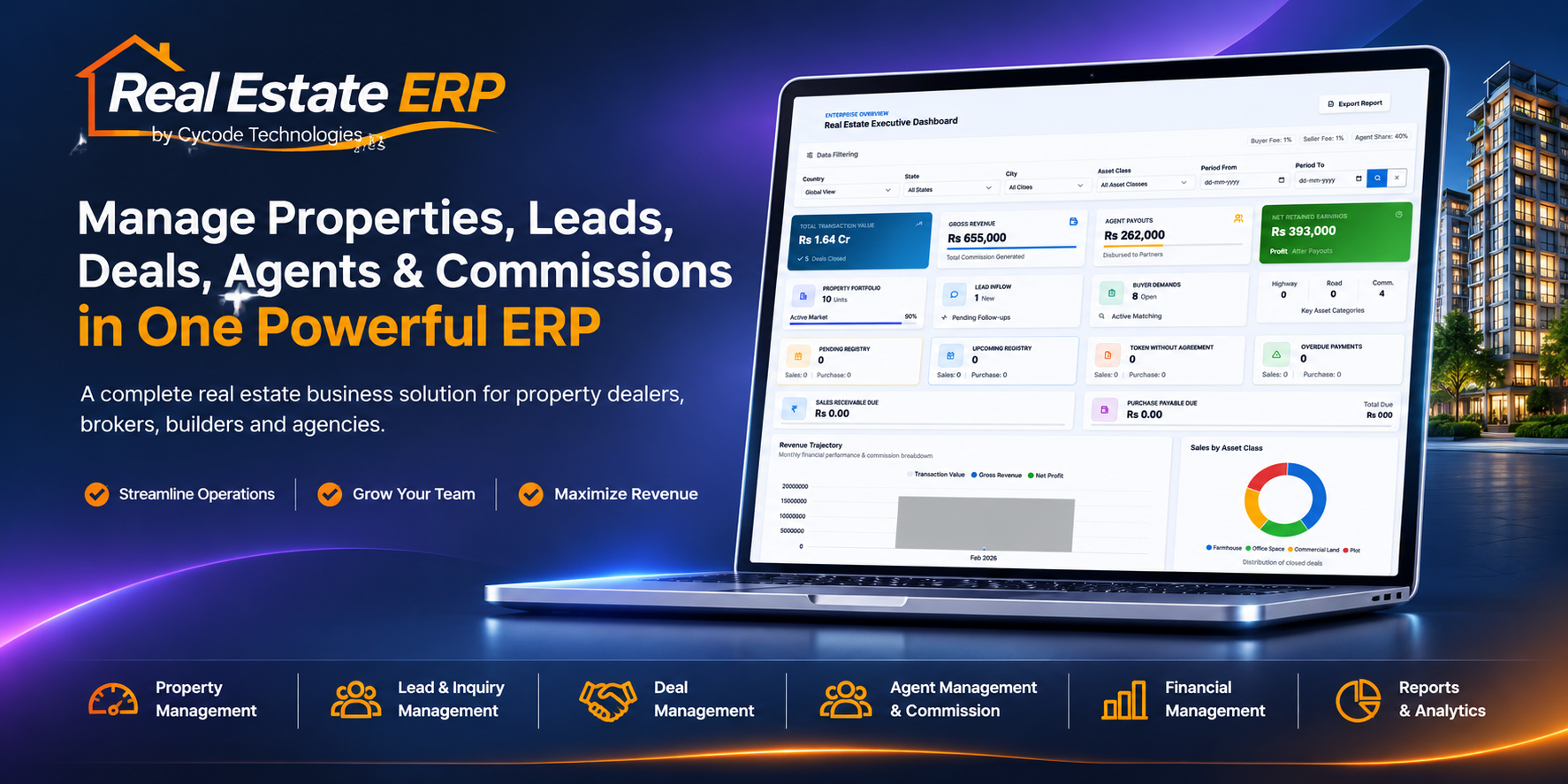
Real Estate ERP Software — Manage Properties, Leads, Agents, Deals & Commissions in One Powerful System
Real estate is a relationship-driven business, but successful growth depends on much more than finding buyers and listing properties. Every inquiry needs attention, every property needs accurate information, every agent needs direction, every deal needs follow-through, and every commission needs to be accounted for. When these activities are scattered across phone calls, spreadsheets, notebooks and messaging apps, valuable opportunities can slip through the cracks.
This Real Estate ERP Software brings your essential business operations together in one organized platform. Manage property inventory, customer inquiries, follow-ups, agents, deal progress, commission calculations, income, expenses and business reports through a centralized system designed for property dealers, brokers, real estate agencies, builders and growing property businesses.
Whether you are an independent property consultant managing your own clients or an established agency coordinating a team of agents and multiple property transactions, the platform gives you a more structured way to manage daily work, monitor performance and build a business that can grow beyond manual processes.
Stop Managing a Growing Property Business Through Scattered Information
As your contacts, listings and team expand, informal processes become harder to control. A centralized ERP helps bring structure to the everyday activities that influence customer experience and business performance.
Missed inquiries
Without a consistent lead register and follow-up process, prospective buyers and sellers may not receive timely attention.
Unclear property status
Old spreadsheets and chat histories make it difficult to know which properties are available, sold, rented or awaiting an update.
Scattered agent activity
When agent assignments, deal progress and performance are tracked informally, managers lose visibility into team activity.
Commission confusion
Manual calculations and unclear splits can create disagreements, delays and avoidable administrative work.
Incomplete financial picture
Business owners need a clearer view of receipts, expenses, commissions and profitability—not just a list of closed deals.
Growth becomes difficult
A process that works for a handful of listings may become unreliable when more agents, customers and transactions are added.
Everything Your Real Estate Business Needs to Operate More Systematically
The platform is organized around the core activities of a real estate business—from the first inquiry to property matching, deal execution, commission settlement and management reporting.
Lead & Inquiry Management
Build a structured record of prospective buyers, sellers, tenants, landlords and investors. Keep inquiries organized and make follow-up a visible part of your sales process.
- Centralized inquiry and customer records
- Lead status and pipeline tracking
- Follow-up scheduling and reminders, where configured
- Assign leads to the appropriate team member
- Track progress from inquiry to conversion
- Maintain customer interaction history
Property Inventory & Listing Management
Maintain an organized property database so your team can work with consistent, up-to-date listing information.
- Add and manage property records
- Store property details, pricing and location
- Categorize properties for easier organization
- Track available, sold and rental status
- Maintain owner and listing information
- Search and filter property inventory
Agent & Team Management
Coordinate the people who bring listings, customers and transactions together. Give managers a clearer picture of team responsibilities.
- Add and manage agents and team members
- Assign leads and business opportunities
- Configure commission percentages
- Track agent-wise deal contributions
- Review team and individual performance
- Maintain a centralized team structure
Deal & Transaction Lifecycle
Follow a property transaction through its important stages, helping your team understand what has progressed and what still needs attention.
- Track buyer and seller deal records
- Record token and agreement details
- Monitor transaction stages
- Connect deals with relevant properties and agents
- Record deal value and brokerage details
- Maintain transaction history for reference
Commission & Financial Management
Bring financial records and commission calculations into a more consistent process, with visibility into the amounts associated with business activity.
- Record business income and expenses
- Configure agent commission shares
- Calculate admin and agent splits
- Track commission and payout records
- Review financial summaries
- Generate profit and loss views
Dashboard, Analytics & Reports
Get a consolidated view of business activity and use reports to understand how leads, properties, agents and transactions are progressing.
- Business overview dashboard
- Daily, monthly and yearly summaries
- Property and deal status reports
- Agent performance reporting
- Income and expense summaries
- Export options such as CSV, where available
Every Lead Deserves a Follow-Up. Every Opportunity Deserves a Process.
A prospective customer may contact your business today and make a decision weeks later. The difference between a lost opportunity and a successful transaction can be the consistency of your follow-up. Use the CRM to organize inquiries, assign responsibility, track lead stages and keep your team focused on the next action.
Built Around the Way Property Businesses Actually Work
Use one connected system to bring consistency to your property operations, whether you work independently or manage a multi-agent organization.
Independent Property Dealers
Keep your customer inquiries, property inventory, deal status and brokerage records organized without depending on scattered notebooks and spreadsheets.
Real Estate Brokers & Consultants
Manage buyer and seller relationships, maintain listing information and keep track of the opportunities you are handling at any time.
Real Estate Agencies
Coordinate multiple agents, assign leads, monitor transactions and get a consolidated view of team activity and business performance.
Builders & Property Developers
Organize property and project-related inquiries, customer follow-ups, sales activity and transaction records in a more structured workflow.
Rental & Leasing Businesses
Maintain property records and prospect information while tracking the status of rental and leasing opportunities.
Growing Property Networks
Create a more consistent operating process as your business expands across teams, agents, property categories or service locations.
Not Just for Real Estate Companies — An Opportunity for People Who Sell and Deliver Software
This script can also be a starting point for entrepreneurs and technology professionals who want to enter the real estate software market. Depending on the license purchased and its permitted rights, you can use the solution for your own operations or build a service offering around it.
Freelance Developers
Expand beyond one-off website projects. Offer a real estate management solution to property dealers and agencies, and generate additional project revenue through installation, configuration, branding, training and permitted customization services.
IT & Web Development Agencies
Add a specialized ERP product to your existing portfolio. Approach your real estate clients with a business system alongside websites, mobile apps, digital marketing, hosting and ongoing technical support.
Software Resellers & Consultants
Build a focused software sales operation around property businesses. Identify prospects, demonstrate the workflow, help customers get started and earn through permitted software sales and related services.
New Software Entrepreneurs
Start with an existing product foundation instead of beginning every module from zero. Focus your effort on market research, positioning, customer acquisition, onboarding and service delivery.
Real Estate Technology Providers
Add property CRM and business management capabilities to a broader real estate technology offering, subject to the license scope and any integration work required.
Local Business & IT Consultants
Use your local business relationships to introduce digital systems to property dealers and agencies that are ready to organize their operations and improve process visibility.
Multiple Ways to Generate Business from One Real Estate Software Product
A software product can create more than one commercial opportunity. Your exact revenue model will depend on the license rights, your pricing, the services you provide and the needs of each customer.
Software License or Deployment Sales
Offer the solution to real estate agencies, property dealers and brokers under the resale or deployment rights included in your purchased license. Package the software with a clear scope and onboarding process.
Installation & Configuration
Charge for deployment, initial setup, business configuration, user creation, data preparation and go-live assistance where these services are within your capability and agreement.
Branding & Customization Services
Offer permitted branding, interface adjustments, workflow changes and customer-specific development. Define each customization separately so the customer understands the scope and cost.
Training & Onboarding
Help owners, managers and agents adopt the system. Offer team training, user guides, process mapping and onboarding sessions as paid professional services.
Maintenance & Technical Support
Provide agreed maintenance plans, troubleshooting, backups, updates and technical assistance. Recurring support contracts can create a more predictable service relationship.
Websites & Digital Services
Combine the ERP offering with property websites, landing pages, lead-generation campaigns, SEO, hosting and other services your agency already delivers.
How a Freelancer, Agency or Reseller Can Take This to Market
Choose your target segment
Start with a clear customer group: independent property dealers, broker offices, rental agencies, builders or multi-agent real estate firms.
Understand the customer's workflow
Discuss how they currently handle leads, property details, agent assignments, deals and commission records. Identify the operational gaps the platform can address.
Demonstrate the solution
Walk prospects through relevant modules using an accurate product demonstration. Focus on the customer's daily tasks rather than a generic feature list.
Prepare a clear proposal
Define license scope, implementation, configuration, training, customization and ongoing support as separate line items where applicable.
Deploy and onboard
Set up the customer's environment within the permitted license scope, configure users and workflows, and help the team begin using the system.
Build long-term relationships
Stay available for agreed support, maintenance and additional services. Ask for feedback and referrals after successful implementation.
Understand Your Potential Return on Acquisition (ROA) and Service Revenue
If you are purchasing this script as a business asset, evaluate it like any other business investment. Estimate your acquisition cost, deployment expenses, sales effort, support commitments and the revenue you realistically expect to earn.
Illustrative revenue scenario — not a promise of earnings
The example below shows how a reseller or agency might model a small number of customer projects. These are hypothetical selling prices selected only to demonstrate the calculation; they are not official product prices, market benchmarks or guaranteed sales outcomes.
| Revenue activity | Illustrative quantity | Illustrative price | Gross revenue |
|---|---|---|---|
| Software deployment projects | 3 customers | ₹25,000 each | ₹75,000 |
| Setup & onboarding | 3 customers | ₹5,000 each | ₹15,000 |
| Customization services | 2 projects | ₹10,000 each | ₹20,000 |
| Support plans | 3 customers | ₹2,000 each | ₹6,000 |
| Illustrative gross revenue | ₹1,16,000 | ||
Gross revenue is not profit. Deduct script acquisition, hosting, infrastructure, taxes, payment charges, sales commissions, implementation time, support costs and other operating expenses. Actual results depend on demand, pricing, license permissions, execution and customer retention.
Calculate your own return before investing
For a simple acquisition-return estimate, use the following framework:
ROA (%) = (Net return ÷ Total acquisition and setup investment) × 100
For example, if your total acquisition and initial setup investment is ₹40,000 and you later generate ₹1,00,000 in collected revenue while incurring another ₹20,000 in delivery and operating costs, your net return is ₹40,000. On this simplified basis, ROA is 100%. This is an illustration only; use your actual investment, collections and costs to calculate your result.
What can improve your business economics?
- Focus on a defined customer segment instead of marketing to everyone.
- Standardize onboarding to reduce repeated implementation effort.
- Price custom development and support separately from the software license.
- Build referral relationships with property consultants and local business networks.
- Track actual acquisition cost, sales conversion, delivery hours and customer retention.
What Can a Real Estate Business Owner Gain from Better Management?
For a property business, the return is not limited to direct software revenue. The system may help improve the way the business handles inquiries, listings, people and transactions—provided the team uses it consistently.
More organized lead handling
Keep prospective customers visible and assigned, reducing dependence on individual memory and scattered records.
Better property visibility
Make listing information easier for the team to access and help avoid working from outdated property details.
Clearer team accountability
Review lead assignments, deal progress and agent contributions through a more structured operating process.
More consistent commission records
Use configured commission splits and transaction records to support clearer internal calculations and settlements.
Management visibility
Use dashboards and reports to review business activity rather than relying entirely on verbal updates.
A foundation for expansion
Adopt repeatable processes that can support a larger team and a growing volume of property activity.
Flexible Licensing for Direct Business Use and Software Reselling
Different buyers have different goals. A real estate company may simply need a system for its own operations, while a software business may want to offer the product to multiple clients. Select the license that explicitly covers your intended usage.
Standard License
Designed for a real estate business that wants to use the software for its own property operations, subject to the exact terms of the standard license.
- Use the platform for the licensed business
- Manage properties, inquiries and deals
- Organize agents and commission records
- Review business reports and financial information
- Setup assistance and support as specified
Extended / Reseller License
Intended for eligible IT companies, software providers and entrepreneurs who want to commercialize the solution for external customers under the permissions expressly included in the extended license.
- Commercial use as permitted by the license
- White-label branding, if expressly included
- Offer deployments to eligible real estate customers
- Build implementation and support services
- Source-code access and modification rights only as specified
Move from Script Acquisition to a Working Real Estate Solution
A successful software deployment involves more than uploading files. Plan the technical setup and business onboarding so the product is ready for its intended use.
1. Review requirements
Check the supplied documentation, technical prerequisites, license scope and the business workflow you want to support.
2. Prepare the environment
Arrange compatible hosting or server infrastructure, database configuration, domain and security settings according to the product documentation.
3. Install and configure
Deploy the application, configure the required settings and verify the core modules in a controlled environment.
4. Set up the business
Configure the relevant users, roles, property categories, agent structure and business processes supported by the software.
5. Test key workflows
Validate inquiry handling, property records, deal progression, commission calculations and reporting before going live.
6. Train and launch
Introduce the system to the team, explain daily processes and establish a clear support and maintenance arrangement.
Product Specifications
| Product Name | Real Estate ERP Software |
|---|---|
| Developer | Cycode Technologies |
| Category | Real Estate ERP, Property CRM, Lead & Deal Management Software |
| Core Modules | Lead CRM, Property Inventory, Agent Management, Deal Lifecycle, Commission Management, Financials and Reports |
| Target Business Users | Property Dealers, Brokers, Real Estate Agents, Agencies, Builders, Developers, Rental and Leasing Businesses |
| Technology Buyers | Freelancers, IT Agencies, Software Resellers, Developers and Entrepreneurs, subject to license rights |
| Deployment | Refer to the supplied technical documentation and product package for supported hosting and server requirements |
| License Options | Standard and Extended / Reseller options, subject to the applicable license terms |
| Customization | Subject to available source-code access, technical feasibility and license permissions |
Why Start with an Existing Real Estate ERP Foundation?
Developing a complete business management product from the ground up requires planning, development, testing and ongoing maintenance. An existing script can provide a starting foundation, allowing eligible buyers to focus more of their effort on deployment, customer requirements, positioning and business development.
Start with defined modules
Begin with a product organized around core real estate workflows rather than designing every business module from a blank page.
Focus on your market
Spend more time understanding property businesses, building customer relationships and developing a practical sales strategy.
Expand your service portfolio
For eligible software businesses, add a real estate-focused solution to existing web, software and consulting services.
Build around customer needs
Where permitted and technically feasible, offer configuration and customization services to address specific operational requirements.
Frequently Asked Questions
What is Real Estate ERP Software?
It is a business management system designed to help property dealers, brokers, agencies and related businesses organize leads, property listings, agents, transactions, commissions, financial records and reports in one platform.
Who should use this real estate management software?
It is intended for independent property dealers, real estate agents, brokers, agencies, builders, developers and rental or leasing businesses that want a more structured way to manage their operations.
Can I use this software for my own real estate agency?
Yes, the standard license is intended for direct business use within the scope of its terms. Review the license details to confirm the permitted installation and usage arrangement before purchase.
Can freelancers and IT agencies purchase this script?
Freelancers and IT agencies may be interested in the product as a foundation for real estate software projects and related services. Commercial deployment or resale to external customers requires the appropriate license permissions.
Can I resell this software to multiple real estate businesses?
Multi-client resale is permitted only if the license you purchase expressly grants those rights. Check the extended or reseller license terms for permitted customer count, deployment model and restrictions.
Can I use my own company name and logo?
White-label branding depends on the license purchased. Confirm whether custom branding, removal of developer branding and customer-facing redistribution are included before offering the product under your own identity.
Can I modify the source code?
Source-code access and modification permissions depend on the supplied package and license. Any changes should also be checked for compatibility, security and future maintenance requirements.
How can I earn money after purchasing the script?
Where your license allows commercial use, possible revenue streams include software deployment or license sales, installation, configuration, customization, training, maintenance and related digital services. Revenue is not guaranteed and depends on your sales, pricing, costs and delivery.
Can I charge separately for installation and customization?
You may offer professional services such as installation, configuration, training and customization where permitted. Clearly define service scope, pricing, timelines and responsibilities with each customer.
Does the software guarantee more property sales?
No software can guarantee property sales or a particular conversion rate. The platform is intended to help organize business information and processes. Results depend on lead quality, market conditions, team activity, customer service and how consistently the system is used.
Is hosting included?
Hosting and server infrastructure should be confirmed from the product package and purchase terms. Unless explicitly stated, plan for your own compatible hosting or server expenses.
What should I check before purchasing?
Review the live demo, feature list, technical requirements, documentation, included files, license terms, installation scope, update policy and support commitments. Confirm that the product matches your intended business model.
Ready to Build a More Organized Real Estate Business?
Whether you are managing your own property business or exploring a real estate software offering for your technology company, start with a clear understanding of the platform, its capabilities and the license that matches your goals.
Explore the solution. Review the license. Plan your next step.
Configuration
Customize your package to calculate the final price.