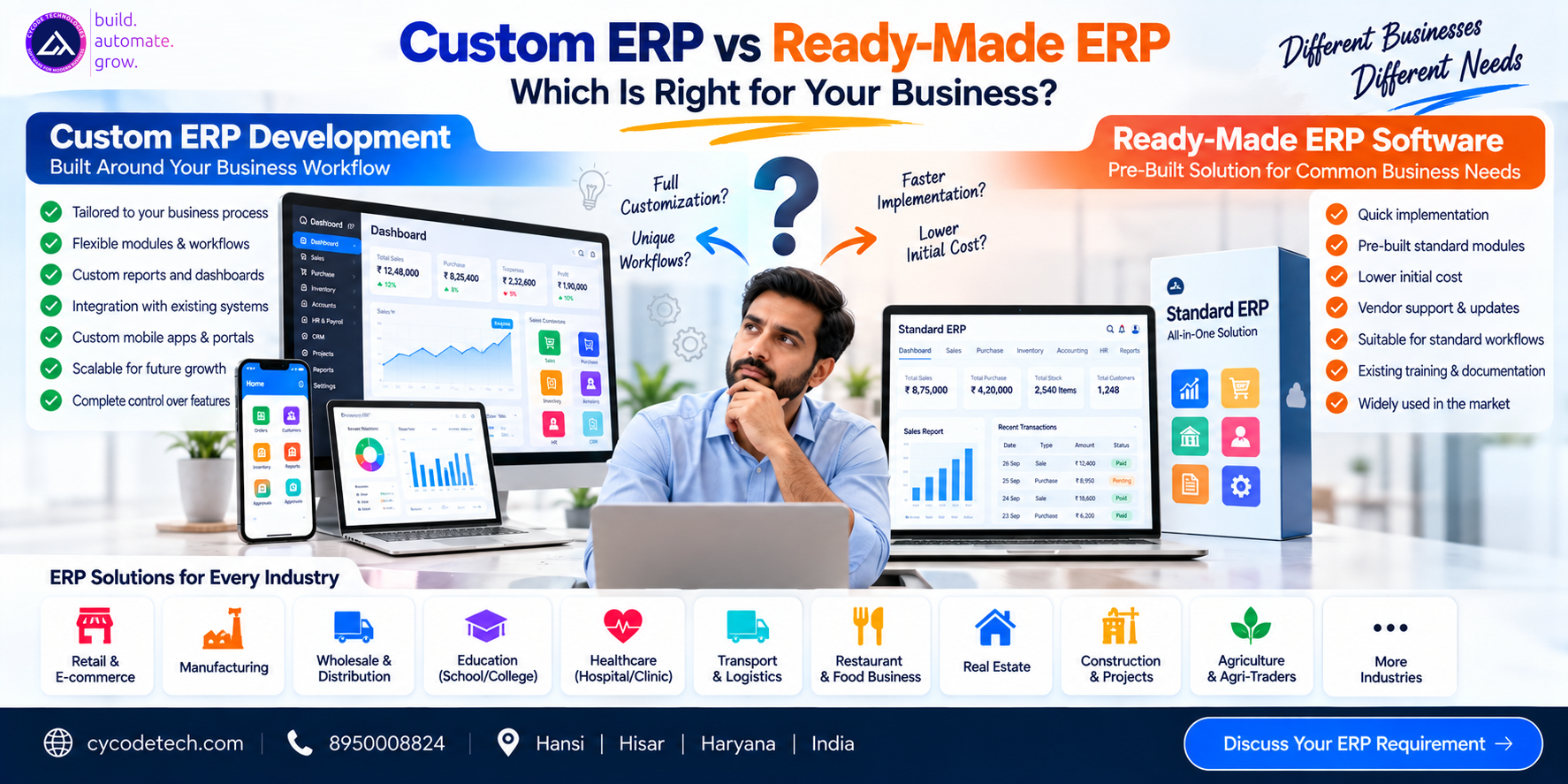
Custom ERP vs Ready-Made ERP: Which Is Right for Your Business?
Choosing an ERP is an important decision for a growing business.
At first, the choice may appear simple:
Should we purchase an existing ERP or build a custom ERP?
But the real decision involves much more than the software's purchase price.
A business should consider:
- How closely the ERP matches its workflows
- Required modules
- Customization
- Integrations
- Data migration
- Number of users
- Multiple branches
- Mobile applications
- Reporting
- Security
- Implementation effort
- Training
- Maintenance
- Long-term total cost
ERP systems are designed to connect core business processes such as finance, procurement, supply chain, HR, manufacturing and services.
For some businesses, a ready-made ERP may provide everything required. For others, a custom ERP or carefully controlled extension approach may be more appropriate.
The goal is not simply to find the software with the longest feature list.
The goal is to find an approach that fits the business process, budget and long-term requirements.
1. What Is a Ready-Made ERP?
A ready-made ERP is a pre-developed software product that provides a defined set of business modules and workflows.
Depending on the product, it may include:
- Accounting
- Sales
- Purchase
- Inventory
- CRM
- HR
- Payroll
- Reporting
- Manufacturing
- Project management
- Procurement
The business generally configures the available functionality rather than developing the entire system from scratch.
Example
A distributor might purchase an ERP that already provides:
Sales + Purchase + Inventory + Accounting
The company then configures:
- Users
- Tax settings
- Products
- Warehouses
- Customers
- Suppliers
- Permissions
- Reports
2. What Is Custom ERP?
A custom ERP is developed around the specific requirements of an organization.
Instead of starting with:
"What features does this ERP product provide?"
the process starts with:
"How does our business actually operate?"
The development team may analyze:
- Departments
- Employees
- Customers
- Suppliers
- Approval processes
- Sales workflows
- Purchase workflows
- Inventory
- Accounting
- Reports
- Integrations
- Mobile requirements
The resulting system can then be designed around those requirements.
3. Custom ERP vs Ready-Made ERP at a Glance
| Factor | Ready-Made ERP | Custom ERP |
|---|---|---|
| Initial implementation | Usually faster | Usually longer |
| Starting functionality | Pre-built | Developed according to scope |
| Customization | Product-dependent | High |
| Workflow flexibility | Product-dependent | High |
| Initial development cost | Usually lower | Usually higher |
| Integrations | Available integrations vary | Can be developed as required |
| UI/UX | Product-defined/configurable | Custom |
| Mobile app | Depends on product | Can be developed specifically |
| Maintenance | Vendor/product dependent | Development team/business dependent |
| Upgrade path | Vendor-controlled | Must be planned |
| Source-code control | Product/vendor dependent | Contract-dependent |
| Industry-specific workflows | Depends on product | Can be designed specifically |
This table describes general characteristics. Individual ERP products can differ significantly.
4. Ready-Made ERP: Advantages
Faster Starting Point
A ready-made ERP already exists.
Instead of developing:
Database → Backend → Modules → UI → Reports
the business can configure and implement an existing product.
This can reduce initial development effort.
Pre-Built Modules
Many ERP products already include common functionality.
For example:
- Accounting
- Inventory
- Sales
- Purchase
- HR
- CRM
This can be useful if your business processes are relatively standard.
Existing Documentation and Training
Established ERP products may have:
- Documentation
- Training resources
- Implementation partners
- Support systems
- Existing user communities
The availability varies by product.
Established Integrations
Some ERP products already support integrations with common:
- Payment systems
- Accounting tools
- E-commerce platforms
- Communication services
- Banking systems
However, the exact integration capabilities should always be verified before selecting the product.
5. Ready-Made ERP: Limitations
A ready-made ERP may become challenging when your business has highly specialized processes.
For example, imagine a company requiring:
Sales → Credit Approval → Special Pricing → Distributor Commission → Warehouse Allocation → Delivery → Collection → Commission Settlement
If the ERP does not support this workflow, you may have to:
- Change the workflow
- Add manual steps
- Purchase customization
- Build an external integration
- Develop extensions
The more modifications required, the more important it becomes to examine the long-term maintenance and upgrade implications.
6. Custom ERP: Advantages
Business-Specific Workflows
Custom ERP can be designed around the company's actual processes.
Manufacturing
Purchase → Raw Material → Production → Quality → Finished Goods → Inventory → Sales
Transport
Customer → Booking → Vehicle → Driver → Trip → Fuel → Expense → Billing
School
Admission → Student → Attendance → Fees → Examination → Transport → Parent Communication
Each workflow can be designed according to the organization's requirements.
7. Custom ERP: More Control Over Features
A custom ERP can include only the modules that the business needs.
Phase 1
- Accounting
- Sales
- Purchase
- Inventory
Phase 2
- CRM
- HR
- Payroll
Phase 3
- Mobile application
- Advanced analytics
- Automation
- External integrations
This allows the project to evolve in phases rather than requiring every planned feature on day one.
8. Custom ERP: Industry-Specific Functionality
Different industries can require very different workflows.
Retail
- POS
- Inventory
- Sales
- Purchase
- Customers
- Offers
Manufacturing
- BOM
- Production
- Raw material
- Quality
- Finished goods
Transport
- Vehicles
- Drivers
- Trips
- Fuel
- Maintenance
Healthcare
- Patients
- Doctors
- Appointments
- Pharmacy
- Billing
Education
- Students
- Parents
- Staff
- Fees
- Exams
- Transport
A custom ERP can be structured around the specific processes rather than forcing all industries into the same workflow.
9. Which Is More Expensive: Custom ERP or Ready-Made ERP?
There is no universal answer if total ownership is considered.
A ready-made ERP may have:
- Subscription/licensing cost
- Implementation cost
- Configuration cost
- Training cost
- Customization cost
- Integration cost
- Data migration cost
A custom ERP may have:
- Analysis cost
- UI/UX cost
- Development cost
- Testing cost
- Hosting cost
- Maintenance cost
- Future enhancement cost
Therefore, comparing only the initial purchase price can produce an incomplete picture.
Total cost of ownership (TCO) should be considered when assessing ERP investments and implementation decisions.
10. When Ready-Made ERP May Make Sense
A ready-made ERP may be worth considering when:
- Your business processes are fairly standard
- The required modules already exist
- You want implementation relatively quickly
- You do not require extensive customization
- Existing integrations meet your needs
- The vendor's support model works for your organization
- The long-term subscription/licensing model is acceptable
For example:
A small trading company may only need:
Purchase + Sales + Inventory + Accounting
If an existing ERP already handles these processes effectively, building an entire custom ERP may not be necessary.
11. When Custom ERP May Make Sense
Custom development may be worth investigating when:
- Your workflow is highly specialized
- Existing ERPs require extensive modification
- You need industry-specific functionality
- You need unique reports
- You need custom approval processes
- Several existing systems must communicate
- You require custom mobile applications
- You need specialized automation
- Your business model itself is unusual
For example:
A logistics company may require a specialized combination of:
Fleet + Trips + Drivers + Fuel + Maintenance + Billing + Customer Portal + Mobile App
If existing software cannot adequately support the workflow, custom development becomes an option.
12. The Middle Option: Configure + Extend
There is an important third approach that businesses sometimes overlook.
You don't always have to choose between:
- 100% Ready-Made
- 100% Custom
Another approach is:
Existing ERP + Configuration + APIs / Integrations + External Custom Applications
For example:
Existing ERP | +--+--+--+ | | | CRM API Accounting | | | +-- Custom Portal | Mobile App
This can allow a business to keep standard ERP functionality while developing specialized components separately.
13. Don't Customize Everything
Custom ERP does not mean every process should be customized.
This is an important distinction.
Suppose an ERP already provides a standard invoice workflow that works well.
There may be little reason to rebuild it.
But suppose your business has a unique commission calculation that the standard system cannot support.
That could be a reasonable candidate for an extension.
A useful principle:
Standardize where standard functionality works. Customize where the business genuinely needs differentiation.
14. ERP Customization vs ERP Configuration
These terms are sometimes confused.
Configuration
Changing settings that the ERP already supports.
Examples:
- Tax rates
- User permissions
- Invoice format
- Business units
- Warehouses
- Workflow settings
Customization / Extension
Adding or changing functionality beyond the standard configuration capabilities.
Examples:
- New business logic
- New modules
- Specialized calculations
- Custom integrations
- Custom applications
- Specialized reports
The exact distinction varies between ERP products.
15. Custom ERP and Mobile Applications
A business may require different interfaces for different users.
Management
Web dashboard
Sales Team
Mobile application
Warehouse
Tablet/web interface
Driver
Mobile application
Customer
Customer portal
All of these can communicate with the central ERP through APIs.
This architecture can be useful for organizations where employees work outside the office.
16. Custom ERP and Business Automation
ERP becomes more valuable when it connects workflows.
Traditional Process
Purchase request → WhatsApp → Manager approval → Excel → Purchase order → Invoice → Accounting entry
Connected ERP
Purchase request → ERP approval workflow → Purchase order → Goods received → Invoice → Accounting → Reports
The exact automation should be based on the company's actual processes.
17. Data Migration: An Important ERP Consideration
Moving to a new ERP often means dealing with existing data.
Data may currently exist in:
- Excel
- Old ERP
- Accounting software
- CSV files
- Multiple databases
- Paper records
Before migration, businesses should determine:
- What data is required?
- Is the data accurate?
- Are duplicates present?
- What historical data should be retained?
- How should fields map to the new ERP?
- Who will validate the migrated data?
18. ERP Implementation Timeline
A ready-made ERP may reduce development time, but implementation still requires:
- Configuration
- Data preparation
- Integration
- Testing
- User training
- Migration
- Deployment
A custom ERP adds software development to that process.
Therefore:
ERP implementation ≠ simply installing software.
A realistic project plan should account for business participation, testing and training.
19. Custom ERP Development Cost vs Ready-Made ERP Cost
| Cost Area | Ready-Made ERP | Custom ERP |
|---|---|---|
| Software | Subscription/license | Development |
| Configuration | Yes | Yes |
| UI design | Usually limited | Custom |
| Backend | Existing | Developed |
| Modules | Predefined | Selected/developed |
| Integrations | Product-dependent | Developed as required |
| Data migration | Often required | Often required |
| Training | Usually required | Required |
| Hosting | Product-dependent | Project-dependent |
| Maintenance | Vendor/product dependent | Development agreement |
| Future features | Vendor roadmap/configuration | Custom development |
The exact commercial model varies significantly between ERP providers.
20. How to Decide Between Custom and Ready-Made ERP
Instead of asking:
"Which ERP is better?"
ask these questions:
Question 1
Does the existing ERP support our critical workflows?
Question 2
How much customization would we require?
Question 3
What integrations are mandatory?
Question 4
How many users and branches will use it?
Question 5
Do we need mobile applications?
Question 6
What reports are essential?
Question 7
How much data needs to be migrated?
Question 8
What is the expected growth over the next few years?
Question 9
What is the total cost over the expected lifetime?
Question 10
Who will provide implementation and support?
These questions create a much more useful evaluation than comparing feature counts alone.
21. ERP Decision Example
Imagine a wholesale distributor with:
- 20 employees
- 1 warehouse
- Standard sales
- Standard purchase
- Inventory
- Accounting
- Basic CRM
A ready-made ERP may potentially meet the requirement if the product supports the necessary workflows.
Now consider a distributor with:
- 200 employees
- 10 warehouses
- Field sales representatives
- Distributor commissions
- Custom pricing
- Credit limits
- Delivery operations
- Mobile sales application
- Specialized reporting
- Existing accounting integration
The business may have a stronger case for evaluating custom development or a configurable ERP plus extensions.
This is an illustrative example, not a universal rule.
22. Custom ERP Company in Hansi, Hisar & Haryana
Businesses searching for a custom ERP development company in Hansi, Hisar, Haryana or India may need more than software coding.
ERP projects require understanding:
- Business operations
- Accounting
- Inventory
- Sales
- Purchase
- HR
- User roles
- Reports
- Automation
- Integrations
Cycode Technologies works on ERP, custom software, SaaS, mobile applications and business automation solutions for different industries.
Its existing software ecosystem includes platforms such as EduMittar, AccuBook, FleetLogic, KwikDine, PulsePanel, Vendly and CyFlo, which can also be evaluated when a business requirement aligns with an existing product.
23. Why Requirement Analysis Matters
One of the biggest ERP mistakes is beginning with:
"Build us an ERP."
without first defining what the ERP needs to accomplish.
A better process is:
- Business Analysis
- Process Mapping
- Module Planning
- Technology Selection
- UI/UX
- Development / Configuration
- Integration
- Testing
- Data Migration
- Training
- Go-Live
- Support
This reduces ambiguity and helps establish a realistic project scope.
24. Frequently Asked Questions
Is custom ERP better than ready-made ERP?
Neither approach is universally better. A ready-made ERP may be appropriate when standard functionality meets the business requirements, while custom development may be appropriate when specialized workflows or integrations require greater flexibility.
Is custom ERP more expensive?
The initial development cost is often higher because the software must be analyzed, designed and developed for the organization. However, total cost should be evaluated over the expected lifetime rather than comparing only the initial price.
How long does custom ERP development take?
It depends on the number of modules, integrations, users, branches, mobile applications, reports and business workflows. Small focused systems may take months, while complex ERP platforms can take considerably longer.
Can a ready-made ERP be customized?
Many ERP products offer configuration, customization or extension capabilities, but the level varies by product. The long-term impact on upgrades and maintenance should be evaluated before extensive customization.
Can custom ERP integrate with existing accounting software?
Yes, where suitable APIs or other integration mechanisms are available.
Can ERP include a mobile application?
Yes. A custom ERP can be connected to Android, iOS or cross-platform applications through APIs.
Can ERP support multiple branches?
Yes. Multi-branch functionality can be designed or configured depending on the ERP approach.
Should a small business use custom ERP?
Not necessarily. A small business should first determine whether an existing ERP can meet its requirements at an acceptable total cost. Custom development becomes relevant when important requirements cannot be adequately addressed by available products.
Can we start with a few ERP modules and add more later?
Yes. A phased implementation can be used to introduce core modules first and add additional functionality later.
What should I compare when selecting an ERP?
Compare functionality, workflow fit, integrations, implementation requirements, data migration, security, support, scalability, customization and total cost of ownership—not just the number of features.
25. Final Thoughts
The question is not simply:
Custom ERP or Ready-Made ERP?
The better question is:
Which approach fits our business processes, budget, technology requirements and long-term plans?
For a business with standard requirements, an existing ERP can provide a practical starting point.
For a business with specialized workflows, complex integrations or unique operational requirements, custom development may be worth evaluating.
And in many cases, the answer can be somewhere between the two:
Standard ERP + Configuration + APIs + Custom Extensions
The most important step is to understand the business process before selecting the technology.
Custom ERP Development in India
For businesses in Hansi, Hisar, Haryana, Bangalore, Bikaner, Tinsukia and across India, Cycode Technologies provides ERP development, custom software, SaaS, mobile applications and business automation solutions.
Cycode Technologies
Website: cycodetech.com
Contact: 8950008824