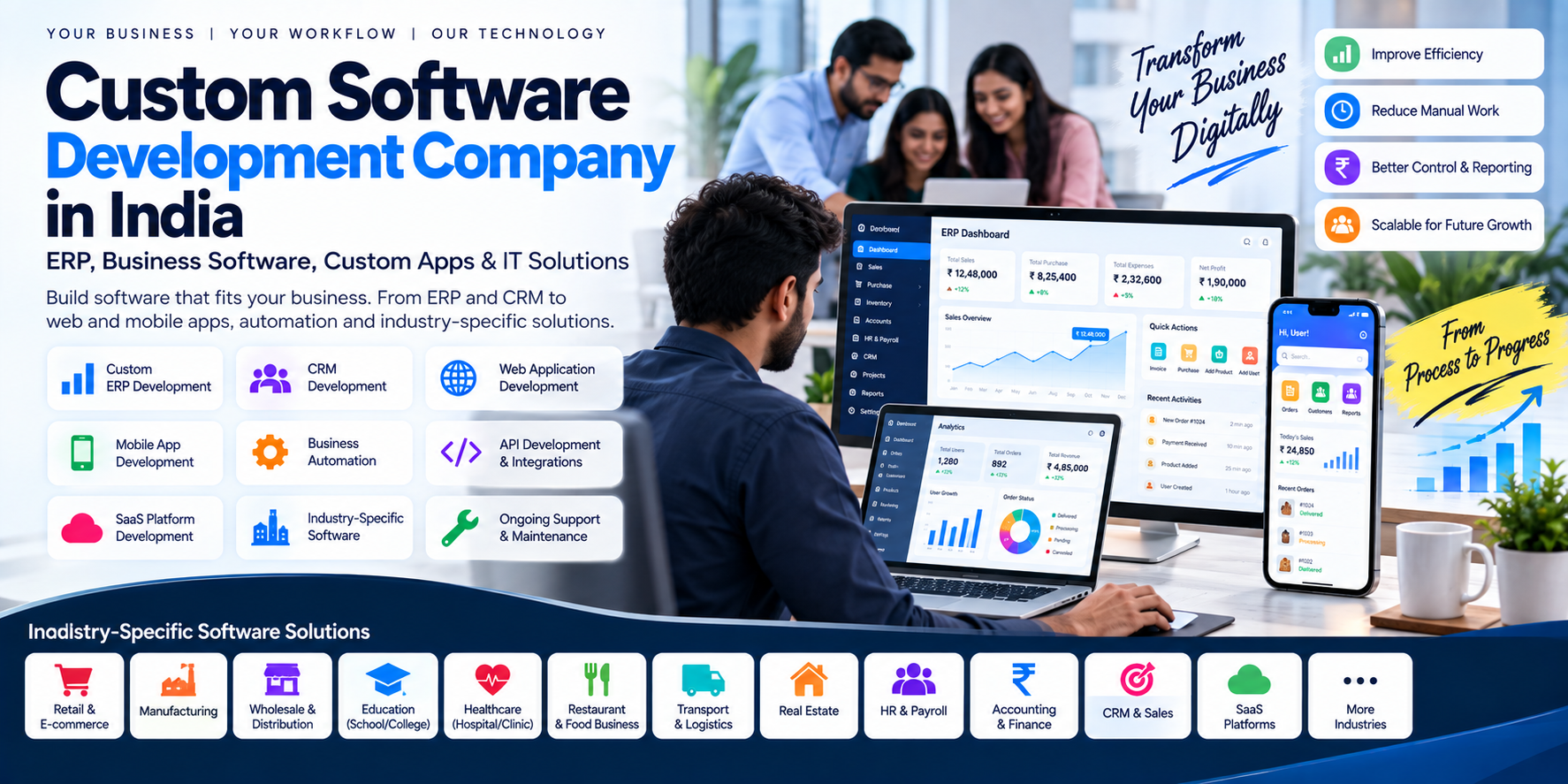
Custom Software Development Company in India: ERP, Business Software, Custom Apps & IT Solutions
Every business has its own way of working.
A manufacturer may need production, inventory and purchase management. A distributor may need sales, stock, accounting and field-force management. A school may need students, fees, attendance, examinations and transportation. A hospital may need appointments, patients, billing and pharmacy.
The problem is that one generic software product cannot always match every business workflow.
This is where custom software development becomes useful.
A custom software solution can be designed around an organization's actual processes, users, data, integrations and reporting requirements instead of forcing every department to work around a predefined workflow.
Modern custom software projects can include ERP systems, CRM platforms, business automation, web applications, mobile applications, APIs, dashboards, SaaS platforms and industry-specific management systems. Current Indian software providers similarly position custom development around ERP, CRM, automation, portals, mobile apps and integrations.
In this guide, we explain what custom software development means, when a business should consider it, what types of systems can be developed, how ERP development fits into the picture, what affects cost and how to plan a successful software project.
1. What Is Custom Software Development?
Custom software development means designing and developing software specifically for a particular organization's requirements.
Instead of purchasing a completely predefined application and adapting the business to it, the development team studies the business requirements and creates software around the required workflows.
A custom solution may include:
- Web applications
- Mobile applications
- ERP systems
- CRM systems
- Accounting software
- Inventory management
- HR and payroll
- Transport management
- Hospital management
- School management
- E-commerce platforms
- Customer portals
- Vendor portals
- Employee portals
- Business dashboards
- Workflow automation
- API integrations
- SaaS platforms
- AI-powered business tools
The final architecture depends on the organization's requirements.
2. Custom Software vs Ready-Made Software
One of the first decisions a business has to make is whether to purchase existing software or build something specifically for its requirements.
Ready-Made Software
Ready-made software generally provides predefined features and workflows.
It can be useful when:
- Your requirements match the product
- You want to start quickly
- You do not need major customization
- The available integrations are sufficient
- The vendor's support model fits your business
Custom Software
Custom software may be appropriate when:
- Your workflows are unusual
- Existing products lack important functionality
- Several disconnected systems need to communicate
- You need specific reports or approvals
- Multiple departments need one connected system
- You require a business-specific mobile application
- You need complete control over the application's workflows
Neither approach is automatically suitable for every organization.
The right decision depends on the business process, budget, implementation requirements, integrations and long-term plans.
3. What Is Custom ERP Development?
ERP stands for Enterprise Resource Planning.
An ERP system brings multiple business functions into a connected software environment.
A custom ERP can potentially include:
- Sales
- Purchase
- Inventory
- Accounting
- GST billing
- Finance
- HR
- Payroll
- CRM
- Production
- Procurement
- Projects
- Field operations
- Documents
- Reporting
- Business analytics
For example:
Sales
   ↓
Order
   ↓
Inventory
   ↓
Purchase / Production
   ↓
Billing
   ↓
Accounting
   ↓
Reports
Instead of each department maintaining separate information, the system can connect relevant data and workflows.
Modern ERP development services commonly include modules such as finance, inventory, HR, CRM, purchasing, production, reporting and integrations.
4. Why Businesses Need Custom ERP Software
A growing organization may eventually find itself using:
- Excel
- Separate billing software
- Accounting software
- Paper records
- Separate inventory software
- Separate HR software
- Separate CRM
- Manual reports
The result can be duplicated data and disconnected workflows.
A properly designed ERP can bring these processes into a common platform.
For example:
Sales Department
Creates an order.
↓
Inventory
Checks available stock.
↓
Accounts
Generates invoice.
↓
Management
Views the transaction in reports.
↓
Customer
Receives invoice or notification.
The exact workflow can be customized according to business requirements.
5. Types of Custom Software We Can Build
A custom software development company can develop many different types of business applications.
Custom ERP Software
For:
- Manufacturing
- Retail
- Distribution
- Wholesale
- Trading
- Service businesses
- Construction
- Logistics
- Education
- Healthcare
Custom CRM Software
CRM systems can manage:
- Leads
- Customers
- Sales pipelines
- Follow-ups
- Sales representatives
- Communication
- Tasks
- Opportunities
- Reports
Custom Accounting & Billing Software
Potential modules include:
- Invoicing
- GST
- Ledger
- Receivables
- Payables
- Expenses
- Bank reconciliation
- Profit & loss
- Balance sheet
- Inventory
Custom Inventory Management
Inventory software may manage:
- Products
- Warehouses
- Stock transfers
- Purchase
- Sales
- Batch numbers
- Serial numbers
- Stock adjustments
- Low-stock alerts
- Inventory reports
Custom HR & Payroll Software
Potential functionality:
- Employee profiles
- Attendance
- Leave management
- Payroll
- Salary structures
- Documents
- Employee self-service
- Performance records
Custom Transport Management Software
A transport management system can include:
- Vehicles
- Drivers
- Trips
- Routes
- Customers
- Expenses
- Fuel
- Maintenance
- Documents
- Billing
- Reports
- GPS integration
For businesses with field operations, mobile applications can also connect drivers and field staff to the central system.
6. Custom Mobile Applications
A custom software project does not have to be limited to a web application.
A business may require:
Customer App
For:
- Orders
- Bookings
- Payments
- Tracking
- Support
Employee App
For:
- Attendance
- Tasks
- Field visits
- Expenses
- Reports
Vendor App
For:
- Orders
- Stock
- Payments
- Communication
Management App
For:
- Dashboards
- Approvals
- Reports
- Notifications
These applications can communicate with a central backend through APIs.
7. Custom Web Application Development
A web application is different from a basic company website.
A website primarily provides information.
A web application allows users to perform business operations.
Examples include:
- ERP
- CRM
- Accounting software
- Employee portal
- Customer portal
- Vendor portal
- School management system
- Hospital management system
- Transport management system
- SaaS platform
A modern architecture may look like:
Web Application
       ↓
     API
       ↓
 Business Logic
       ↓
    Database
       ↓
External Integrations
The exact architecture depends on the application's requirements.
8. Business Process Automation
Custom software becomes particularly valuable when a business has repetitive manual processes.
For example:
Manual Process
Employee submits request
↓
Manager receives WhatsApp message
↓
Manager approves
↓
Account team enters data
↓
Report is created manually
Automated Process
Employee submits request
↓
System creates approval task
↓
Manager receives notification
↓
Manager approves digitally
↓
System updates records
↓
Report updates automatically
Automation can be designed around the organization's actual approval and operational processes.
9. Custom Software Integrations
Businesses often already use multiple software systems.
Custom development can create an integration layer between them.
Examples include:
- Accounting software
- Payment gateways
- SMS
- GPS
- E-commerce platforms
- CRM
- ERP
- Banking systems
- Shipping APIs
- Government or third-party APIs
For example:
E-commerce
     ↓
    API
     ↓
   ERP
  ↙   ↘
Stock  Accounts
This can reduce repeated data entry when the underlying systems and APIs support reliable integration.
10. API Development
APIs allow different applications to communicate.
For example:
Mobile App
     ↓
   API
     ↓
Backend
     ↓
Database
The same backend can potentially serve:
- Android application
- iOS application
- Web application
- Admin panel
- Partner portal
API development may include:
- Authentication
- User management
- Data retrieval
- Data creation
- Permissions
- File handling
- Notifications
- Reporting
- Integration endpoints
Security and access controls should be designed according to the sensitivity of the data and application.
11. Industry-Specific Custom Software
Different industries have different workflows.
That means the requirements for one business may not work for another.
Manufacturing
Potential modules:
- Production
- Raw material
- BOM
- Purchase
- Inventory
- Quality
- Dispatch
- Accounting
Retail
Potential modules:
- POS
- Inventory
- Billing
- Customer management
- Offers
- Purchasing
- Accounting
Education
Potential modules:
- Students
- Parents
- Staff
- Fees
- Attendance
- Examination
- Transport
- Communication
Healthcare
Potential modules:
- Patients
- Doctors
- Appointments
- OPD/IPD
- Billing
- Pharmacy
- Inventory
- Reports
Logistics
Potential modules:
- Vehicles
- Drivers
- Routes
- Trips
- Fuel
- Maintenance
- Expenses
- Tracking
Restaurants
Potential modules:
- POS
- Tables
- QR menu
- Kitchen
- Orders
- Inventory
- Billing
- Delivery
This is one reason industry-specific requirements analysis is important before software development begins.
12. SaaS vs Custom Software
Another common question is:
Should we buy SaaS or develop our own software?
SaaS
A SaaS product generally provides a ready-to-use software service.
Potential advantages:
- Faster implementation
- Lower initial development requirement
- Vendor-managed infrastructure
- Regular product updates
Potential limitations:
- You may have to adapt workflows to the product
- Customization may be limited
- Certain integrations may not be available
- Pricing may depend on users or usage
Custom Software
Potential characteristics:
- Business-specific workflows
- Custom modules
- Custom integrations
- Custom reports
- Control over functionality
Potential challenges:
- Higher initial development effort
- Requirement analysis
- Maintenance responsibility
- Hosting and technical management
The appropriate option depends on the organization's needs.
13. How Much Does Custom Software Development Cost in India?
There is no single fixed price for custom software.
A small internal tool can be very different from a multi-module ERP.
An indicative planning structure could be:
| Project Type | Broad Planning Range |
|---|---|
| Small custom application | ₹1 lakh – ₹4 lakh |
| Single-module business software | ₹2 lakh – ₹6 lakh |
| Standard ERP / CRM | ₹5 lakh – ₹15 lakh |
| Multi-module ERP | ₹10 lakh – ₹30 lakh+ |
| Complex business platform | ₹20 lakh – ₹50 lakh+ |
| Enterprise platform | Scope dependent |
These are illustrative planning ranges, not fixed market prices or quotations. Current Indian providers publish substantially different starting points and ranges depending on their delivery models and project scope.
Actual cost depends on:
- Number of modules
- Number of users
- UI/UX requirements
- Web/mobile requirements
- Backend
- Database
- API development
- Integrations
- Reports
- Automation
- Security
- Data migration
- Hosting
- Testing
- Support
14. What Determines Custom Software Development Cost?
1. Number of Modules
A two-module application requires less development than a 15-module ERP.
2. Number of User Roles
For example:
- Admin
- Manager
- Accountant
- Salesperson
- Employee
- Customer
- Vendor
Each role can require different permissions and screens.
3. Business Logic
Complex calculations and approval workflows increase development effort.
4. Integrations
Every external system adds integration and testing requirements.
5. Mobile Apps
Android and iOS applications add additional development and testing requirements.
6. Reports
Simple tables are different from complex financial, operational and analytical reporting.
7. Data Migration
Migrating data from:
- Excel
- Old software
- Accounting systems
- Legacy databases
may require additional planning and validation.
8. Security
Applications handling financial, employee, medical or customer information may require stronger security controls.
15. Custom Software Development Process
A professional software project should not begin with coding immediately.
A structured process can look like this:
Step 1 — Requirement Discovery
Understand:
- Business
- Users
- Problems
- Workflows
- Existing software
- Required outcomes
Step 2 — Process Mapping
Document the actual workflow.
Example:
Lead
 ↓
Quotation
 ↓
Order
 ↓
Stock
 ↓
Invoice
 ↓
Payment
 ↓
Accounting
Step 3 — Technical Architecture
Define:
- Frontend
- Backend
- Database
- APIs
- Authentication
- Hosting
- Integrations
Step 4 — UI/UX
Create:
- Wireframes
- Screen designs
- User journeys
- Dashboards
- Forms
Step 5 — Development
Build the system module by module.
Step 6 — Testing
Test:
- Features
- Permissions
- APIs
- Reports
- Security
- Different devices
Step 7 — Deployment
Deploy the system to the production environment.
Step 8 — Training
Train employees and administrators.
Step 9 — Support & Enhancement
Continue with:
- Bug fixes
- Updates
- Security improvements
- New modules
- Performance improvements
Structured development processes commonly emphasize requirements, architecture, iterative development, testing, deployment and post-launch support.
16. Custom Software Should Be Scalable
Software should be designed according to realistic future requirements.
For example, a business may initially have:
10 employees → 1 location → 1 warehouseBut later become:
100 employees → 5 locations → 10 warehousesThe architecture should therefore consider:
- User permissions
- Multiple locations
- Multiple warehouses
- Database structure
- API architecture
- Reporting
- Backups
- Performance
Scalability does not mean building every future feature on day one.
It means avoiding unnecessary architectural limitations.
17. Cloud-Based Custom Software
Custom software can be deployed on cloud infrastructure so that authorized users can access it from different locations.
A cloud business application might provide:
- Centralized database
- Remote access
- Automated backups
- User permissions
- API connectivity
- Mobile access
- Multi-location support
Cloud architecture should still be planned around security, availability, backups, monitoring and cost.
18. Custom Software for Small and Medium Businesses
Custom software is not only for large enterprises.
A small or medium business may need a focused application for a specific operational problem.
For example:
Distributor
Sales + Stock + Accounting
Transporter
Vehicles + Trips + Drivers + Expenses
School
Students + Fees + Attendance + Examination
Restaurant
POS + Inventory + Orders
Clinic
Patients + Appointments + Billing
Instead of developing a massive ERP immediately, the business can begin with its most important workflows and add modules later.
19. When Should You Consider Custom Software?
Custom development may be worth investigating when:
- Existing software doesn't match your workflow
- Employees enter the same data repeatedly
- You use several disconnected systems
- Reports require manual preparation
- Your business needs special approval workflows
- You require specific integrations
- You need a business-specific mobile app
- Your organization has multiple departments
- You need centralized data
- Your existing software cannot scale with your processes
It is still important to first determine whether an existing product can meet the requirement at an acceptable cost and level of customization.
20. Custom IT Solutions for Growing Businesses
Custom IT solutions do not necessarily mean building everything from zero.
A complete solution may combine:
Existing Software + Custom Software + APIs + Automation + CloudFor example:
Existing Accounting
        ↕
      API
        ↕
     Custom ERP
      ↙   ↘
 Mobile    Web
   App    Panel
      ↘   ↙
    Business
    Reports
This approach can be useful when an organization already has software it wants to retain while adding missing capabilities around it.
21. Custom Software Development in Hansi, Hisar & Haryana
Businesses in Hansi, Hisar, Haryana and nearby areas increasingly need software beyond a basic website.
A local business may require:
- ERP
- Billing software
- Inventory management
- CRM
- School ERP
- Hospital software
- Transport software
- Restaurant POS
- E-commerce
- Mobile apps
- Business automation
- Custom dashboards
Cycode Technologies works across these areas, including SaaS platforms, ERP systems, mobile applications, business software and custom IT solutions.
The same development approach can also support businesses outside Haryana and across India through remote collaboration.
22. Custom Software Development by Cycode Technologies
Cycode Technologies can work on custom software projects covering areas such as:
ERP Development
Business-specific ERP systems for finance, inventory, sales, HR, operations and other modules.
Web Application Development
Custom dashboards, portals, business systems and web applications.
Mobile App Development
Android, iOS, Flutter and cross-platform applications.
SaaS Development
Multi-user cloud software and subscription-based platforms.
Business Automation
Digital workflows, notifications, approvals and process automation.
API Development
Backend APIs connecting web, mobile and third-party systems.
Industry-Specific Software
Solutions for education, healthcare, transport, retail, restaurants, accounting and other business domains.
23. Existing Cycode Business Software Ecosystem
A custom software project does not always need to start completely from zero.
Cycode Technologies also has specialized SaaS products covering different business requirements, including EduMittar, AccuBook, FleetLogic, KwikDine, PulsePanel, Vendly, Wamebo and CyFlo.
For a business whose requirements already fit an existing platform, a SaaS solution may be more appropriate than commissioning a completely new application.
Where the workflow is substantially different, custom development can be considered.
This creates two possible approaches:
Existing SaaS
Configure → Implement → Train → UseCustom Development
Analyze → Design → Develop → Test → Deploy → ScaleThe appropriate route depends on the business requirements.
24. How to Choose a Custom Software Development Company
Before starting a project, ask the development company:
Do they understand your business workflow?
Software development should begin with requirements rather than only a list of screens.
Can they develop both backend and frontend?
A complete business application often needs both.
Can they develop APIs?
APIs become important when multiple applications or services need to communicate.
Do they provide documentation?
Documentation helps with future maintenance.
What happens to source code?
Clarify ownership and handover terms in the contract.
What is included after launch?
Ask about:
- Bug fixes
- Hosting
- Maintenance
- Security updates
- New features
- Technical support
How are scope changes handled?
A written change-management process can help prevent misunderstandings.
25. Questions to Ask Before Starting ERP Development
Before building an ERP, answer:
- Which departments will use the system?
- How many users will there be?
- What are the user roles?
- Which modules are required?
- What software are you currently using?
- Do you need data migration?
- Do you need GST/accounting integration?
- Do you need mobile applications?
- Do you need multiple branches?
- Do you need multiple warehouses?
- What reports are required?
- Which third-party APIs are needed?
- What approval workflows exist?
- What data needs restricted access?
- What should the first version contain?
These answers make the scope considerably easier to define.
26. Frequently Asked Questions
What is custom software development?
Custom software development is the process of designing and building software around the requirements of a particular organization, workflow or business problem.
What is custom ERP development?
Custom ERP development involves building an ERP system around an organization's specific processes, modules, users, integrations and reporting requirements.
How much does custom software cost in India?
The cost varies considerably. A small application may cost a few lakh rupees, while a multi-module ERP or enterprise platform can require substantially more. The number of modules, integrations, users, workflows and platforms has a major influence on cost.
How long does custom software development take?
A focused application may take weeks, while a complex ERP or business platform can take several months. The timeline depends on requirements, integrations, testing, feedback and implementation.
Can custom software work with existing ERP or accounting software?
Potentially, yes. APIs or other supported integration mechanisms can allow systems to exchange data. The existing software and integration capabilities need to be assessed first.
Can custom software include a mobile app?
Yes. A custom project can include Android, iOS, Flutter or cross-platform applications depending on the requirements.
Can custom ERP be used by multiple branches?
Yes. Multi-branch functionality can be designed into an ERP where the business requires centralized or branch-specific operations.
Is custom software better than ready-made software?
The two approaches solve different problems. Ready-made software may be appropriate when its workflows meet the business requirements. Custom software may be considered when specific workflows, integrations or functionality cannot be adequately addressed by existing products.
Can custom software replace Excel?
It can automate workflows currently handled through spreadsheets, provided the required processes are properly analyzed and implemented.
Can custom software be upgraded later?
Yes. A properly planned system can be developed in phases, allowing additional modules, integrations and functionality to be introduced later.
27. Final Thoughts
Custom software development is not simply about writing code.
It is about understanding:
Business → Process → People → Data → Technology → AutomationA successful software project begins by identifying the actual business problem.
From there, the right solution might be:
- A custom ERP
- A CRM
- A mobile app
- A web application
- A SaaS platform
- An API integration
- A workflow automation system
- Or a combination of these
For businesses in Hansi, Hisar, Haryana and across India, Cycode Technologies provides software development and IT solutions covering custom applications, ERP, SaaS, mobile apps, business systems and automation.
Have a business process that is still running through Excel, WhatsApp or disconnected software?
Start by mapping the workflow and identifying what should be automated.
Cycode Technologies
Website: cycodetech.com
Contact: 8950008824