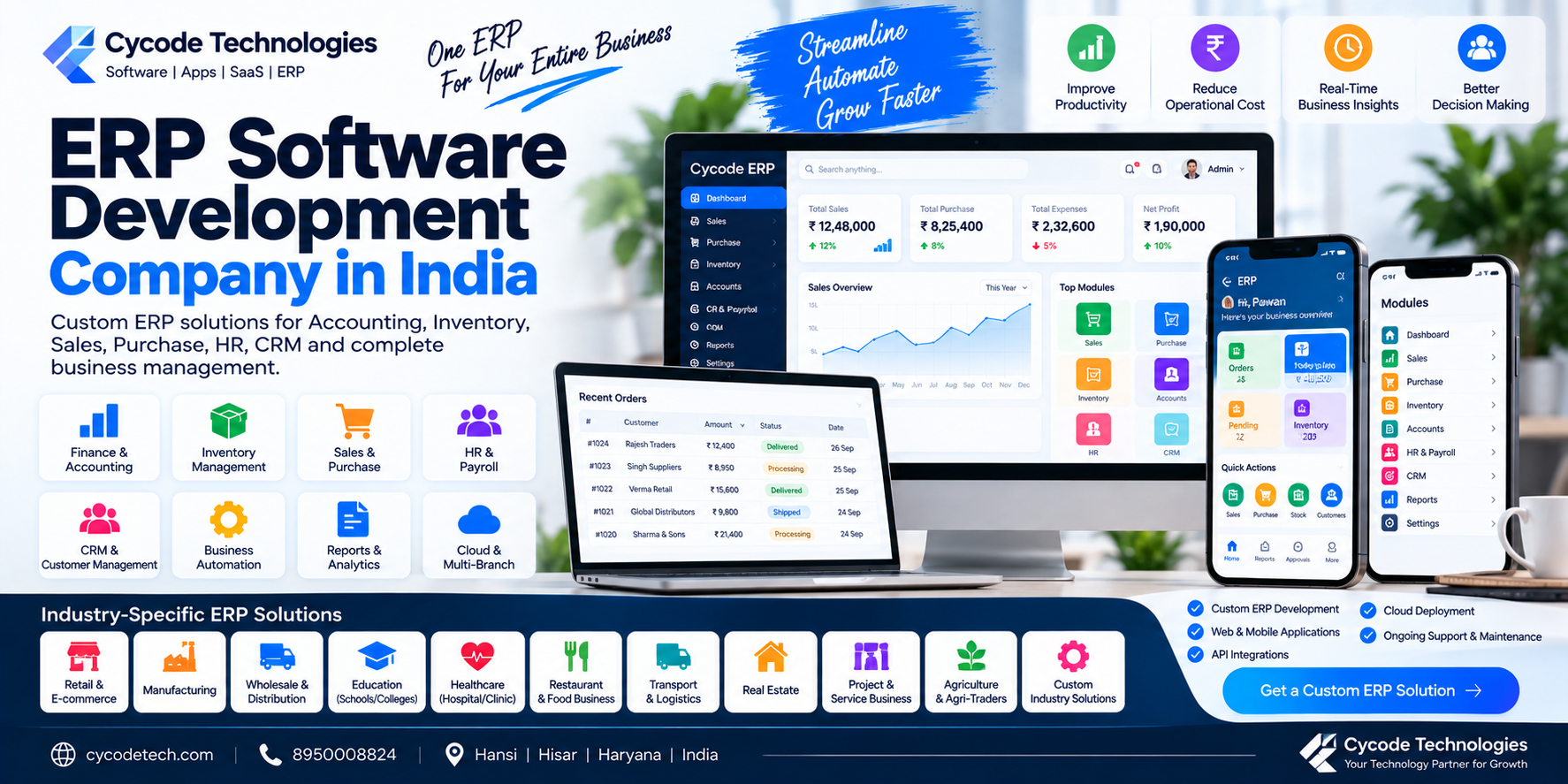
ERP Software Development Company in India: Custom ERP Solutions for Growing Businesses
Businesses often start with separate tools for accounting, inventory, sales, HR, purchasing and customer management.
At a small scale, this may be manageable.
As the organization grows, however, disconnected systems can create challenges such as duplicate data, repeated data entry, manual reporting and difficulty getting a complete view of business operations.
This is where Enterprise Resource Planning (ERP) software can become useful.
An ERP system brings multiple business processes into an integrated software environment. Depending on the implementation, ERP can connect areas such as finance, accounting, procurement, supply chain, projects, HR, manufacturing and reporting.
For businesses with workflows that do not fit a standard product, custom ERP development provides another option: building software around the organization's actual processes, users, data and integrations.
In this guide, we explain what ERP software development involves, which modules a custom ERP can contain, how cloud and mobile ERP work, what affects development cost and how businesses can plan an ERP project.
1. What Is ERP Software?
ERP stands for Enterprise Resource Planning.
An ERP system is software used to manage and connect different business activities through an integrated system.
Common ERP areas include:
- Accounting
- Finance
- Sales
- Purchase
- Inventory
- Procurement
- HR
- Payroll
- Manufacturing
- Projects
- CRM
- Supply chain
- Reporting
- Business analytics
ERP systems can provide shared data between connected processes instead of requiring every department to maintain completely separate records.
For example:
Sales
  ↓
Order
  ↓
Inventory
  ↓
Purchase / Production
  ↓
Invoice
  ↓
Accounting
  ↓
Management Reports
The exact workflow depends on the business.
2. What Is Custom ERP Development?
Custom ERP development means designing and developing an ERP system according to the specific requirements of an organization.
Instead of asking the business to completely change its workflow to match a standard application, the development process starts by understanding:
- Business processes
- Departments
- Users
- Roles
- Approvals
- Data
- Reports
- Integrations
- Mobile requirements
- Security requirements
The resulting ERP can then be designed around those requirements.
This is particularly relevant when a business has specialized workflows or needs several systems to work together.
3. Custom ERP vs Ready-Made ERP
This is one of the first decisions a business should make.
Ready-Made ERP
A ready-made ERP provides predefined functionality.
It may be suitable when:
- Standard modules meet your requirements
- You want faster implementation
- You prefer a subscription or existing licensing model
- Required integrations are available
- You don't need extensive customization
Custom ERP
A custom ERP may be considered when:
- Your business processes are highly specific
- Existing ERP products don't provide required workflows
- You need specialized reports
- You need unusual approval processes
- Several existing systems must be integrated
- You require custom mobile applications
- You need specific industry functionality
Neither approach is universally suitable.
The decision should be based on the actual business requirements, implementation effort, total cost and long-term operating model.
4. ERP Modules for Modern Businesses
A custom ERP can be developed as a collection of interconnected modules.
Accounting & Finance
Possible functionality:
- Chart of accounts
- Ledger
- Journal entries
- Invoicing
- Receivables
- Payables
- Expenses
- Bank reconciliation
- GST-related workflows
- Profit & loss
- Balance sheet
- Financial reports
Sales Management
Sales functionality may include:
- Leads
- Quotations
- Sales orders
- Customers
- Salespersons
- Follow-ups
- Invoices
- Payments
- Sales reports
Purchase Management
Potential features:
- Suppliers
- Purchase enquiries
- Purchase orders
- Goods received
- Purchase invoices
- Supplier payments
- Purchase reports
Inventory Management
An ERP can connect inventory with purchasing and sales.
Features may include:
- Products
- Categories
- Warehouses
- Stock
- Stock transfers
- Adjustments
- Batch tracking
- Serial numbers
- Low-stock alerts
- Inventory valuation
CRM
CRM functionality may include:
- Leads
- Prospects
- Customers
- Sales pipeline
- Follow-ups
- Tasks
- Communication history
- Sales reports
ERP and CRM can be separate products, but organizations may also integrate or combine their functionality depending on requirements. Oracle describes ERP as primarily covering integrated business processes such as finance, procurement, projects and supply chain, while CRM focuses on customer-facing processes.
5. HR & Payroll ERP Module
An HR module can centralize employee information and administrative workflows.
Possible features:
- Employee profiles
- Departments
- Designations
- Attendance
- Leave
- Payroll
- Salary structures
- Employee documents
- Loans/advances
- Performance records
- HR reports
A mobile employee application can also be connected to the ERP for selected workflows such as attendance, leave or field operations.
6. Manufacturing ERP
Manufacturing businesses often require specialized functionality.
A manufacturing ERP may include:
- Products
- Raw materials
- Bill of Materials
- Production planning
- Work orders
- Material consumption
- Stock
- Purchase
- Quality control
- Finished goods
- Dispatch
- Production reports
For example:
Raw Material
     ↓
Production Planning
     ↓
Work Order
     ↓
Material Consumption
     ↓
Finished Goods
     ↓
Inventory
     ↓
Sales / Dispatch
The exact process should be mapped to the manufacturer's actual production model.
7. ERP for Retail and Wholesale Businesses
Retailers, wholesalers and distributors often need a combination of:
- POS
- Inventory
- Purchase
- Sales
- Customer management
- Supplier management
- Accounting
- Credit management
- Reports
A distributor may additionally require:
- Sales representatives
- Field sales
- Route management
- Customer credit limits
- Order collection
- Delivery management
An ERP can connect these workflows so that sales transactions can update relevant inventory and financial records.
8. ERP for Transport Businesses
Transport companies have specialized requirements.
A transport ERP can include:
- Vehicle management
- Driver management
- Trip management
- Route management
- Customer management
- Fuel records
- Vehicle maintenance
- Documents
- Expenses
- Billing
- Receivables
- Reports
- GPS integration
Cycode Technologies also has FleetLogic, a transport-focused ERP platform, which can be relevant where a business's requirements fit a specialized transport-management workflow.
9. ERP for Schools and Educational Organizations
Educational organizations may need a different kind of ERP.
A school management ERP can include:
- Student management
- Parent management
- Staff management
- Attendance
- Fees
- Examination
- Results
- Homework
- Communication
- Transport
- Library
- Canteen
- Student wallet
- Reports
Cycode Technologies' EduMittar is its school ERP ecosystem, with multiple applications and school-management functionality.
This is an example of why industry-specific ERP requirements can differ substantially from conventional business ERP.
10. ERP for Hospitals and Clinics
Healthcare organizations may require modules such as:
- Patient registration
- Doctor management
- Appointments
- OPD
- IPD
- Billing
- Pharmacy
- Inventory
- Laboratory
- Staff management
- Reports
Cycode Technologies' PulsePanel focuses on hospital and clinic management workflows.
Healthcare software also requires careful consideration of data access, security and applicable regulatory requirements.
11. Cloud ERP Development
Modern ERP systems can be deployed using cloud infrastructure.
In a cloud ERP model, the application and its associated infrastructure are hosted remotely and accessed through authorized connections.
Potential characteristics include:
- Centralized data
- Remote access
- Browser-based access
- Mobile access
- Automated backups
- API connectivity
- Multi-location support
- Scalable infrastructure
Cloud ERP is one of the established ERP deployment models alongside on-premises and hybrid approaches.
The correct deployment model depends on factors such as security, infrastructure requirements, connectivity, existing systems and organizational policies.
12. Mobile ERP Applications
An ERP does not have to be limited to desktop browsers.
A business may require mobile applications for different user groups.
Salesperson App
- Customer list
- Orders
- Follow-ups
- Payments
- Visits
Employee App
- Attendance
- Leave
- Tasks
- Documents
Manager App
- Approvals
- Reports
- Notifications
- Dashboard
Driver App
- Trips
- Routes
- Vehicle information
- Delivery status
The mobile application can communicate with the ERP through APIs.
13. ERP API Development and Integrations
Modern businesses rarely operate in complete isolation.
An ERP may need to communicate with:
- Payment gateways
- Accounting systems
- Banking services
- SMS providers
- Email services
- WhatsApp services
- E-commerce platforms
- GPS systems
- CRM systems
- Shipping platforms
- Biometric devices
- Existing business software
A simplified architecture could be:
Mobile App
     ↓
    API
     ↓
    ERP
   ↙   ↘
Database  External Services
Integration requirements should be identified during the planning stage because each external service can have its own authentication, API limits, data formats and testing requirements.
14. ERP Dashboard & Business Intelligence
Management usually needs more than transaction entry.
An ERP dashboard can present information such as:
- Sales
- Purchases
- Expenses
- Revenue
- Receivables
- Payables
- Inventory
- Employee information
- Branch performance
- Operational KPIs
For example:
Today's Dashboard

Sales             ₹12,40,000
Purchases          ₹8,25,000
Receivables        ₹4,80,000
Inventory          ₹9,20,000
Orders                   382
The actual metrics should be selected according to the organization's management requirements.
15. Role-Based ERP Access
Not every employee should necessarily have access to every ERP module.
An ERP can implement role-based permissions.
| Role | Possible Access |
|---|---|
| Super Admin | Full system |
| Manager | Reports + approvals |
| Accountant | Finance + billing |
| Salesperson | Customers + sales |
| Purchase Manager | Purchase + suppliers |
| Warehouse Staff | Inventory |
| HR | Employees + payroll |
| Driver | Assigned trips |
Permissions can be defined at different levels depending on the application architecture.
This becomes particularly important when financial, employee or customer information is involved.
16. Multi-Branch ERP Software
Growing organizations may operate:
- Multiple offices
- Multiple branches
- Multiple warehouses
- Multiple stores
- Multiple business units
A multi-branch ERP can provide centralized management while maintaining branch-level information.
For example:
                 Head Office
                     │
        ┌────────────┼────────────┐
        ↓            ↓            ↓
     Branch A     Branch B     Branch C
        │            │            │
     Warehouse    Warehouse    Warehouse
The exact structure depends on the organization's accounting, inventory and operational model.
17. ERP Automation
One of the important purposes of ERP is connecting business workflows.
Before Automation
Salesperson creates order.
↓
Accountant receives message.
↓
Warehouse checks stock manually.
↓
Invoice created separately.
↓
Manager prepares report manually.
Connected ERP Workflow
Salesperson creates order.
↓
ERP checks available information.
↓
Warehouse receives relevant task.
↓
Invoice workflow is triggered.
↓
Accounting records update.
↓
Management dashboard reflects the transaction.
The exact automation should be designed according to the organization's processes rather than assuming every ERP needs the same workflow.
18. ERP Software Development Cost in India
There is no universal ERP development price.
A small business ERP with a few modules is very different from a large multi-branch ERP with manufacturing, accounting, HR, CRM, mobile apps and integrations.
Indicative project planning can look like:
| ERP Type | Broad Planning Range |
|---|---|
| Small / Focused ERP | ₹3 lakh – ₹8 lakh |
| Standard Business ERP | ₹8 lakh – ₹15 lakh |
| Multi-Module ERP | ₹15 lakh – ₹30 lakh+ |
| Complex / Industry ERP | ₹25 lakh – ₹50 lakh+ |
| Enterprise ERP | Scope dependent |
These are illustrative planning ranges rather than fixed market prices or quotations.
Actual development cost depends on:
- Modules
- Number of users
- User roles
- Branches
- Mobile applications
- Integrations
- Reports
- Automation
- Data migration
- Security
- Hosting
- UI/UX
- Testing
- Support
19. How Long Does ERP Development Take?
ERP projects usually require more planning than small applications because multiple departments and workflows are involved.
A broad planning example:
| ERP Scope | Possible Timeline |
|---|---|
| Small ERP | 2–4 months |
| Standard ERP | 4–7 months |
| Multi-module ERP | 6–12 months |
| Complex ERP | 12+ months |
These are broad estimates rather than guaranteed delivery schedules.
Timeline can change because of:
- Requirement changes
- Integration dependencies
- Data migration
- User feedback
- Testing
- Approval cycles
- Third-party APIs
- Number of modules
A phased implementation can allow a business to launch core modules before completing every planned feature.
20. ERP Development Process
A structured ERP project can follow these stages.
Stage 1 — Business Analysis
Understand the organization.
Stage 2 — Process Mapping
Document current workflows.
Stage 3 — ERP Module Planning
Decide which modules are required.
Stage 4 — Technical Architecture
Define:
- Frontend
- Backend
- Database
- APIs
- Hosting
- Security
Stage 5 — UI/UX
Design dashboards, forms and user workflows.
Stage 6 — Development
Build modules incrementally.
Stage 7 — Integration
Connect required third-party systems.
Stage 8 — Testing
Test modules, permissions, workflows, reports and integrations.
Stage 9 — Data Migration
Move required information from existing systems.
Stage 10 — Deployment
Move the ERP to production.
Stage 11 — Training
Train users and administrators.
Stage 12 — Support
Provide maintenance, fixes and future enhancements according to the agreement.
21. ERP Implementation: Start With Core Modules
A business does not necessarily need to implement every module simultaneously.
Phase 1
- Accounting
- Sales
- Purchase
- Inventory
Phase 2
- CRM
- HR
- Payroll
Phase 3
- Mobile app
- Advanced analytics
- Automation
- Additional integrations
This phased approach can help organizations define priorities and manage implementation scope.
22. Custom ERP for Small and Medium Businesses
ERP is not limited to large corporations.
A small or medium-sized company may need a focused ERP covering:
Sales + Purchase + Inventory + Accounting
A distributor might need:
Sales + Inventory + Field Force + Accounting
A manufacturer might require:
Production + Purchase + Inventory + Quality + Sales + Accounting
The important point is that the ERP should reflect the actual workflow rather than simply having a large number of modules.
23. How to Choose an ERP Development Company
Before starting an ERP project, ask the development company:
Can they understand your business processes?
ERP development is not only a coding exercise.
Can they build custom modules?
Important if your workflow differs from standard ERP products.
Can they integrate existing software?
Ask about APIs and third-party systems.
Can they develop mobile applications?
Important for field staff, salespeople, drivers and management.
Is source-code ownership clearly defined?
Clarify this contractually.
What support is included?
Ask about:
- Bug fixing
- Hosting
- Updates
- Security
- Maintenance
- Future development
How are changes handled?
ERP projects often evolve during implementation, so scope-change procedures should be documented.
24. ERP Development Company in Hansi, Hisar & Haryana
Businesses searching for an ERP development company in Hansi, Hisar, Haryana or India may need solutions tailored to their industry and business size.
Cycode Technologies develops business software and ERP-related solutions covering areas such as:
- Accounting
- Inventory
- Sales
- Purchase
- CRM
- HR
- Payroll
- Transport
- Education
- Healthcare
- Restaurant operations
- Business automation
- SaaS
- Mobile applications
The company also has specialized platforms such as EduMittar, AccuBook, FleetLogic, KwikDine, PulsePanel, Vendly and CyFlo, allowing businesses to evaluate whether an existing product fits their requirements before considering a completely custom ERP project.
25. Custom ERP or Existing SaaS ERP?
This is an important distinction.
Choose an Existing ERP/SaaS When:
- Required modules already exist
- Your workflows fit the product
- You want faster implementation
- You prefer a subscription model
- Required integrations are available
Consider Custom ERP When:
- Your workflows are highly specialized
- Existing products require excessive customization
- You need unique reports
- You require custom integrations
- You need specialized mobile applications
- You want specific automation
A practical evaluation should compare functionality, implementation effort, customization, integration, total cost and long-term support rather than looking only at the initial price.
26. ERP vs CRM: What Is the Difference?
ERP and CRM are related but serve different primary purposes.
ERP
Primarily manages internal business processes such as:
- Finance
- Accounting
- Procurement
- Inventory
- Supply chain
- Operations
- HR
CRM
Primarily manages customer-related processes such as:
- Leads
- Sales
- Customer communication
- Opportunities
- Follow-ups
- Customer information
Depending on the software, CRM functionality may be included within an ERP suite or integrated with it.
27. ERP vs Accounting Software
Accounting software focuses primarily on financial transactions and reporting.
ERP goes beyond accounting by potentially connecting:
Sales + Purchase + Inventory + HR + Operations + Finance + Other Business Processes
For example:
Sales Order
     ↓
Inventory
     ↓
Delivery
     ↓
Invoice
     ↓
Payment
     ↓
Accounting
This connected workflow is one of the key distinctions between a standalone accounting application and a broader ERP.
28. Frequently Asked Questions
What is an ERP development company?
An ERP development company designs and develops enterprise resource planning software for managing connected business processes such as accounting, inventory, sales, purchasing, HR and operations.
How much does ERP software development cost in India?
The cost depends on the modules, users, integrations, mobile applications, automation, reports and implementation requirements. A focused ERP may cost a few lakh rupees, while complex multi-module systems can require substantially larger budgets.
How long does ERP development take?
A small ERP may take a few months, while a complex ERP can take six months, a year or longer depending on scope and implementation requirements.
Can ERP be customized for my industry?
Yes. ERP functionality can be designed around industry-specific workflows where custom development is appropriate.
Can ERP include accounting and GST billing?
Yes, an ERP can include accounting, invoicing and tax-related workflows where those requirements are included in the project scope.
Can ERP have a mobile app?
Yes. Mobile applications can be connected to ERP systems through APIs for selected user roles and workflows.
Can ERP support multiple branches?
Yes. Multi-branch architecture can be designed when an organization needs centralized management across locations.
Can ERP integrate with existing accounting software?
Potentially. The feasibility depends on the existing system's APIs or other supported integration methods.
Is cloud ERP better than on-premise ERP?
These are different deployment approaches. Cloud, on-premises and hybrid models each have different infrastructure, security, operational and maintenance considerations. The appropriate model depends on the organization's requirements.
Can small businesses use ERP?
Yes. ERP can be implemented at different scales. A small business may start with a focused set of modules rather than deploying a large enterprise system.
29. Final Thoughts
ERP development is ultimately about connecting people, processes and business data.
A well-planned ERP can bring multiple workflows into one system:
Sales → Inventory → Purchase → Billing → Accounting → Reports
But every business has different requirements.
A retailer, manufacturer, school, hospital, distributor and transport company should not necessarily use exactly the same ERP workflow.
That is why ERP development should begin with business-process analysis, followed by module planning, architecture, development, integration, testing and implementation.
For businesses in Hansi, Hisar, Haryana and across India, Cycode Technologies provides ERP, custom software, SaaS, mobile application and business automation solutions.
Cycode Technologies
Website: cycodetech.com
Contact: 8950008824
Need an ERP for your business? Start by documenting your current workflow, departments, users, reports and integrations.