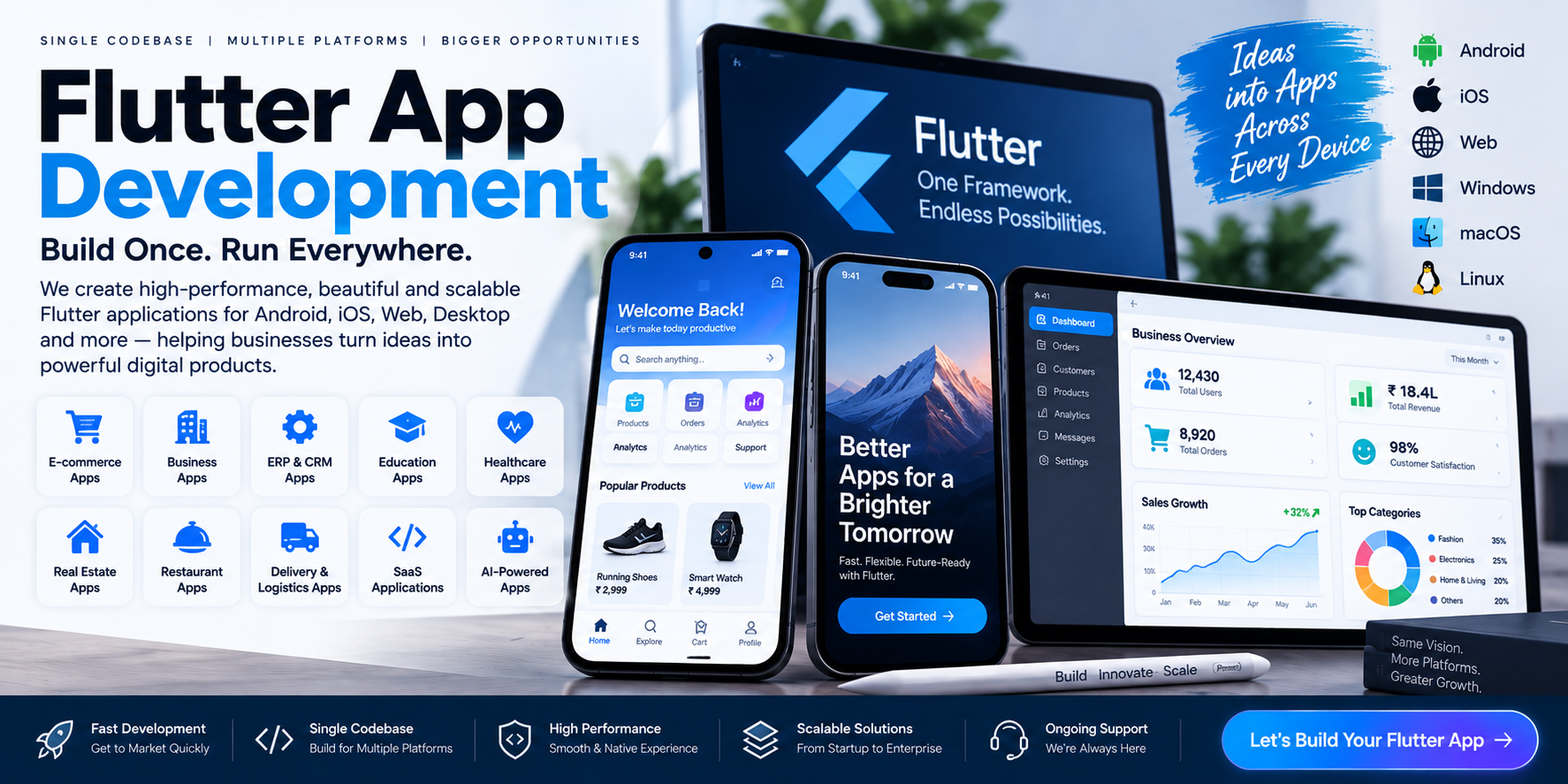
Flutter App Development Company in Hansi, Hisar & India
Build Android, iOS, Web & Cross-Platform Applications With Flutter
Businesses today often want applications on multiple platforms.
A startup may need:
Android + iPhone
An e-commerce company may need:
Android + iOS + Website
A SaaS company may need:
Android + iOS + Web Dashboard
An enterprise may need:
Mobile Apps + Web Application + ERP + APIs + Cloud
Building and maintaining completely separate applications for every platform can increase development complexity.
Flutter provides another approach: developing applications from a shared codebase while still supporting multiple target platforms.
Flutter's official documentation states that Flutter enables developers to build, test and deploy multi-platform applications from a single codebase, with support for Android, iOS, web, Windows, macOS and Linux.
Cycode Technologies is a Flutter app development company serving Hansi, Hisar, Haryana and businesses across India, developing custom Flutter applications for startups, businesses, enterprises and organizations.
What Is Flutter App Development?
Flutter is an open-source UI toolkit and application development framework from Google.
Flutter applications are primarily developed using Dart, and Flutter provides its own widget-based UI system.
It can be used to build applications for:
- Android
- iOS
- Web
- Windows
- macOS
- Linux
- Supported embedded environments
Flutter's official FAQ confirms that applications can be compiled and deployed across these platforms from a shared codebase.
This makes Flutter particularly interesting for businesses that want to develop a product across multiple platforms.
Why Choose Flutter for App Development?
One of the biggest reasons businesses consider Flutter is the possibility of sharing a large portion of application code across platforms.
Instead of maintaining completely independent codebases:
Traditional Multi-Platform Approach

Android App
     ↓
Android Codebase

iOS App
     ↓
iOS Codebase
a Flutter project can be structured around:
                 Flutter
                    ↓
             Shared Codebase
              /     |      \
             ↓      ↓       ↓
         Android   iOS     Web
The exact amount of shared code depends on the application and its platform-specific requirements.
Flutter also supports integration with platform-specific functionality when required. Its documentation describes platform integration through plugins and platform-specific code such as Kotlin/Java on Android and Swift/Objective-C on iOS.
Flutter App Development for Android & iOS
One of the most common Flutter use cases is building both Android and iOS applications.
For example, a business may require:
Android App
For Android customers.
iPhone App
For iOS customers.
Backend
Central API and database.
Admin Panel
Business management.
All four components can work together.
             CUSTOMER
                 |
       ┌─────────┴─────────┐
       ↓                   ↓
   Android App          iOS App
       │                   │
       └─────────┬─────────┘
                 ↓
             REST API
                 ↓
          Cloud / Database
                 ↓
        Admin Panel / ERP
This architecture is particularly useful for businesses building a complete digital product.
Custom Flutter App Development
Flutter is not limited to one particular type of application.
A custom Flutter application can be developed around the business's actual requirements.
Possible features include:
- User registration
- Login
- OTP
- User profiles
- Product catalog
- Search
- Filters
- Shopping cart
- Payments
- Booking
- Subscription
- GPS
- Maps
- Push notifications
- Chat
- Documents
- Reports
- Dashboards
- CRM
- ERP
- AI
- Analytics
- Loyalty
- Referral
- Reviews
- Ratings
- Customer support
- API integrations
Types of Flutter Applications
Flutter Business Applications
Businesses can develop applications for:
- Customers
- Employees
- Sales teams
- Managers
- Field staff
- Dealers
- Distributors
- Partners
Applications can be connected with CRM, ERP, accounting and inventory systems.
Flutter E-Commerce App Development
An e-commerce business can use Flutter to build shopping applications for Android and iOS.
Features can include:
- Product catalog
- Categories
- Product search
- Filters
- Product details
- Wishlist
- Cart
- Checkout
- Online payments
- Coupons
- Orders
- Delivery tracking
- Customer accounts
- Reviews
- Notifications
- Loyalty programs
A complete e-commerce ecosystem could be:
Website + Flutter Android App + Flutter iOS App + Admin Panel + Inventory + CRM
Flutter ERP App Development
Businesses increasingly need access to ERP information from mobile devices.
A Flutter ERP application can provide access to:
- Sales
- Purchases
- Inventory
- Customers
- Suppliers
- Accounting
- Expenses
- Payments
- Employees
- Attendance
- Reports
- Dashboards
- Approvals
For example, a business owner can check sales and inventory from a mobile application while the complete ERP remains accessible through a web dashboard.
Flutter CRM App Development
A mobile CRM can help sales teams manage customers while they are outside the office.
Features can include:
- Leads
- Customers
- Enquiries
- Follow-ups
- Tasks
- Appointments
- Sales pipeline
- Notes
- Calls
- Notifications
- Reports
The Flutter application can communicate with the company's central CRM through APIs.
Flutter SaaS App Development
Flutter can also be used as the mobile application layer for SaaS products.
For example:
                 SaaS Platform
                      |
        ┌─────────────┼─────────────┐
        ↓             ↓             ↓
      Website      Android        iOS
                      \             /
                       \           /
                         Backend
                            |
                         Database
A SaaS company can therefore provide customers with both web and mobile access.
Possible features include:
- Subscription
- Login
- User roles
- Dashboard
- Billing
- Reports
- Notifications
- Account management
- Cloud synchronization
- API integrations
Flutter AI App Development
Flutter applications can also integrate AI functionality.
AI features can include:
- AI chat
- AI assistants
- Smart search
- Recommendations
- Document analysis
- Text generation
- Image-related AI features
- Automated customer support
- Business insights
- AI-powered workflows
The AI processing can be handled through appropriate cloud services, APIs or supported on-device technologies depending on the application's requirements.
Current Flutter documentation also includes resources for developing with and integrating AI tools.
Flutter Healthcare App Development
Healthcare organizations can use Flutter applications for:
- Patient registration
- Doctor profiles
- Appointment booking
- Medical information
- Reports
- Prescriptions
- Notifications
- Patient communication
- Billing
- Pharmacy
- Teleconsultation integrations
The mobile application can connect with hospital or clinic management software.
Related: PulsePanel Hospital & Clinic Management System
Flutter Education App Development
Educational organizations can develop Flutter applications for:
- Students
- Parents
- Teachers
- Staff
- Administrators
Possible features:
- Attendance
- Homework
- Classes
- Exams
- Results
- Fees
- Study material
- Notifications
- Communication
- Online learning
A Flutter application can also connect with a school or coaching ERP.
Related: EduMittar School Management ERP
Flutter Real Estate App Development
Real estate companies can use Flutter applications for:
- Property listings
- Property search
- Filters
- Property details
- Images
- Videos
- Location
- Buyer enquiries
- Seller enquiries
- Agent management
- Site visits
- Bookings
- Payments
- Notifications
An internal agent application can additionally provide:
- Leads
- Follow-ups
- Customer management
- Site visits
- Property inventory
- Booking status
Related: Real Estate & Property Management ERP
Flutter Restaurant App Development
Restaurants can develop customer-facing applications for:
- Food ordering
- Digital menu
- Table booking
- Delivery
- Online payment
- Offers
- Loyalty
- Order tracking
- Notifications
The app can communicate with a restaurant POS and kitchen management system.
Related: KwikDine Restaurant POS & QR Menu
Flutter Transport & Delivery App Development
Transport companies can use Flutter applications for:
- Drivers
- Customers
- Trips
- Deliveries
- GPS
- Tracking
- Fuel
- Documents
- Expenses
- Notifications
A complete logistics ecosystem may include:
Customer App + Driver App + Admin Panel + Fleet ERP
Related: FleetLogic Transport Management Software
Flutter Accounting & Billing App
A business can provide mobile access to:
- Sales
- Invoices
- GST billing
- Expenses
- Customers
- Suppliers
- Payments
- Outstanding amounts
- Inventory
- Reports
For an existing accounting system, the Flutter app can act as the mobile interface connected through APIs.
Related: AccuBook & Vendly
Flutter Employee Management App
Companies can develop employee applications containing:
- Attendance
- Leave
- Tasks
- Employee profile
- Documents
- Expenses
- Field visits
- Location
- Notifications
- Internal communication
For field teams, the app can also support GPS and location-based workflows.
Flutter Booking App Development
Flutter can be used to build booking applications for:
- Hotels
- Restaurants
- Clinics
- Salons
- Consultants
- Events
- Travel
- Rentals
- Classes
- Professional services
A typical workflow can be:
Search → Availability → Booking → Payment → Confirmation → Notification
Flutter Delivery App Development
A delivery business may require several connected applications.
Customer App
Customers place and track orders.
Delivery App
Drivers receive assigned deliveries and update status.
Admin Panel
Administrators manage:
- Orders
- Customers
- Drivers
- Deliveries
- Payments
- Reports
Backend
The backend connects all components.
Flutter Web Development
Flutter is not limited to mobile applications.
Flutter's official documentation supports web deployment, including compilation to WebAssembly and JavaScript. Flutter web can be useful for interactive web applications and existing Flutter mobile products, although Flutter's documentation notes that text-heavy, document-centric websites are often better suited to traditional web technologies.
This distinction is important.
Flutter can be a strong choice for:
- Web applications
- Dashboards
- Admin panels
- Interactive applications
- SaaS interfaces
- Existing Flutter mobile applications extended to web
It is not necessarily the ideal tool for every SEO-heavy content website or traditional blog.
For a company like Cycode Technologies, this distinction itself can be useful when advising clients.
Flutter Desktop Application Development
Flutter also supports desktop targets including:
- Windows
- macOS
- Linux
This can allow a product to share substantial application logic across mobile, web and desktop where the use case makes sense.
Possible applications include:
- Business software
- POS
- Internal tools
- Dashboards
- Management systems
- Productivity applications
Flutter API & Backend Integration
A mobile application normally needs backend services when it works with dynamic business data.
Flutter applications can communicate with backend systems through APIs.
Possible backend functionality includes:
- Authentication
- User management
- Database
- Business logic
- Orders
- Payments
- Notifications
- File uploads
- Reports
- CRM
- ERP
- AI services
The same backend can potentially serve:
Flutter Android + Flutter iOS + Website + Admin Panel + ERP
Flutter Firebase Development
Depending on project requirements, Flutter applications can integrate with cloud services for functionality such as:
- Authentication
- Push notifications
- Cloud data
- Analytics
- File storage
- Crash reporting
- Other application services
The correct backend architecture depends on the scale, security, data model and business requirements.
Flutter UI/UX Development
Flutter's widget-based approach gives developers significant control over application interfaces.
Flutter can be used to create:
- Custom interfaces
- Branded applications
- Dashboards
- Forms
- Lists
- Cards
- Charts
- Animations
- Navigation
- Responsive layouts
Flutter's official FAQ specifically notes that it can be used for custom branded designs as well as interfaces aligned with Material and Cupertino design systems.
Flutter App Performance
Performance is one of the important considerations when selecting an application framework.
Flutter applications are compiled to native machine code for supported platforms rather than depending on a browser-based rendering model.
Flutter's documentation describes Flutter as providing natively compiled multi-platform applications.
Actual performance still depends on:
- Application architecture
- Code quality
- Database queries
- Network requests
- Image handling
- Animations
- State management
- Backend performance
- Device capabilities
Choosing Flutter does not automatically make an application fast; the application still needs good engineering.
Flutter and Platform-Specific Features
One common misconception is that Flutter means a developer can never use native Android or iOS functionality.
That is not the case.
Flutter provides plugins and mechanisms for platform-specific integration.
If a project requires functionality that isn't available through an existing plugin, developers can use platform-specific code.
Flutter documents platform integration with:
- Kotlin
- Java
- Swift
- Objective-C
- Other platform-specific technologies
through mechanisms such as platform channels and plugins.
This means a Flutter application can combine:
Flutter UI + Dart + Native Android + Native iOS
when the project requires it.
Flutter App Development Process
1. Requirement Analysis
Understand:
- Business
- Target audience
- Features
- Platforms
- Integrations
- Budget
- Future requirements
2. Product Planning
Define:
- Screens
- User roles
- Application modules
- Backend
- APIs
- Database
- Admin panel
3. UI/UX Design
Create:
- User journeys
- Wireframes
- Interfaces
- Components
- Responsive layouts
4. Flutter Development
Develop the application using Flutter and Dart.
5. Backend & API Development
Connect the application to:
- Database
- APIs
- Authentication
- Business logic
- External services
6. Testing
Test:
- Android
- iOS
- Different screen sizes
- Performance
- APIs
- Payments
- Notifications
- Security
- User experience
7. Deployment
Prepare and publish applications for the required platforms.
8. Maintenance
Continue improving:
- Features
- Compatibility
- Performance
- Security
- User experience
Flutter App Development Cost in India
One of the most searched questions is:
“How much does Flutter app development cost?”
There is no single price because Flutter applications can range from simple utility apps to large enterprise platforms.
Cost depends on:
- Number of screens
- Features
- UI/UX complexity
- Backend
- Admin panel
- APIs
- Payment gateways
- GPS
- Chat
- Notifications
- AI
- Database
- User roles
- Security
- Third-party integrations
- Cloud infrastructure
- Android requirements
- iOS requirements
- Web requirements
- Desktop requirements
A simple Flutter application and a complete Flutter-based ERP/SaaS platform should not be treated as the same development category.
The best approach is to define the product requirements and then prepare a project-specific estimate.
How Long Does It Take to Build a Flutter App?
Development time depends on complexity.
Simple App
May contain:
- Login
- A few screens
- Basic API
- Basic profile
Business App
May include:
- Customers
- Products
- Orders
- Payments
- Notifications
- Reports
Advanced Platform
May include:
- Android
- iOS
- Web
- Backend
- ERP
- CRM
- AI
- Payments
- Multiple user roles
- Real-time functionality
These projects have very different development requirements.
A practical approach is to launch an MVP and then expand the product in stages.
Flutter MVP Development for Startups
Flutter can be useful for startups that want to validate an application idea across Android and iOS.
An MVP can focus on:
- Core functionality
- Main user journey
- Login
- Backend
- Essential admin panel
- Payments where necessary
- Analytics
After the product receives real user feedback, additional functionality can be introduced.
This can be more practical than attempting to build every planned feature before launch.
Flutter for Existing Businesses
An existing company can also use Flutter to extend its current software.
For example:
Existing Business
       ↓
    Website
       ↓
     CRM
       ↓
     ERP
       ↓
    APIs
       ↓
 Flutter Mobile Apps
     ↙       ↘
 Android     iOS
The Flutter application becomes another interface to the existing business ecosystem.
This can be particularly useful for:
- Sales teams
- Field employees
- Customers
- Dealers
- Delivery staff
- Managers
Flutter vs Native Android
This is a common business decision.
RequirementFlutterNative AndroidAndroid + iOSStrong fitRequires separate native developmentShared codebaseYesAndroid-specificAndroid-specific featuresCan integrate native codeDirect platform accessCustom UIStrongStrongDevelopment approachCross-platformAndroid nativeiOS supportYesNoPlatform-specific optimizationMay require native integrationDirect
Flutter can be useful when Android and iOS are both required.
Native Android can be appropriate when the product is heavily dependent on Android-specific functionality.
Neither should be selected purely because it is popular.
Flutter vs Native iOS
RequirementFlutterNative iOSAndroid + iOSStrong fitRequires separate Android developmentShared codebaseYesiOS-specificApple-specific featuresNative integration possibleDirect accessCustom UIStrongStrongCross-platformYesNoPlatform-specific optimizationMay require native codeDirect
For an application heavily dependent on Apple's newest platform capabilities, native development may be appropriate.
For a business requiring both major mobile platforms, Flutter may provide a useful shared development strategy.
Flutter vs React Native
Flutter and React Native are both widely used cross-platform approaches, and the appropriate choice depends on the project.
Important considerations include:
- Existing technology stack
- Developer expertise
- UI requirements
- Native integrations
- Web requirements
- Team structure
- Long-term maintenance
- Application architecture
Current 2026 industry comparisons continue to treat Flutter and React Native as major cross-platform options alongside native Android and iOS development.
The correct framework should therefore be selected based on the project rather than using a universal “best framework” claim.
Flutter App Development for Different Businesses
Flutter can be applied to many industries.
Retail
- Shopping
- Inventory
- Customers
- Orders
Education
- Students
- Parents
- Teachers
- Courses
Healthcare
- Patients
- Doctors
- Appointments
- Reports
Restaurant
- Menu
- Orders
- Delivery
- Loyalty
Transport
- Drivers
- Trips
- Tracking
- Deliveries
Real Estate
- Properties
- Leads
- Site visits
- Bookings
Manufacturing
- Inventory
- Production
- Employees
- Reports
Finance & Accounting
- Billing
- Payments
- Customers
- Reports
Startups
- MVP
- SaaS
- Marketplace
- Mobile platforms
Flutter App Security
Security needs to be designed according to the application and its data.
Depending on the project, security architecture can include:
- Secure authentication
- Role-based access
- API authentication
- Secure communication
- Input validation
- Secure storage
- Access control
- Payment security
- Database security
- Logging
- Monitoring
Flutter itself is only one layer of the system.
A secure application also requires secure backend architecture, APIs, databases, authentication and infrastructure.
Flutter App Development Company in Hansi
Businesses searching for:
- Flutter app development company in Hansi
- Flutter developers in Hansi
- Flutter app developers in Hansi
- cross-platform app development Hansi
- Android iOS app development Hansi
- custom Flutter app development Hansi
can work with Cycode Technologies for customized Flutter application projects.
Flutter App Development Company in Hisar
Cycode Technologies provides Flutter development services for businesses in Hisar and surrounding areas.
Applications can include:
- Business apps
- E-commerce apps
- ERP apps
- CRM apps
- SaaS apps
- AI apps
- Education apps
- Healthcare apps
- Real estate apps
- Restaurant apps
- Delivery apps
- Booking applications
Flutter App Development Company in Haryana
Flutter applications can be developed for businesses across Haryana and India.
Whether the requirement is:
local business app
or
nationwide SaaS platform
the architecture can be designed around the required users, platforms and business model.
Why Choose Cycode Technologies for Flutter Development?
A Flutter project is not simply about writing mobile screens.
A complete application may require:
Flutter + Dart + UI/UX + Backend + APIs + Database + Cloud + Admin Panel + ERP + CRM + AI + Integrations
Cycode Technologies works across these areas, allowing Flutter applications to become part of larger digital ecosystems.
For example:
Website
Customer-facing platform.
Flutter
Android + iOS application.
Backend
API + database.
ERP
Business operations.
CRM
Customer and sales management.
AI
Intelligent functionality.
Cloud
Infrastructure and scalability.
Complete Flutter Digital Ecosystem
A larger project can look like:
                    USERS
                      |
          ┌───────────┴───────────┐
          ↓                       ↓
      FLUTTER APP             WEBSITE
     Android + iOS               |
          |                       |
          └───────────┬───────────┘
                      ↓
                    APIs
                      ↓
               CLOUD BACKEND
                      |
       ┌──────────────┼──────────────┐
       ↓              ↓              ↓
      CRM            ERP             AI
       |              |              |
       └──────────────┼──────────────┘
                      ↓
                   DATABASE
                      ↓
                ADMIN PANEL
This architecture can support customers, employees, administrators and management from a shared technology platform.
Frequently Asked Questions
What is Flutter app development?
Flutter app development is the process of building applications using Google's Flutter framework and Dart, with support for Android, iOS, web, desktop and other supported platforms.
Is Flutter good for Android and iOS apps?
Flutter is designed specifically for multi-platform application development and can target Android and iOS from a shared codebase.
Can Flutter build both Android and iOS?
Yes. Flutter officially supports both Android and iOS application development.
Can Flutter build web applications?
Yes. Flutter supports web applications, including WebAssembly and JavaScript compilation.
Can Flutter build desktop applications?
Yes. Flutter supports Windows, macOS and Linux desktop applications.
Can Flutter connect to an ERP?
Yes. Flutter applications can communicate with ERP systems through APIs and backend services.
Can Flutter applications use AI?
Yes. AI functionality can be integrated through appropriate APIs, cloud services or supported on-device approaches.
Can Flutter applications use native Android and iOS features?
Yes. Flutter supports platform-specific integration and native code through plugins and platform channels.
Is Flutter cheaper than native development?
Flutter can reduce duplicated development effort when the same product needs multiple platforms, but actual project cost depends on requirements, architecture, integrations and complexity.
How much does Flutter app development cost in India?
There is no universal price. The cost depends on features, backend, UI/UX, integrations, user roles, platforms and project complexity.
How long does Flutter app development take?
The timeline depends on the application. A simple app and an ERP, SaaS, marketplace or AI platform can have very different development requirements.
Can you migrate an existing Android app to Flutter?
A migration can be possible, but the approach depends on the existing architecture, codebase, features and native integrations. It should be evaluated before deciding whether to migrate, rebuild or gradually replace parts of the application.
Can Flutter be used for an enterprise application?
Yes. Flutter can be used for enterprise applications, provided the architecture, security, integrations and platform requirements are properly designed.