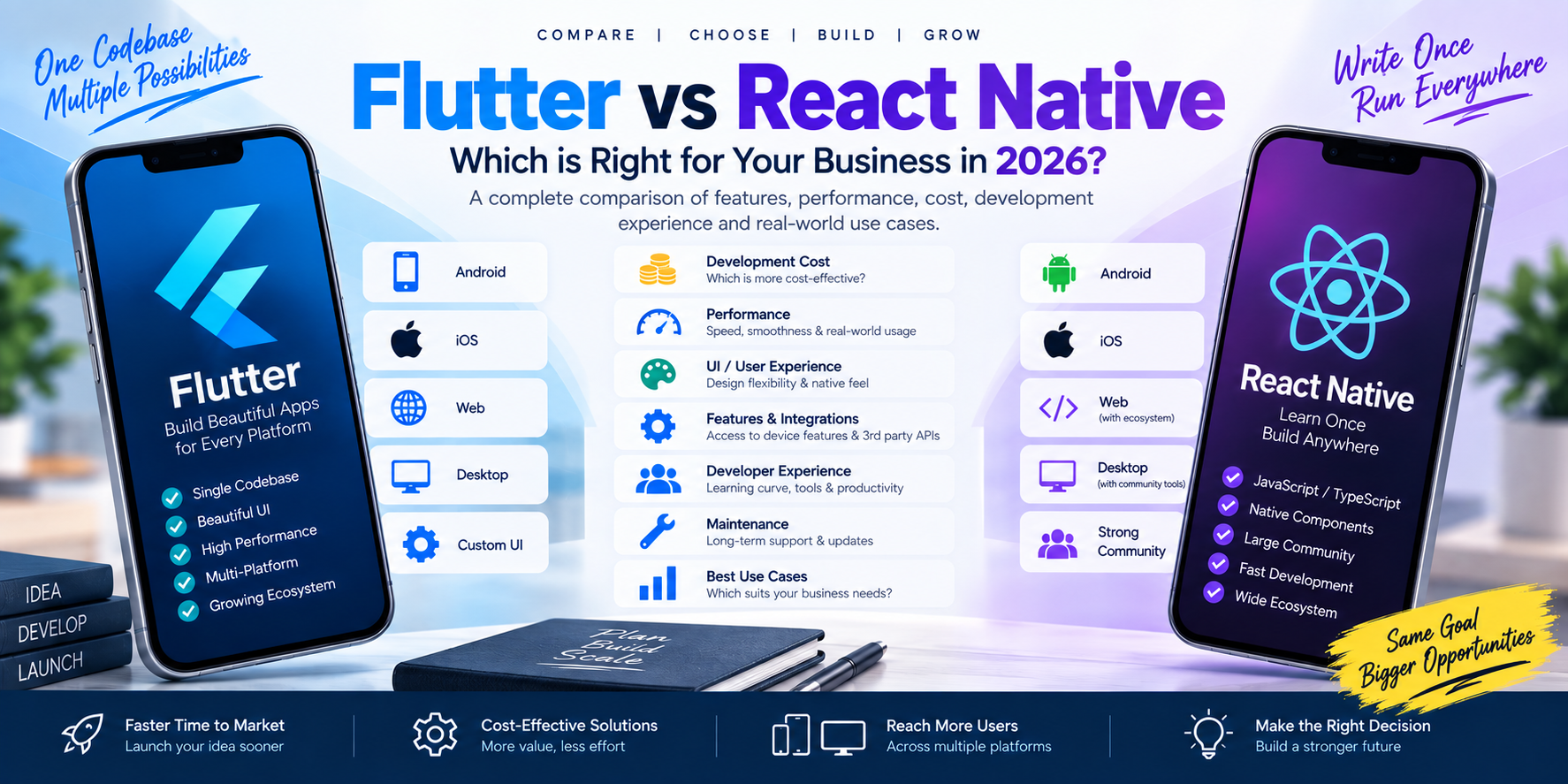
Flutter vs React Native: A Complete Comparison for 2026
Flutter and React Native are two widely used options for cross-platform application development. This guide compares Flutter vs React Native across programming languages, UI development, performance, cost, integrations, code sharing, maintenance, and business use cases.
1. What Is Flutter?
Flutter is an open-source framework for building applications across multiple platforms using a shared codebase. It uses the Dart programming language and provides a widget-based approach to building user interfaces.
Flutter supports application development for platforms including:
- Android
- iOS
- Web
- Windows
- macOS
- Linux
Flutter also supports platform-specific integrations when an application needs to interact with operating-system features or native code.
Flutter can be used for projects such as:
- Business applications
- E-commerce apps
- ERP and CRM apps
- SaaS applications
- Education applications
- Healthcare applications
- Booking applications
- Delivery and logistics apps
- Customer portals
- Internal employee apps
Its shared-codebase approach can be useful when a business wants to maintain related application versions across multiple platforms.
2. What Is React Native?
React Native is a framework for developing mobile applications using React and JavaScript or TypeScript.
It allows developers to build mobile interfaces using React components and connect application logic with native platform capabilities. React Native's official documentation describes its approach to creating native apps using React.
React Native can be used for applications such as:
- E-commerce apps
- Business apps
- Social applications
- Booking platforms
- Customer portals
- Education apps
- Healthcare apps
- SaaS applications
- Enterprise applications
React Native may be especially relevant for teams that already use React, JavaScript, or TypeScript in their existing software projects.
3. Flutter vs React Native: Quick Comparison
| Feature | Flutter | React Native |
|---|---|---|
| Main language | Dart | JavaScript or TypeScript |
| Development model | Shared codebase across supported platforms | Shared JavaScript/TypeScript code with native integrations |
| UI approach | Flutter widget system and rendering | React components connected to native platform UI |
| Android support | Yes | Yes |
| iOS support | Yes | Yes |
| Web support | Supported | Possible through the broader React Native ecosystem and related tooling |
| Desktop support | Flutter supports Windows, macOS and Linux | Desktop support depends on additional projects and platform-specific solutions |
| Code sharing | Can share substantial application code | Can share substantial application logic and components |
| Platform integration | Plugins and platform-specific code | Native modules and platform-specific code |
| Existing React expertise | Dart and Flutter concepts must be learned | React and JavaScript/TypeScript skills can be reused |
| Custom UI | Widget-based custom interface | React components and native UI integration |
| Ecosystem | Flutter and Dart packages | JavaScript, React Native and native package ecosystems |
| Testing | Flutter testing tools | React Native testing tools and JavaScript ecosystem tools |
The table summarizes general framework characteristics. Actual capabilities and implementation details depend on framework versions, libraries, and the requirements of the application.
4. Programming Language: Dart vs JavaScript/TypeScript
One of the main differences between Flutter and React Native is the programming language used.
Flutter Uses Dart
Flutter applications are written primarily in Dart.
Dart provides features such as:
- Static type checking
- Object-oriented programming
- Asynchronous programming
- A language designed to work with Flutter's development model
Flutter's official documentation provides language and framework resources for developers learning Dart and Flutter.
React Native Uses JavaScript or TypeScript
React Native uses React and JavaScript, and many projects use TypeScript.
This can be useful for teams that already have experience with:
- React
- JavaScript
- TypeScript
- npm packages
- Frontend development
- Web application architecture
React Native's official documentation explains how developers use React concepts to build native mobile applications.
What Does This Mean for a Business?
The existing skills of the development team can influence onboarding, productivity, hiring, and maintenance.
A team with significant React experience may already understand many concepts used in React Native. A team experienced with Flutter and Dart may be familiar with Flutter's widget and application architecture.
5. UI and User Experience
UI implementation is one of the most visible differences between the frameworks.
Flutter UI
Flutter uses its own widget system and rendering approach. This gives developers control over how many interface elements are drawn and styled.
Flutter provides Material and Cupertino widgets, along with tools for creating custom interfaces.
Flutter can be useful for applications that need:
- Consistent custom branding
- Reusable interface components
- Complex custom layouts
- Rich animations
- Similar visual design across platforms
React Native UI
React Native uses React components that connect with native platform UI components.
This approach can help developers create interfaces that use platform-specific controls and interactions.
However, platform differences may need to be considered when building and testing the application across Android and iOS.
UI Comparison
| UI Requirement | Flutter | React Native |
|---|---|---|
| Custom branded interface | Supported through Flutter widgets | Supported through React components and styling |
| Platform-specific appearance | Can be designed and adapted for each platform | Can use native platform components |
| Shared visual components | Shared widgets can be used across platforms | Shared components can be used where platform behavior permits |
| Complex animations | Flutter provides animation APIs | React Native supports animation approaches through its ecosystem |
| Consistent visual presentation | Flutter controls much of its own rendering | Native component behavior can vary by platform |
The suitability of either approach depends on the required design, platform conventions, accessibility, and implementation quality.
6. Performance: Flutter vs React Native
Performance is often discussed when comparing cross-platform frameworks, but it should be assessed in the context of the actual application.
Important performance factors include:
- Rendering
- Animations
- Network requests
- Database operations
- Image processing
- Memory usage
- Background work
- Third-party libraries
- API response times
- Device capabilities
Flutter Performance
Flutter uses its own rendering architecture and supports compiling mobile applications to native machine code. Its architecture is designed to support custom interfaces and multi-platform development.
React Native Performance
React Native connects JavaScript application logic with native platform functionality. Its architecture and performance characteristics depend on the React Native version, native integrations, JavaScript workload, and application design.
How Should Businesses Compare Performance?
Rather than relying only on generalized claims, evaluate the frameworks using the actual requirements:
- Build a representative prototype.
- Test on the devices your users are likely to use.
- Measure startup time and screen transitions.
- Test scrolling and animations.
- Measure memory and battery behavior.
- Test network and API performance.
- Test the integrations the production application will require.
This provides more meaningful evidence for a particular project than a framework-wide performance claim.
7. Development Cost: Flutter vs React Native
There is no universal price difference between Flutter and React Native.
Project cost depends on:
- Number of platforms
- Application complexity
- Number of screens
- User roles
- UI/UX design
- Backend development
- Admin panel
- Payment integrations
- GPS and tracking
- Third-party APIs
- Security requirements
- Testing
- Deployment
- Maintenance
Flutter Cost Considerations
Flutter can allow substantial code sharing between supported platforms. This may reduce duplicated implementation work when building Android and iOS applications.
However, platform-specific functionality, custom plugins, testing, and backend work may still add effort.
React Native Cost Considerations
React Native can also support code sharing across platforms. Existing React and JavaScript expertise may influence the team's development workflow and onboarding requirements.
Native modules, platform-specific UI behavior, and specialized integrations can affect the final project scope.
Cost Comparison Summary
| Cost Factor | Flutter | React Native |
|---|---|---|
| Android and iOS code sharing | Supported | Supported |
| Existing React team experience | Dart/Flutter learning may be needed | May be directly relevant |
| Platform-specific development | May be required | May be required |
| Backend development | Depends on project | Depends on project |
| UI/UX design | Depends on project | Depends on project |
| Third-party integrations | Depends on required plugins and APIs | Depends on libraries and native modules |
| Maintenance | Depends on architecture and support needs | Depends on architecture and support needs |
Important: A reliable quotation should compare the complete scope of work, not just the framework name.
For pricing context, read our related article: Mobile App Development Cost in India in 2026 .
8. Code Sharing and Multi-Platform Development
Both frameworks support code sharing, but their implementation models differ.
Flutter
Flutter allows developers to share application code across supported platforms. Platform-specific code can be added when required.
This can be relevant for projects targeting:
- Android and iOS
- Mobile and web
- Mobile and desktop
However, not every application feature or user experience must be identical across platforms.
React Native
React Native allows developers to reuse React-based application logic and components while integrating with native platform functionality.
Some components or behaviors may require platform-specific implementation.
What Should Businesses Consider?
Ask:
- Which platforms must launch together?
- How much application logic can realistically be shared?
- Does each platform need a different user experience?
- Are platform-specific SDKs required?
- Will the product need web or desktop versions?
- How will shared code be tested and maintained?
These questions help establish how much code sharing will actually benefit the project.
9. Native Device Features and Third-Party Integrations
Many mobile applications need to interact with device hardware, operating-system services, or external platforms.
Examples include:
- Camera
- GPS
- Maps
- Bluetooth
- Biometrics
- Push notifications
- File storage
- Payment gateways
- Background location
- QR and barcode scanning
- External APIs
- AI services
Flutter Integrations
Flutter supports platform integration through plugins and platform-specific code. Developers should verify that the required plugin or native integration supports the target platforms and current framework version.
React Native Integrations
React Native supports native integrations and modules. The availability and maintenance status of libraries should be evaluated for the project's required platforms and versions.
Integration Checklist
Before choosing a framework, confirm:
- The required SDK supports the target platform.
- The integration is maintained and compatible.
- Required permissions can be implemented correctly.
- Background processing requirements are supported.
- Security and privacy requirements can be met.
- The integration can be tested on target devices.
- The project has a maintenance plan for dependency updates.
10. Ecosystem and Developer Resources
Both frameworks have developer communities, documentation, packages, and tools.
Flutter Ecosystem
Flutter provides official documentation, learning resources, widgets, and package support. Developers can explore the framework's official resources to evaluate available functionality and development practices.
React Native Ecosystem
React Native is connected to the broader React and JavaScript ecosystem. Developers can use React Native documentation and relevant packages to investigate application features and platform integrations.
What Matters When Evaluating an Ecosystem?
Look at:
- Package maintenance
- Framework compatibility
- Documentation quality
- Community activity
- Security advisories
- Platform coverage
- Testing tools
- Upgrade paths
- Availability of experienced developers
The number of packages alone does not determine whether a framework is appropriate for a particular project.
11. Flutter vs React Native for Different Business Applications
The framework decision should reflect the application's requirements.
| Application Type | Important Requirements to Evaluate |
|---|---|
| E-commerce app | Product browsing, checkout, payments, inventory APIs, notifications |
| ERP app | Role-based access, business workflows, reporting, API integration |
| CRM app | Customer records, sales workflows, tasks, communication |
| SaaS app | Authentication, subscription management, tenant separation, backend |
| Education app | Student and teacher roles, attendance, content, notifications |
| Healthcare app | Patient information, appointments, privacy, security, integrations |
| Transport app | GPS, maps, background location, trip management |
| Restaurant app | Menus, orders, billing, kitchen workflows |
| Real estate app | Listings, property search, images, maps, lead management |
| AI-powered app | AI APIs, streaming responses, document processing, privacy |
Both Flutter and React Native can be considered for many business application categories. The suitability of each depends on the implementation requirements, libraries, platform features, and development team.
12. Flutter vs React Native for Startups
Startups often need to balance development speed, product validation, budget, and future expansion.
Important considerations include:
- How quickly the first version must be delivered
- Whether Android and iOS are both required
- Whether the team already knows React or Dart
- Whether the application needs specialized native features
- Whether the product will expand to web or desktop
- How frequently features will change
- Whether the startup has an ongoing maintenance budget
An MVP can help a startup validate its core idea before implementing every planned feature.
For example, an initial release might include:
- Registration and login
- Core user workflow
- Basic dashboard
- Essential APIs
- Admin panel
- Analytics
Later releases can add payments, advanced automation, AI, integrations, and additional user roles.
The appropriate framework should support the MVP as well as the anticipated product roadmap.
13. Flutter vs React Native for Existing Businesses
Established businesses may already have websites, APIs, ERP systems, CRMs, or customer databases.
When adding a mobile application, the development team should examine:
- Existing backend architecture
- Authentication and permissions
- API availability
- Data synchronization
- Security requirements
- Offline behavior
- Reporting needs
- Integration with existing systems
- Staff and customer workflows
For example, a business with an existing ERP may need a mobile application that allows staff to view orders, record expenses, manage inventory, or approve transactions.
The mobile framework is only one part of that project. Backend compatibility and integration design can be equally important.
14. Maintenance and Long-Term Support
Applications need ongoing maintenance after launch.
Common maintenance tasks include:
- Bug fixes
- Operating-system compatibility
- Security updates
- Dependency updates
- API changes
- Performance improvements
- New features
- Store submission updates
- Monitoring and backups
Both Flutter and React Native applications require maintenance. The work involved depends on the architecture, dependencies, native integrations, testing strategy, and release process.
When comparing development proposals, ask whether the agreement includes:
- A defined bug-fixing period
- Framework and dependency updates
- OS compatibility updates
- Server and backend maintenance
- New-feature development
- App Store and Play Store support
- Monitoring and incident response
15. Questions to Ask Before Choosing Flutter or React Native
Use these questions during project planning:
- Do we need Android, iOS, or both?
- Will the product also need web or desktop applications?
- Does the team already have React, JavaScript, TypeScript, or Dart experience?
- Does the app need specialized hardware or operating-system APIs?
- How customized does the user interface need to be?
- Are there existing applications or codebases to maintain?
- Which third-party SDKs and APIs are required?
- What are the performance and accessibility requirements?
- What is the expected product roadmap?
- What maintenance and support will be needed after launch?
The answers can help the development team create a more accurate technical plan and estimate.
16. Mobile App Development Services at Cycode Technologies
Cycode Technologies develops custom mobile applications for businesses, startups, and organizations.
Our mobile application development services include:
- Android app development
- iOS app development
- Flutter app development
- Cross-platform application development
- E-commerce applications
- ERP and CRM applications
- SaaS applications
- Education applications
- Healthcare applications
- Restaurant applications
- Transport and logistics applications
- Real estate applications
- AI-enabled applications
- Backend and API development
- Admin panel development
- Cloud and third-party integrations
We can assess your requirements and plan the application architecture, platform strategy, backend, integrations, and maintenance scope.
17. Mobile App Development in Hansi, Hisar, Haryana & India
If you are looking for a mobile app development company in Hansi, Hisar, or Haryana, Cycode Technologies provides custom mobile application development services for businesses and organizations.
We can work on projects involving:
- Business operations
- E-commerce
- Education
- Healthcare
- Restaurant management
- Transport and logistics
- Real estate
- ERP and CRM
- SaaS platforms
- AI-enabled workflows
Projects can be planned for businesses in Hansi, Hisar, across Haryana, and throughout India.
Frequently Asked Questions
1. What is the difference between Flutter and React Native?
Flutter uses Dart and its own widget-based UI system. React Native uses React with JavaScript or TypeScript and connects application components with native platform functionality. Both support cross-platform application development.
2. Is Flutter faster than React Native?
Performance depends on the application, framework version, architecture, device, integrations, and workload. A meaningful comparison should test the actual application's performance on representative devices.
3. Is Flutter cheaper than React Native?
Not automatically. Flutter may allow substantial code sharing, while React Native may fit teams with existing React expertise. Total cost depends on the complete scope, integrations, testing, backend, and maintenance.
4. Can Flutter and React Native both build Android and iOS apps?
Yes. Both frameworks support developing applications for Android and iOS, although platform-specific implementation and testing may still be required.
5. Which language does Flutter use?
Flutter uses Dart.
6. Which language does React Native use?
React Native uses JavaScript, and many projects use TypeScript.
7. Can Flutter build web and desktop applications?
Flutter supports web and desktop development, including Windows, macOS, and Linux. Whether it is suitable depends on the application's requirements and user experience.
8. Can React Native use native device features?
Yes. React Native applications can integrate with native platform functionality. The specific implementation depends on the feature, libraries, and target platforms.
9. Which framework is suitable for an e-commerce app?
Both can be evaluated for e-commerce applications. Consider product browsing, payments, inventory APIs, notifications, platform needs, and the development team's expertise.
10. Can these frameworks connect to an existing ERP?
Yes, when the ERP provides suitable APIs or integration interfaces. The project must account for authentication, permissions, data structures, and synchronization.
11. How do I choose between Flutter and React Native?
Evaluate required platforms, existing team skills, UI requirements, native integrations, code-sharing needs, backend architecture, and long-term maintenance.
12. How much does it cost to build a Flutter or React Native app?
The cost depends on the application's scope, features, platforms, backend, integrations, design, testing, and support requirements. A detailed project brief is needed for a meaningful estimate.
Conclusion
Flutter and React Native are both cross-platform development options, but they use different programming languages, UI approaches, and integration models.
Flutter uses Dart and a widget-based rendering system. React Native uses React with JavaScript or TypeScript and connects with native platform functionality. Both can support Android and iOS applications, and both may require platform-specific implementation for certain features.
When planning a project, consider:
- Required platforms
- Development team expertise
- UI and accessibility requirements
- Native device integrations
- Existing backend systems
- Application complexity
- Testing requirements
- Maintenance and future expansion
Cycode Technologies can help businesses plan and develop custom mobile applications using an approach suited to their product requirements.