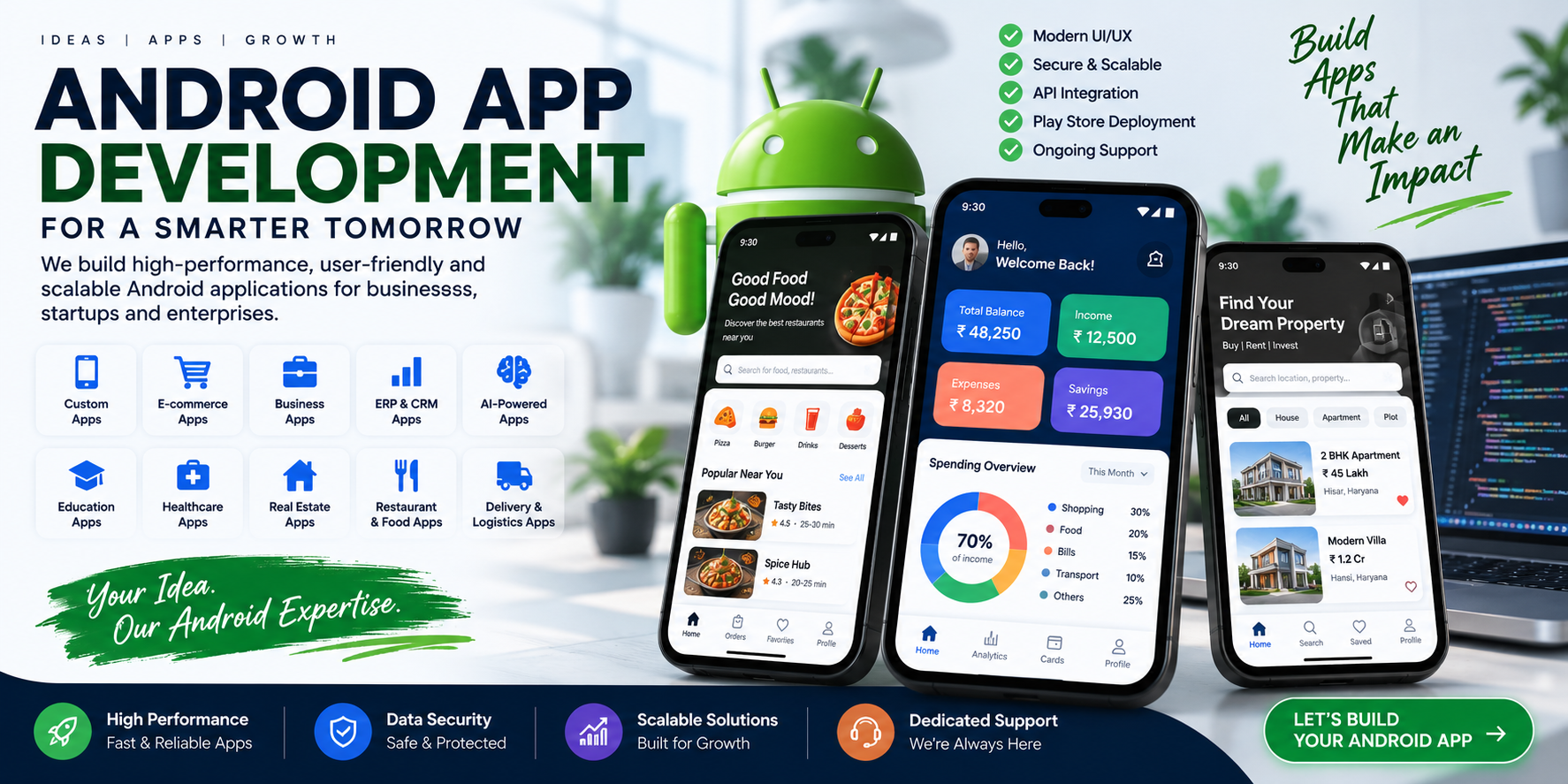
Android App Development Company in Hansi, Hisar & India
Custom Android Applications for Businesses, Startups, E-Commerce, ERP, SaaS, AI & More
Smartphones have become one of the primary ways customers interact with businesses.
People use mobile applications to:
- Shop
- Order food
- Make payments
- Book services
- Track deliveries
- Manage businesses
- Attend classes
- Consult doctors
- Find properties
- Manage employees
- Communicate with companies
- Access financial information
- Consume entertainment
- Use AI-powered services
For businesses, an Android application can therefore become much more than a mobile version of a website.
It can become a complete customer, employee, sales, operations or business-management platform.
Cycode Technologies is an Android app development company serving Hansi, Hisar, Haryana and businesses across India, developing custom Android applications for startups, entrepreneurs, retailers, service businesses, institutions and enterprises.
From a simple customer application to a complex Android ERP, SaaS, e-commerce, AI or enterprise application, the right architecture can be designed around the actual business requirement.
What Is Android App Development?
Android app development is the process of designing, developing, testing, deploying and maintaining applications for Android devices.
An Android application can be built for:
- Smartphones
- Tablets
- Enterprise devices
- Kiosks
- Field devices
- Industry-specific hardware
- Other supported Android environments
Modern Android applications can communicate with:
- Cloud servers
- Databases
- APIs
- Payment gateways
- GPS
- Maps
- Cameras
- Bluetooth
- Notifications
- Business software
- ERP
- CRM
- AI services
- IoT systems
This means an Android app can become an important part of a complete digital ecosystem.
Why Does a Business Need an Android App?
A website provides an online presence.
An Android application can provide a more direct and personalized experience.
For example, a business can use an app for:
Customer Engagement
Customers can access products, services, orders, bookings and account information from their phones.
Notifications
Businesses can send relevant notifications for orders, appointments, payments, offers and important updates.
Faster Access
Frequently used functionality can be available directly from the customer's device.
Loyalty
Businesses can build loyalty programs, memberships, rewards and personalized experiences.
Sales
An app can become another sales channel for products and services.
Operations
Employees and field staff can use Android applications for daily work.
Business Management
Managers can access dashboards, reports, customers, sales and operational information.
Custom Android App Development
Every business has different requirements.
A restaurant does not need the same application as a hospital.
A school does not need the same app as a transport company.
A real estate company does not need the same software as an e-commerce business.
Custom Android application development allows the application to be designed around the actual business model.
Possible features include:
- User registration
- Login
- OTP authentication
- User profiles
- Product catalogs
- Search
- Filters
- Cart
- Orders
- Payments
- Booking
- GPS
- Maps
- Push notifications
- Chat
- Documents
- Reports
- Dashboards
- Subscription
- Wallet
- Loyalty
- Reviews
- Ratings
- Referral systems
- Customer support
- API integration
- AI features
Types of Android Applications We Can Develop
Android Business Apps
Applications for managing business customers, employees, sales and operations.
Android E-Commerce Apps
Shopping applications with:
- Products
- Categories
- Search
- Cart
- Checkout
- Payments
- Orders
- Coupons
- Customer accounts
- Delivery tracking
Android ERP Apps
Mobile ERP applications can allow employees and management to access:
- Sales
- Inventory
- Accounting
- Customers
- Purchases
- Employees
- Reports
- Payments
- Business dashboards
Android CRM Apps
CRM applications can manage:
- Leads
- Customers
- Follow-ups
- Sales
- Calls
- Tasks
- Appointments
- Enquiries
- Sales pipelines
Android SaaS Applications
A SaaS product can have an Android application connected to its cloud backend.
This allows customers to use SaaS functionality from their mobile devices.
Android AI Applications
AI can be integrated into applications for:
- AI chat
- Smart search
- Recommendations
- Document processing
- AI assistants
- Content generation
- Business analysis
- Automated support
- Intelligent workflows
Android Booking Applications
Suitable for:
- Hotels
- Restaurants
- Salons
- Clinics
- Consultants
- Events
- Travel
- Rentals
- Services
Android Delivery Applications
Delivery applications can include:
- Driver login
- Order assignment
- GPS
- Navigation
- Delivery status
- Customer information
- Proof of delivery
- Notifications
- Delivery history
Android Apps for Different Industries
A major advantage of custom application development is that the same technology can be adapted to different industries.
Android App for Schools
A school application can include:
- Student profile
- Parent login
- Attendance
- Homework
- Exams
- Results
- Fees
- Notifications
- School announcements
- Transport
- Teacher communication
For larger schools, the application can connect directly with the school's ERP.
Related: EduMittar School Management ERP
Android App for Coaching Institutes
Coaching applications can provide:
- Student login
- Course information
- Classes
- Attendance
- Online tests
- Results
- Study material
- Fees
- Notifications
- Teacher communication
Android App for Hospitals & Clinics
Healthcare applications can include:
- Patient registration
- Doctor profiles
- Appointment booking
- Prescription information
- Reports
- Medical records
- Notifications
- Billing
- Pharmacy
- Patient communication
An Android application can also connect with hospital management software.
Related: PulsePanel Hospital & Clinic Management System
Android App for Restaurants
A restaurant application can provide:
- Digital menu
- Food ordering
- Table booking
- QR ordering
- Delivery
- Online payments
- Offers
- Loyalty
- Order tracking
- Customer accounts
It can also connect with a restaurant POS.
Related: KwikDine Restaurant POS & QR Menu
Android App for Real Estate
Real estate applications can provide:
- Property listings
- Property search
- Filters
- Property details
- Photos
- Videos
- Location
- Buyer enquiries
- Agent profiles
- Site visits
- Booking
- Payments
- Notifications
An agent or broker can also use an internal application for leads, customers, site visits and follow-ups.
Related: Real Estate & Property Management ERP
Android App for Transport & Logistics
Transport applications can manage:
- Vehicles
- Drivers
- Trips
- Loads
- Deliveries
- GPS
- Fuel
- Maintenance
- Expenses
- Documents
- Customer information
A driver app can communicate with an admin dashboard and transport ERP.
Related: FleetLogic Transport Management Software
Android Accounting & Billing App
Businesses can use mobile applications for:
- Sales
- Purchases
- Invoices
- GST billing
- Expenses
- Customers
- Suppliers
- Payments
- Outstanding amounts
- Reports
For example, salespeople can create invoices while visiting customers instead of waiting to return to the office.
Related: AccuBook & Vendly
Android Employee Management App
Businesses can create applications for employees with:
- Employee login
- Attendance
- Leave
- Salary information
- Tasks
- Announcements
- Documents
- Field visits
- Location
- Expenses
- Performance
This can be particularly useful for field teams and multi-location businesses.
Android App + Website + ERP
A powerful business architecture is not simply an Android application.
It can be:
Android App
↓
API / Backend
↓
Database
↓
ERP / CRM
↓
Admin Web Panel
↓
Business Website
This allows customers, employees and administrators to use different interfaces while working with the same underlying business data.
For example:
Customer
Uses Android app.
Employee
Uses employee/field app.
Manager
Uses web dashboard.
Administrator
Uses ERP.
All systems communicate through the backend.
Android Admin Panel
Most professional Android applications require an administrative system.
An admin panel can manage:
- Users
- Products
- Orders
- Payments
- Bookings
- Content
- Notifications
- Reports
- Employees
- Customers
- App settings
This means the business does not need to manually update the mobile application every time information changes.
Android Backend & API Development
The Android application is only one part of the system.
A professional application usually requires backend infrastructure.
The backend can handle:
- Authentication
- User management
- Database
- Business logic
- APIs
- Payments
- Notifications
- File uploads
- Reports
- Security
- Third-party integrations
The Android application communicates with the backend through APIs.
This architecture allows the same backend to support:
- Android app
- iOS app
- Website
- Admin panel
- ERP
- Other applications
Android App UI/UX Design
A successful application is not just about functionality.
It must also be easy to use.
Good Android UI/UX should focus on:
- Simple navigation
- Clear buttons
- Fast interactions
- Readable text
- Consistent layouts
- Logical user journeys
- Easy search
- Accessible forms
- Responsive screens
- Clear error messages
- Appropriate loading states
In 2026, Android applications increasingly need to work well across different screen sizes and device types, including tablets and foldable devices. Current Android development discussions also emphasize performance, privacy, adaptive interfaces and useful rather than gimmicky AI features.
Native Android App Development
Native Android development focuses specifically on the Android platform.
This approach can be appropriate when an application requires:
- Deep Android integration
- High performance
- Hardware functionality
- Complex background operations
- Advanced Android-specific features
- Maximum platform control
Native Android projects commonly use Android's native development ecosystem and technologies such as Kotlin.
Android vs Flutter App Development
Businesses often ask:
Should I build a native Android application or use Flutter?
There is no universal answer.
Native Android
Can be suitable when:
- Android-specific functionality is important
- Maximum platform control is required
- Performance-sensitive features are involved
- The product is primarily Android
Flutter
Can be suitable when:
- Android and iOS are both required
- Faster cross-platform development is desirable
- A shared codebase makes sense
- The application does not require extensive platform-specific functionality
The correct choice should be based on the product rather than simply choosing whichever technology is currently popular.
For many startups and business applications, cross-platform development can be an efficient option, while native development can make more sense for specialized or performance-sensitive products.
Android App Features
Depending on the project, an Android application can include:
User Features
- Registration
- Login
- OTP
- Profile
- Password management
- Social login where appropriate
Commerce
- Product catalog
- Cart
- Checkout
- Payments
- Coupons
- Orders
- Delivery tracking
Communication
- Push notifications
- Chat
- SMS
- WhatsApp integration where supported
Location
- GPS
- Maps
- Location search
- Distance calculation
- Delivery tracking
Business
- CRM
- ERP
- Reports
- Invoices
- Inventory
- Employees
- Customers
Advanced
- AI
- Subscriptions
- Wallet
- Loyalty
- Referral
- Analytics
- Multi-language support
- Multi-role access
Android App Security
Security should be considered from the beginning of development.
Depending on the application, security measures may include:
- Secure authentication
- Role-based access
- Secure API communication
- Data protection
- Input validation
- Session management
- Secure payment integration
- Access control
- Secure file handling
- Database protection
- Logging and monitoring
The exact security architecture should depend on the application's data, users, integrations and risk profile.
Android App Development Process
A professional Android development project can follow a structured process.
1. Requirement Analysis
Understand:
- Business
- Users
- Problems
- Features
- Competitors
- Integrations
- Budget
- Future requirements
2. Product Planning
Define:
- App modules
- User roles
- Screens
- Backend
- APIs
- Database
- Admin panel
3. UI/UX Design
Create the application interface and user journey.
4. Backend Development
Develop:
- Database
- APIs
- Authentication
- Business logic
- Integrations
5. Android Development
Build the mobile application.
6. Testing
Test:
- Functionality
- Devices
- Screen sizes
- Performance
- Security
- APIs
- Payments
- User experience
7. Deployment
Prepare and publish the application through the appropriate Android distribution process.
8. Maintenance
Continue improving:
- Features
- Compatibility
- Security
- Performance
- User experience
How Much Does Android App Development Cost in India?
There is no single fixed price for an Android application.
A simple application with a few screens is completely different from a marketplace, ERP, SaaS platform or AI-powered application.
Cost can depend on:
- Number of screens
- Features
- UI/UX complexity
- Backend
- Admin panel
- API integrations
- Payment gateway
- GPS
- Chat
- AI
- Third-party services
- User roles
- Security requirements
- Database complexity
- Android-only vs Android + iOS
- Cloud infrastructure
- Maintenance requirements
For this reason, a professional quotation should be based on the actual requirements rather than a generic “per-app” price.
How Long Does It Take to Build an Android App?
Development time depends on complexity.
A basic application may require substantially less development than:
- E-commerce marketplace
- ERP application
- SaaS platform
- Healthcare application
- Real estate platform
- Logistics application
- AI application
- Multiplayer game
A better approach is to divide a large product into stages.
MVP
Build the essential functionality first.
Version 2
Add important improvements based on real users.
Version 3
Add advanced automation, AI, integrations and additional functionality.
This can reduce initial complexity and allow the product to evolve based on actual customer feedback.
Android App Development for Startups
Startups often do not need every possible feature on day one.
A startup can begin with an MVP containing:
- Core functionality
- User registration
- Main workflow
- Payments if required
- Basic admin panel
- Analytics
- Backend
Once users start using the product, additional functionality can be added.
This approach can help validate the idea before investing heavily in every possible feature.
Android App Development for Existing Businesses
An existing business can also build an app to improve its current operations.
For example:
Existing Business
↓
Website
↓
Android App
↓
CRM
↓
ERP
↓
Accounting
↓
Inventory
↓
Reports
The app can become another interface for the existing business rather than creating a completely separate system.
Android App Development Company in Hansi
Businesses searching for:
- Android app development company in Hansi
- Android app developers in Hansi
- mobile app development company in Hansi
- custom Android app development Hansi
- Android application development Hansi
- business app development Hansi
can work with Cycode Technologies for customized mobile application projects.
Android App Development Company in Hisar
Cycode Technologies also provides mobile and software development services for businesses in Hisar and surrounding areas.
Projects can range from:
- Business apps
- E-commerce apps
- ERP apps
- CRM apps
- Education apps
- Healthcare apps
- Real estate apps
- Restaurant apps
- Transport apps
- SaaS applications
- AI-powered applications
Android App Development Company in Haryana
Cycode Technologies can work with businesses across Haryana and India, whether the requirement is a local business application or a nationwide digital product.
The development model can support startups, SMEs, enterprises and organizations with different technical requirements.
Why Choose Cycode Technologies for Android App Development?
Android development is only one part of building a successful digital product.
A strong application may also require:
UI/UX + Android + Backend + API + Database + Cloud + Admin Panel + ERP + CRM + AI + Integrations
Cycode Technologies works across these areas, allowing an Android application to be connected with other business systems when required.
This can be particularly valuable for companies that want:
- Website + Android app
- Android + iOS
- Android + ERP
- Android + CRM
- Android + SaaS
- Android + AI
- Android + e-commerce
- Android + cloud backend
Complete Android Digital Solutions
Instead of building only an app, businesses can create a complete ecosystem:
Customer
Android App
Employee
Employee/Field App
Management
Web Dashboard
Business
ERP / CRM
Technology
Cloud Backend + APIs
Growth
Website + SEO + Digital Marketing
This creates a connected digital platform capable of supporting the business as it grows.
Frequently Asked Questions
What does an Android app development company do?
An Android app development company designs, develops, tests, deploys and maintains applications for Android devices and can also build the backend, APIs, admin panel and integrations required by the application.
Can you build a custom Android application?
Yes. Custom applications can be developed around specific business requirements rather than using a fixed template.
Can an Android app connect with ERP software?
Yes. APIs can connect an Android application with ERP, CRM, inventory, accounting and other backend systems.
Can you build an Android e-commerce app?
Yes. An e-commerce Android app can include products, search, cart, checkout, payments, orders, customer accounts, notifications and delivery functionality.
Can you develop an Android ERP application?
Yes. ERP functionality can be provided through a mobile application connected to a central backend and web-based administration system.
Can AI be integrated into an Android app?
Yes. AI functionality can be integrated for chat, search, recommendations, document processing, business assistance, automation and other use cases where appropriate.
Android or Flutter—which is better?
Neither is universally better. Native Android can be appropriate for Android-specific or performance-sensitive applications, while Flutter can be useful when Android and iOS applications are both required with a shared development approach.
How much does an Android app cost?
The cost depends on features, design, backend, integrations, complexity and other project requirements. A proper estimate requires defining the application's scope.
Can you develop both Android and iOS?
Yes. Businesses can choose native Android and iOS development or a suitable cross-platform approach depending on project requirements.
Can you build the backend along with the Android app?
Yes. A complete project can include the Android application, backend, database, APIs, admin panel and cloud infrastructure.
Can an existing website be converted into an Android app?
A website can sometimes be complemented by an Android application, but simply wrapping a website is not always the best approach. A proper mobile experience should be designed around the application's intended users and functionality.
Do you provide Android app maintenance?
Android applications can require ongoing updates for compatibility, security, performance, new features and backend changes. Maintenance requirements depend on the project.