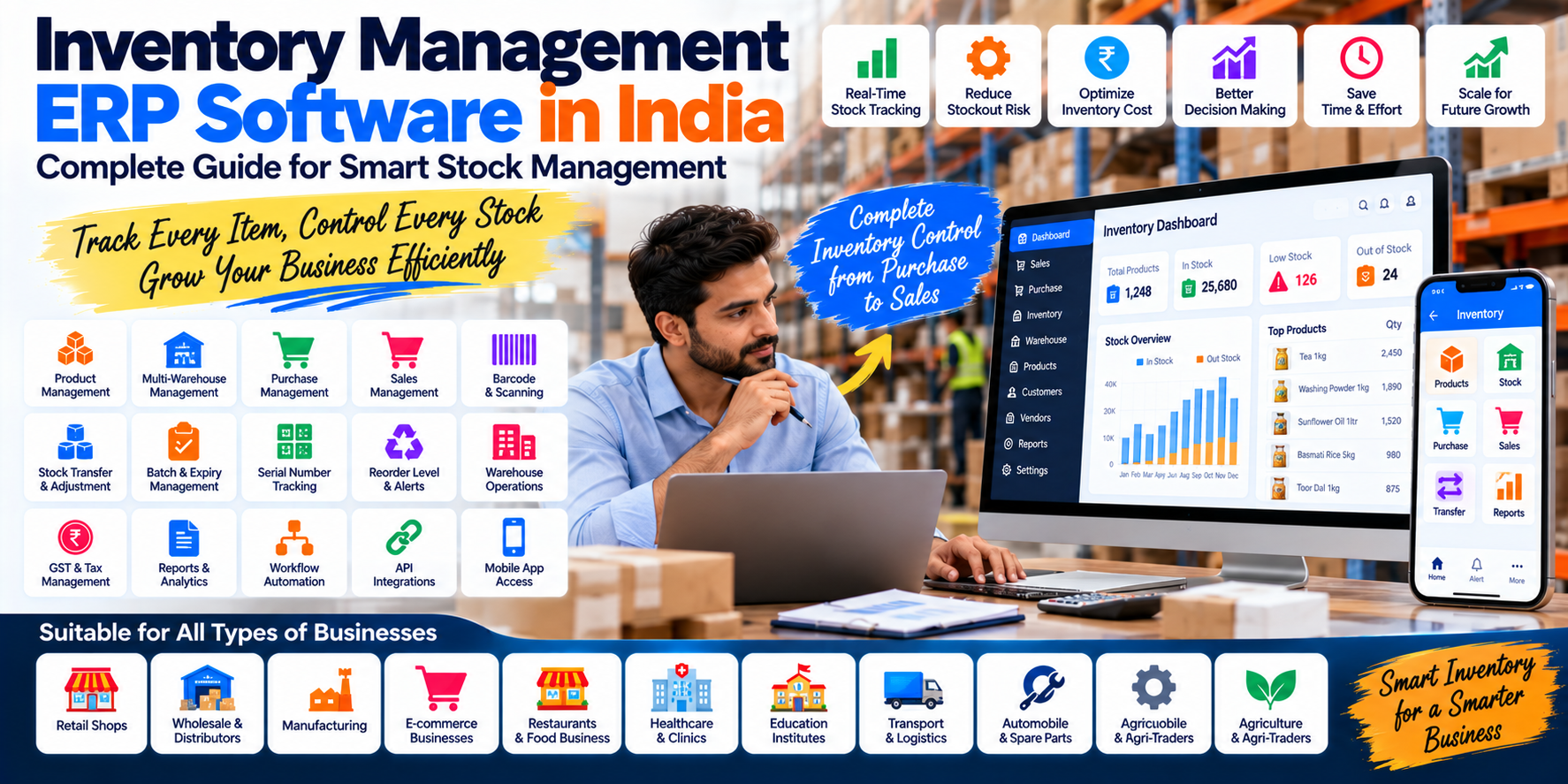
Inventory Management ERP Software in India: A Complete Guide
Inventory is one of the most important assets for businesses that buy, sell, manufacture or distribute physical products.
Too much inventory can tie up working capital.
Too little inventory can result in stockouts, delayed deliveries and lost sales.
And when inventory records are maintained manually across spreadsheets, billing software and warehouse registers, it becomes difficult to know exactly what is available, where it is located and how quickly it is moving.
This is where inventory management ERP software can help.
Modern ERP platforms can connect inventory with purchasing, sales, warehouses, accounting and other business processes. SAP, for example, describes ERP inventory functionality around goods movements, stock visibility, physical inventory and integration with warehouse and financial processes.
For Indian retailers, wholesalers, distributors, manufacturers and growing businesses, an inventory ERP can provide a centralized way to manage the complete movement of goods.
What Is Inventory Management ERP Software?
Inventory management ERP software is an ERP system that provides tools for managing products, stock quantities, purchases, sales, warehouses and inventory-related transactions.
Instead of maintaining inventory separately from other business operations, an ERP can connect:
Purchase → Inventory → Sales → Invoice → Accounting
For example:
- A company purchases 500 units.
- The ERP records the purchase.
- 500 units are added to inventory.
- 200 units are sold.
- Available stock becomes 300 units.
- The sales invoice is generated.
- The corresponding financial information is reflected in accounting.
The exact workflow depends on the ERP configuration, but the objective is to maintain connected operational records.
Why Inventory Management Is Important
Poor inventory control can create several problems.
Overstocking
The business purchases more products than it can sell efficiently.
Stockouts
Popular products become unavailable when customers need them.
Dead Stock
Products remain in inventory for long periods without movement.
Inventory Errors
Physical stock and system stock do not match.
Duplicate Data Entry
Employees enter the same information into multiple systems.
Poor Visibility
Management cannot quickly determine stock across branches or warehouses.
Purchasing Problems
Purchase decisions are made without reliable stock information.
Modern inventory systems increasingly provide real-time visibility, stock tracking, analytics and connections with sales, procurement and warehouse operations.
How Does an Inventory ERP Work?
A typical inventory ERP connects multiple stages of the product lifecycle.
Step 1 — Product Creation
Product information is entered into the ERP.
Step 2 — Purchase
A purchase order or supplier transaction is created.
Step 3 — Goods Receipt
Received products are added to stock.
Step 4 — Warehouse
Products are assigned to a warehouse or location.
Step 5 — Sales
A customer order reduces available stock.
Step 6 — Delivery
Products are dispatched.
Step 7 — Accounting
Financial transactions are recorded.
Step 8 — Reporting
Management can analyze stock, sales and purchasing.
This creates a connected inventory workflow instead of isolated stock records.
25 Important Inventory ERP Features
1. Centralized Product Management
The ERP can maintain a central product master containing information such as:
- Product name
- SKU
- Product code
- Category
- Brand
- Unit
- Purchase price
- Selling price
- Tax information
- Barcode
- Reorder level
- Supplier
- Batch information
Centralized item data helps keep product information consistent across purchasing, sales and inventory.
2. Real-Time Stock Tracking
One of the most important inventory ERP features is stock visibility.
Businesses can track:
- Current stock
- Available stock
- Reserved stock
- Incoming stock
- Sold quantity
- Damaged quantity
- Transferred quantity
Modern ERP systems can provide real-time inventory information across locations and connect inventory records with purchasing and sales.
3. Multi-Warehouse Management
A growing business may have:
- Head Office
- Warehouse A
- Warehouse B
- Retail Store
- Distribution Center
An inventory ERP can maintain stock separately for each location.
Useful functionality can include:
- Warehouse-wise stock
- Stock transfers
- Receiving
- Dispatch
- Location management
- Warehouse reports
- Stock reconciliation
Some current ERP offerings provide multi-location inventory, transfers and warehouse processes as standard functionality.
4. Stock Transfer
Businesses frequently move products between locations.
For example:
Warehouse A → Warehouse B
The ERP can record:
- Source warehouse
- Destination warehouse
- Products
- Quantity
- Transfer date
- User
- Status
This creates an audit trail for inventory movement.
5. Purchase Management Integration
Inventory should not operate independently from procurement.
A typical workflow can be:
Purchase Requisition → Purchase Order → Goods Receipt → Inventory Increase → Supplier Invoice → Accounts Payable
ERP platforms can connect procurement, goods receipt, inventory and accounting workflows. SAP Business One, for example, describes synchronization between warehouse goods receipts, inventory levels and accounts payable processes.
6. Sales and Inventory Integration
The same principle applies to sales.
A typical process is:
Sales Order → Stock Availability Check → Picking → Dispatch → Invoice → Stock Reduction
This helps keep inventory and sales information connected.
Modern ERP systems can check product availability and connect order fulfillment with real-time inventory information.
7. Low Stock Alerts
An ERP can be configured with minimum stock levels.
For example:
Product A
Current stock: 18
Reorder level: 25
↓
Low Stock Alert
The business can then review purchasing requirements.
Reorder levels should be configured according to actual demand, supplier lead time and business policy rather than using the same threshold for every product.
8. Reorder and Replenishment Management
Advanced inventory systems can support replenishment rules.
The objective is to help businesses determine:
- What needs to be purchased
- How much should be purchased
- When it should be purchased
- Which supplier should be considered
Modern ERP platforms can use inventory and demand information to support replenishment and purchasing decisions.
9. Batch Management
Batch tracking can be particularly useful for businesses dealing with products that require traceability.
Examples include:
- Food
- Pharmaceuticals
- Chemicals
- Cosmetics
- Agricultural products
The ERP can record:
- Batch number
- Manufacturing date
- Expiry date
- Quantity
- Supplier
- Purchase information
This can make it easier to identify where a particular batch was received or sold.
10. Expiry Management
Businesses dealing with expiry-sensitive products may need alerts for:
- Expired stock
- Near-expiry stock
- Batch expiry
- Slow-moving products
This can help warehouse teams prioritize inventory handling.
11. Serial Number Tracking
Serial numbers can be useful for products such as:
- Electronics
- Machinery
- Computers
- Equipment
- Appliances
An ERP can associate individual serial numbers with purchase, stock movement, sale, warranty and customer records where required.
12. Barcode Management
Barcode functionality can simplify inventory operations.
Employees can scan products during:
- Purchase receiving
- Stock counting
- Sales
- Dispatch
- Stock transfers
Current ERP products may support barcode generation, barcode templates and barcode-based stock processes.
13. Stock Counting and Physical Inventory
The physical stock in a warehouse may occasionally differ from the system quantity.
Inventory ERP software can support:
System Quantity vs. Physical Quantity
The difference can then be investigated and adjusted according to company policies.
Physical inventory processes are a recognized ERP inventory capability, including synchronization of system records with actual stock levels.
14. Inventory Valuation
Inventory is not only about quantity.
Businesses may also need to understand inventory value.
Depending on the ERP and accounting configuration, inventory valuation can help answer:
- How much money is tied up in stock?
- What is the value of current inventory?
- How does inventory affect financial reporting?
- What is the cost associated with sold products?
The exact valuation method should be selected according to the company's accounting requirements.
15. Stock Adjustment
Inventory adjustments may be required because of:
- Damage
- Theft
- Expiry
- Breakage
- Counting differences
- Data-entry errors
- Other approved adjustments
An ERP can maintain records of adjustments instead of silently changing quantities.
16. Product Categories and Units
A growing product catalog needs organization.
For example:
Electronics → Mobile → Laptop → Accessories
or:
Grocery → Pulses → Spices → Tea → Dry Fruits
ERP systems can support product categories and different units of measurement. Zoho ERP, for example, documents category management and unit-of-measure functionality.
17. Multiple Units of Measurement
Some businesses buy and sell the same product in different units.
For example:
- 1 Box = 24 Pieces
- 1 Carton = 12 Bottles
- 1 Kg = 1000 Grams
ERP software can maintain unit conversions where supported.
This is particularly useful for wholesalers, distributors and manufacturing businesses.
18. Inventory Reports
Inventory ERP should provide useful reports rather than only displaying current quantities.
Reports may include:
- Current stock
- Stock movement
- Stock valuation
- Low stock
- Dead stock
- Fast-moving products
- Slow-moving products
- Purchase history
- Sales history
- Warehouse stock
- Stock transfer
- Batch report
- Expiry report
- Adjustment report
These reports help management make purchasing and operational decisions.
19. Fast-Moving and Slow-Moving Inventory Analysis
Not every product behaves the same way.
An ERP can help identify:
Fast-Moving Products
Products that sell frequently.
Slow-Moving Products
Products with relatively low sales velocity.
Dead Stock
Products that have remained unused or unsold for an extended period.
This information can influence:
- Purchasing
- Promotions
- Pricing
- Stock clearance
- Warehouse planning
Modern ERP inventory systems increasingly incorporate analytics to identify optimization opportunities such as slow-moving inventory.
20. Inventory Dashboard
A management dashboard can summarize:
- Total products
- Total stock
- Inventory value
- Low-stock items
- Purchase orders
- Pending receipts
- Warehouse stock
- Fast-moving items
- Slow-moving items
This provides management with a quick operational overview.
21. Inventory and Accounting Integration
Inventory affects financial records.
For example:
Purchase → Inventory → Supplier Payable
Sale → Revenue → Customer Receivable → Inventory Reduction
The exact accounting treatment depends on the ERP configuration and accounting policies, but connecting inventory and financial workflows can reduce duplicate data entry.
ERP platforms commonly integrate inventory, procurement, sales and accounting processes.
22. Inventory and E-Commerce Integration
Businesses selling through multiple channels may need inventory synchronization.
For example:
Website + Marketplace + Physical Store + POS → Central Inventory
This helps businesses maintain a consistent view of stock across sales channels.
Modern ERP commerce systems can unify orders, customer data and inventory across online and offline sales channels.
23. Inventory Mobile Application
Warehouse employees and field teams may need mobile access.
Mobile inventory functionality can support:
- Barcode scanning
- Stock checking
- Goods receiving
- Transfers
- Stock counts
- Dispatch
- Product lookup
SAP's current cloud ERP supply-chain capabilities include mobile enablement for critical warehouse transactions.
24. User Roles and Inventory Permissions
Not every employee should be able to modify stock.
An ERP can provide different permissions for:
- Warehouse Employee: Receive + Dispatch
- Store Manager: Stock + Transfers
- Purchase Manager: Procurement
- Accountant: Financial transactions
- Owner: Complete reporting and approvals
This helps establish controlled inventory operations.
25. Inventory Audit Trail
An inventory audit trail can show:
- Who created a transaction
- Who changed it
- When it was changed
- What quantity was involved
- Which warehouse was affected
- Which transaction caused the stock movement
This can be useful when investigating discrepancies.
Inventory ERP for Different Industries
Inventory requirements differ significantly by industry.
Retail
Important features:
- POS
- Barcode
- Stock
- Purchase
- Sales
- Returns
- Multiple stores
Wholesale and Distribution
Important features:
- Warehouse
- Bulk inventory
- Purchase
- Sales
- Customer credit
- Stock transfers
- Reorder management
Manufacturing
Inventory is connected to:
- Raw materials
- Bill of materials
- Work-in-progress
- Production
- Finished goods
- Procurement
- Costing
ERP systems can connect inventory and manufacturing workflows so material movement can be tracked through production.
Food and Restaurant Businesses
Inventory may include:
- Ingredients
- Packaging
- Recipes
- Consumption
- Purchase
- Wastage
- Stock alerts
Healthcare
Healthcare inventory may involve:
- Medicines
- Medical supplies
- Batch tracking
- Expiry
- Purchase
- Pharmacy sales
- Stock levels
Transport Businesses
Transport companies may need inventory for:
- Spare parts
- Tyres
- Lubricants
- Maintenance materials
- Fuel-related supplies
Inventory can be connected with vehicle maintenance and fleet operations.
Inventory Management ERP for Small Businesses
Small businesses often don't need an extremely complex warehouse management system.
A practical starting configuration might be:
Core
- Product management
- Purchase
- Sales
- Stock
- Accounting
- Reports
Growing Business
Add:
- Multi-warehouse
- Barcode
- Reorder levels
- Mobile app
- Customer management
- Supplier management
Advanced Business
Add:
- Batch/serial tracking
- Automated replenishment
- E-commerce integrations
- Advanced analytics
- Warehouse workflows
- API integrations
- Approval automation
A modular approach allows businesses to introduce complexity as their operational requirements grow.
Inventory ERP vs Basic Inventory Software
A basic inventory application may focus primarily on:
Products + Stock In + Stock Out
An ERP can connect inventory with:
Purchase + Sales + Accounting + CRM + Warehouse + HR + Reporting + Automation
Basic Inventory
Purchase → Stock
Sale → Stock Reduction
ERP
Purchase Order
↓
Goods Receipt
↓
Inventory
↓
Sales Order
↓
Dispatch
↓
Invoice
↓
Accounting
↓
Payment
↓
Reports
The second approach provides a broader business view.
Cloud Inventory ERP vs Desktop Inventory Software
Cloud Inventory ERP
Potential advantages:
- Remote access
- Centralized database
- Multiple-location access
- Browser-based operation
- Easier collaboration
Desktop/Local Software
Potential characteristics:
- Local infrastructure
- Works within a defined environment
- Greater responsibility for local backup and infrastructure
- May require additional setup for remote or multi-location access
The appropriate option depends on the business's technical and operational requirements.
Inventory ERP Cost in India
Inventory ERP pricing can vary substantially.
The total cost can depend on:
- Number of users
- Number of warehouses
- Product volume
- Modules
- Barcode requirements
- Batch/serial tracking
- Mobile applications
- Integrations
- Customization
- Data migration
- Cloud hosting
- Support
- Implementation
For a small business needing only accounting, sales and inventory, the project scope can be relatively focused.
A distributor with:
5 warehouses + 50 users + barcode + mobile app + e-commerce + accounting + automated procurement
will have a substantially different implementation scope.
For the broader ERP pricing discussion, see:
ERP Software Cost in India (2026)
How to Choose Inventory Management ERP Software
Before selecting software, businesses should evaluate the following.
1. Product Volume
How many products are currently managed?
How many are expected in the future?
2. Locations
One store?
Multiple stores?
Multiple warehouses?
3. Inventory Complexity
Do you need:
- Batches?
- Expiry?
- Serial numbers?
- Multiple units?
- Product variants?
4. Sales Channels
Do you sell through:
- Physical store
- POS
- Website
- Marketplace
- Sales representatives
5. Purchase Process
Do you need:
- Purchase orders
- Supplier approvals
- Reorder alerts
- Automated purchasing
6. Accounting Integration
Should inventory transactions automatically connect with accounting?
7. Mobile Requirements
Will warehouse or field employees need mobile access?
8. Integration Requirements
Does the ERP need to connect with:
- E-commerce
- POS
- Payment gateway
- Shipping
- CRM
- Accounting
- WhatsApp/SMS
9. Future Growth
Can the system support additional products, users, warehouses and branches?
Common Inventory Management Problems an ERP Can Address
Problem: "We don't know the exact stock."
Possible ERP approach: Centralized real-time stock records.
Problem: "We have stock in different warehouses."
Possible ERP approach: Multi-location inventory.
Problem: "Products are frequently out of stock."
Possible ERP approach: Reorder levels and replenishment workflows.
Problem: "Our physical stock doesn't match our records."
Possible ERP approach: Stock counting, adjustment workflows and audit trails.
Problem: "We enter the same data several times."
Possible ERP approach: Connect sales, purchases, inventory and accounting.
Problem: "We cannot identify slow-moving products."
Possible ERP approach: Inventory analytics and movement reports.
Inventory Management ERP in Hansi, Hisar, Haryana and India
Businesses across Hansi, Hisar, Rohtak, Jind, Bhiwani and other parts of Haryana operate in industries where inventory can be a major part of daily operations.
Examples include:
- Retail shops
- Wholesale businesses
- Distributors
- Manufacturers
- Automobile businesses
- Electronics stores
- Grocery businesses
- Restaurants
- Agricultural traders
- Spare-parts businesses
- E-commerce companies
Their requirements can be very different.
A retailer may need:
POS + Barcode + Stock + Purchase
A distributor may need:
Warehouse + Sales + Purchase + Customer Credit + Inventory
A manufacturer may need:
Raw Material + Production + WIP + Finished Goods + Costing
Therefore, inventory ERP should be configured around the business model rather than using the same structure for every company.
Inventory and Business ERP Solutions from Cycode Technologies
Cycode Technologies develops ERP and business software for different operational requirements.
Its software ecosystem includes:
- AccuBook — accounting and business financial management
- Vendly — accounting, inventory and business ERP
- FleetLogic — transport and fleet management
- KwikDine — restaurant POS and ordering
- EduMittar — school management ERP
- PulsePanel — hospital and clinic management
- CyFlo — modular business SaaS platform
For businesses requiring specialized inventory workflows, custom ERP development can combine:
Inventory + Purchase + Sales + Accounting + CRM + Warehouse + Mobile + Automation + API Integrations
into a unified system.
Frequently Asked Questions
What is inventory management ERP software?
Inventory management ERP software is an integrated business system that manages products, stock, purchasing, sales, warehouses and related business processes.
What is the difference between inventory software and ERP?
Inventory software primarily focuses on stock management. ERP can connect inventory with accounting, sales, purchasing, CRM, HR, reporting and other business functions.
Can ERP manage multiple warehouses?
Yes. Many ERP platforms provide multi-location or multi-warehouse capabilities, including stock transfers and warehouse-specific inventory.
Can ERP track batches and expiry dates?
Many inventory ERP systems support batch and expiry tracking, although the exact functionality varies by software.
Can ERP track serial numbers?
Yes, many ERP systems provide serial-number tracking for products that require individual identification.
Can inventory ERP integrate with accounting?
Yes. ERP platforms commonly integrate inventory transactions with accounting and procurement processes.
Can inventory ERP connect to an e-commerce website?
Yes. ERP systems can integrate with e-commerce platforms through APIs or connectors where supported. Some ERP platforms provide unified inventory and order management across online and offline sales channels.
Is inventory ERP suitable for small businesses?
Yes. A small business can start with core inventory, purchase, sales and accounting functionality and add more advanced features as its operations grow.
How much does inventory ERP software cost in India?
There is no single price. Cost depends on users, warehouses, modules, customization, integrations, mobile applications, data migration, hosting and implementation requirements.
Can inventory ERP work on mobile?
Many modern ERP platforms provide mobile functionality for inventory and warehouse activities, although capabilities vary by product.
Conclusion
Inventory management is more than knowing how many products are sitting in a warehouse.
A growing business needs to understand:
- What was purchased?
- What is currently available?
- Where is it located?
- What has been sold?
- What needs to be reordered?
- Which products are moving quickly?
- Which products are sitting too long?
- What is the value of the inventory?
An inventory management ERP can connect these questions with purchasing, sales, accounting, warehouse operations and reporting.
The right solution depends on the business.
A small retailer may need:
POS + Inventory + Purchase + Accounting
A distributor may require:
Multi-Warehouse + Sales + Purchase + Reorder + Customer Management
A manufacturer may need:
Raw Material + Production + WIP + Finished Goods + Costing
The goal is not simply to have more inventory features. The goal is to create accurate, connected and usable inventory information across the business.