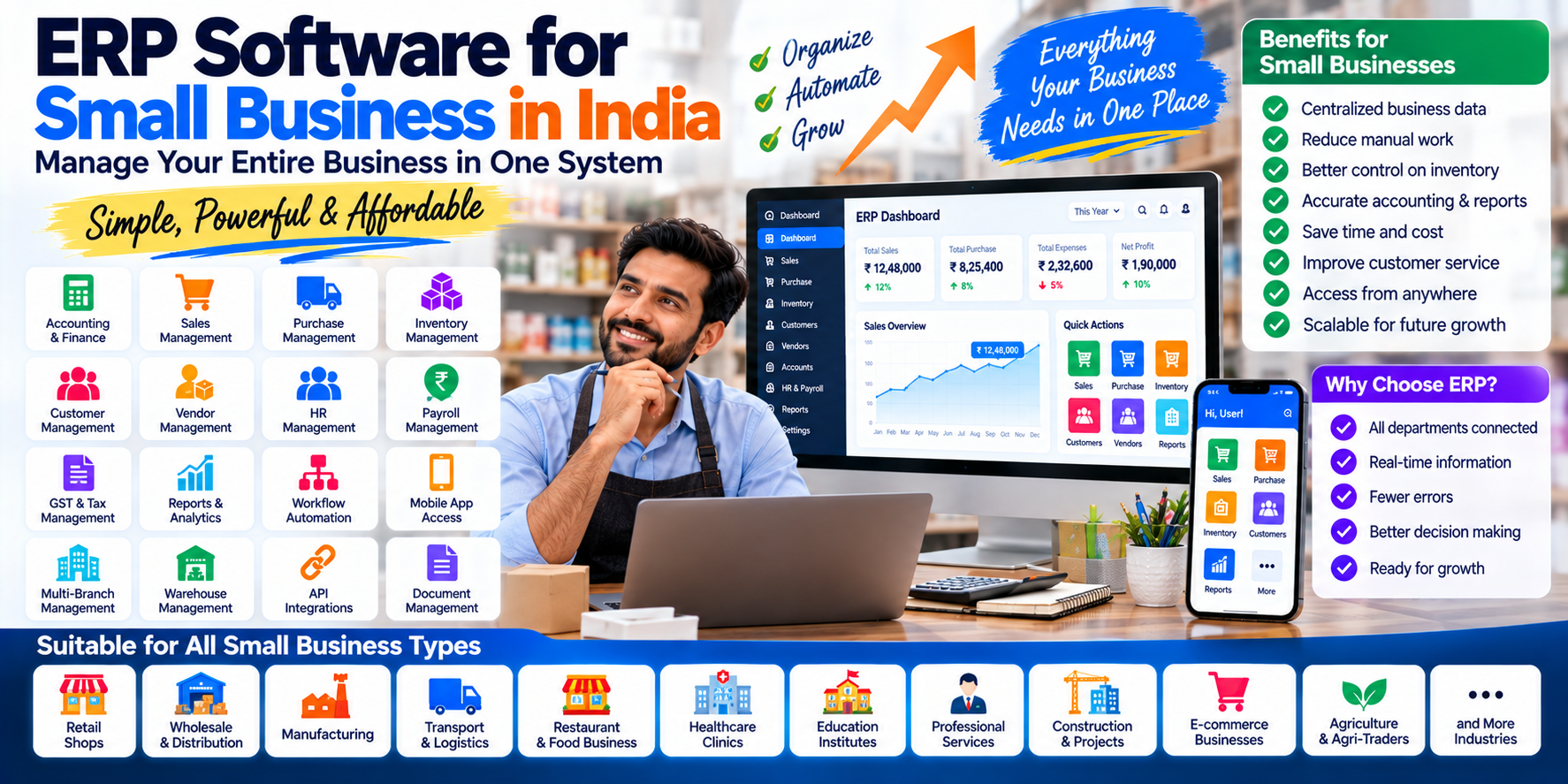
ERP Software for Small Business in India: A Complete Guide
Small businesses often start with a combination of spreadsheets, accounting software, billing applications, messaging apps and manually maintained records.
That approach can work when operations are simple.
But as the business grows, problems can appear:
- Customer information is stored in different places
- Inventory does not match sales records
- Purchase information is maintained separately
- Outstanding payments require manual checking
- Management reports take time to prepare
- Employees repeatedly enter the same information
- Branches need separate coordination
- Business owners lack a centralized view of operations
This is where ERP software for small business can become useful.
An ERP system can connect multiple business functions through a centralized platform. Depending on the software, this can include accounting, sales, purchasing, inventory, CRM, HR, reporting and other operational processes. Oracle describes ERP as an integrated system that supports business functions and connects processes and data across an organization.
For a small business, however, choosing an ERP is not simply about finding the software with the most features.
The important question is:
Which ERP functionality actually matches the way your business operates today and where it is going next?
What Is ERP Software for Small Businesses?
ERP software for small businesses is a business management system designed to bring important operational functions into one connected platform.
Depending on the company, it may combine:
- Accounting
- Sales
- Purchase
- Inventory
- Customer management
- Vendor management
- HR
- Payroll
- Expenses
- Reporting
- Business automation
- Mobile access
- Branch management
A small business does not necessarily need every ERP module.
For example:
Retail Store
POS + Inventory + Purchase + Accounting
Distributor
Sales + Purchase + Inventory + Receivables + Accounting
Service Company
CRM + Projects + Expenses + Billing + Accounting
Manufacturer
Purchase + Inventory + Production + Costing + Accounting
The ideal ERP scope should therefore be based on business requirements.
Why Are Small Businesses Moving Toward ERP?
As transaction volume increases, manually coordinating business functions becomes more difficult.
An ERP can provide a centralized environment where authorized users work with connected business data.
For example:
Customer Order
↓
Sales Order
↓
Inventory Update
↓
Invoice
↓
Payment
↓
Accounting
Instead of entering the same information into several systems, connected workflows can reduce duplicate data entry.
Oracle's ERP implementation guidance similarly emphasizes process alignment, data quality and integration when implementing an ERP system.
15 Important ERP Features for Small Businesses
A small business does not need hundreds of modules to benefit from ERP.
Here are some of the most useful features to evaluate.
1. Accounting and Financial Management
Accounting is often the foundation of a small-business ERP.
Useful features can include:
- General ledger
- Sales invoices
- Purchase invoices
- Receipts
- Payments
- Expenses
- Customer outstanding
- Vendor outstanding
- Bank reconciliation
- Profit and loss
- Balance sheet
- Cash-flow reporting
A connected accounting system can allow financial information to be generated from operational transactions instead of maintaining separate records.
2. Sales Management
An ERP can organize the complete sales workflow.
Features may include:
- Quotations
- Sales orders
- Invoices
- Sales returns
- Discounts
- Customer pricing
- Salesperson management
- Payment tracking
- Sales reports
For a growing business, connecting sales with inventory and accounting can be particularly useful.
3. Inventory Management
Inventory problems can directly affect profitability.
Small businesses dealing with physical products may need:
- Stock management
- Stock in/out
- Stock transfers
- Stock adjustments
- Low-stock alerts
- Product categories
- Units of measurement
- Batch tracking
- Serial numbers
- Stock valuation
For businesses with multiple locations, warehouse-level inventory can also become important.
4. Purchase Management
A small business should be able to track purchases from suppliers.
Common features include:
- Supplier database
- Purchase quotations
- Purchase orders
- Goods receiving
- Purchase invoices
- Purchase returns
- Vendor payments
- Purchase reports
This creates a connection between procurement, inventory and accounting.
5. Customer Management
An ERP can maintain customer information in one place.
This may include:
- Customer profiles
- Contact information
- Sales history
- Outstanding balance
- Quotations
- Orders
- Invoices
- Payments
- Follow-ups
For businesses that sell repeatedly to the same customers, centralized customer information can simplify daily operations.
6. Vendor Management
Supplier information can also be centralized.
A vendor management module can track:
- Supplier details
- Purchase history
- Outstanding payments
- Purchase orders
- Supplier invoices
- Payment history
- Vendor documents
This can help accounts and procurement teams work from the same information.
7. Expense Management
Small businesses often have many operational expenses.
ERP expense management can organize:
- Office expenses
- Travel
- Fuel
- Utilities
- Employee expenses
- Petty cash
- Vendor expenses
- Reimbursements
Expenses can then be connected to accounting and reporting.
8. GST and Tax Workflows
For Indian businesses, tax functionality can be an important ERP consideration.
Depending on the software and implementation, features may include:
- GST invoices
- Tax configuration
- Input/output tax records
- E-invoicing
- E-way bill workflows
- Tax reports
- TDS/TCS-related functionality
The exact compliance functionality should be verified against the business's current requirements and applicable rules.
9. Business Reports
One of the main reasons businesses adopt integrated systems is to make operational information easier to access.
Reports may include:
- Sales report
- Purchase report
- Expense report
- Stock report
- Profit and loss
- Balance sheet
- Customer outstanding
- Vendor outstanding
- Cash/bank report
- Product performance
- Salesperson performance
An ERP dashboard can also provide management with a consolidated overview.
10. User Roles and Permissions
A business owner may need complete access while employees require access only to their specific functions.
For example:
- Sales Executive: Customers + Sales
- Accountant: Accounts + Payments + Reports
- Store Manager: Inventory + Purchase
- Business Owner: Dashboard + Reports + Approvals
Role-based permissions help control access to business information.
11. Mobile ERP Access
Small-business owners are frequently away from their desks.
Mobile ERP access can allow authorized users to:
- View sales
- Check outstanding payments
- Approve transactions
- Check inventory
- View reports
- Monitor business performance
- Receive notifications
A mobile application can be particularly useful for owners, managers and field sales teams.
12. Multi-Branch Management
A small business today may become a multi-location business tomorrow.
ERP software can support expansion by providing branch-level functionality such as:
- Branch sales
- Branch purchases
- Branch expenses
- Branch inventory
- Branch employees
- Branch reports
This makes it easier to maintain centralized oversight while tracking individual locations.
13. Workflow Automation
Automation is especially valuable when employees repeatedly perform the same tasks.
For example:
New Order
→ Check Stock
→ Generate Invoice
→ Update Inventory
→ Create Accounting Entry
→ Notify Customer
Another example:
Expense Request
→ Manager Approval
→ Accounts Verification
→ Payment
→ Accounting Entry
Automation can reduce repetitive manual work and standardize business processes.
14. API Integrations
A small business may already use several external services.
An ERP may need integration with:
- Payment gateways
- E-commerce websites
- POS systems
- SMS
- Shipping systems
- CRM applications
- Biometric systems
- GPS systems
Data integration can reduce the need for employees to manually copy information between systems.
15. Cloud-Based ERP
Cloud ERP can provide access to business software through the internet.
For a growing small business, this can be useful when employees work from:
- Office
- Shop
- Warehouse
- Home
- Multiple branches
- Field locations
The organization should still evaluate security, backup, availability, user access and support arrangements before selecting a cloud ERP.
ERP for Different Types of Small Businesses
There is no single ERP configuration that fits every small business.
ERP for Retail Businesses
Important functionality:
- POS
- Inventory
- Purchase
- Sales
- Customer management
- Accounting
- Barcode
- Stock reports
ERP for Wholesale Businesses
Important functionality:
- Inventory
- Purchase
- Sales
- Customer credit
- Supplier management
- Outstanding reports
- Warehouse management
- Accounting
ERP for Distributors
Distributors may need:
- Stock management
- Sales orders
- Purchase
- Warehouse
- Customer credit
- Delivery management
- Salesperson tracking
- Payment collection
ERP for Manufacturers
Manufacturing businesses may require:
- Bill of materials
- Production planning
- Raw-material inventory
- Work orders
- Finished goods
- Production costing
- Purchase
- Quality management
- Accounting
ERP for Service Businesses
Service companies may focus on:
- CRM
- Leads
- Customers
- Projects
- Tasks
- Employees
- Expenses
- Billing
- Payments
ERP for Transport Businesses
Transport companies may require specialized modules such as:
- Vehicle management
- Driver management
- Trip management
- Fuel
- Maintenance
- Expenses
- Customer billing
- Profitability reports
ERP vs Separate Business Software
Many small businesses use several independent applications.
For example:
- Accounting Software
- Inventory Software
- CRM
- Payroll
- Excel
This can work, but employees may need to repeatedly move information between systems.
An ERP attempts to connect these functions.
Separate Systems
Customer → CRM
Order → Sales Software
Stock → Inventory Software
Invoice → Accounting Software
Integrated ERP
Customer → Sales → Inventory → Invoice → Accounting
The exact level of integration varies by ERP platform.
ERP Software for Small Business: Cloud vs Local
Small businesses may encounter both cloud and locally hosted ERP options.
Cloud ERP
Potential characteristics:
- Browser-based access
- Centralized hosting
- Remote access
- Easier access across locations
- Subscription-based pricing in many cases
Locally Hosted ERP
Potential characteristics:
- Hosted on business infrastructure
- Greater direct control over infrastructure
- Requires internal or external IT management
- Hardware and maintenance responsibilities
The appropriate deployment model depends on technical requirements, budget, security policies and operational needs.
How Much Does ERP Software Cost for a Small Business in India?
ERP pricing varies considerably.
Cost can depend on:
- Number of users
- Modules
- Cloud vs on-premise deployment
- Customization
- Integrations
- Data migration
- Mobile applications
- Number of branches
- Implementation
- Training
- Support
- Hosting
A simple accounting-and-inventory ERP can have a very different cost structure from a custom multi-branch ERP with mobile applications and multiple integrations.
For a detailed discussion of ERP pricing and development budgets, see:
ERP Software Cost in India (2026)
SaaS ERP vs Custom ERP for Small Businesses
Small businesses generally have several options.
SaaS ERP
A SaaS ERP is usually accessed online through a subscription.
It may provide:
- Faster deployment
- Standard modules
- Recurring pricing
- Cloud access
- Provider-managed updates
This can be appropriate when the business's processes closely match the available functionality.
Custom ERP
Custom ERP software is designed around specific business requirements.
It may be useful when the company requires:
- Unique workflows
- Industry-specific features
- Custom reports
- Specialized integrations
- Custom mobile apps
- Custom approval systems
- Specific automation
However, custom development generally involves greater planning and development effort than simply subscribing to an existing product.
When Should a Small Business Consider ERP?
A company may begin evaluating ERP when it experiences problems such as:
Multiple Software Systems
The company has several disconnected applications.
Spreadsheet Dependency
Important business information is still maintained manually.
Inventory Problems
Stock levels are difficult to track accurately.
Growing Transaction Volume
Sales and purchase records are becoming difficult to manage manually.
Multiple Employees
Different employees need access to shared business information.
Multiple Branches
Management needs centralized visibility.
Reporting Problems
Management spends too much time preparing reports.
Repetitive Work
Employees repeatedly enter the same information into different systems.
These are practical indicators that it may be worth evaluating an integrated business system.
How to Choose ERP Software for a Small Business
Before purchasing an ERP, create a requirement checklist.
Step 1: Identify Your Business Processes
Document:
- Sales
- Purchase
- Inventory
- Accounting
- HR
- Customer management
- Reporting
Step 2: Identify Pain Points
Ask:
- Where do errors occur?
- Where is information duplicated?
- Which reports take too long?
- Which processes are still manual?
Step 3: Define Required Modules
Separate them into:
- Must Have
- Useful
- Future Requirement
Step 4: Check Integration Requirements
List existing software that must connect with the ERP.
Step 5: Evaluate Scalability
Consider:
- More users
- More products
- More customers
- More branches
- More transactions
Step 6: Test the Actual Workflow
Don't evaluate software only through a feature list.
Ask the vendor or implementation team to demonstrate actual workflows.
For example:
Purchase → Stock → Sale → Invoice → Payment → Accounting
Step 7: Understand Total Cost
Consider more than the subscription or license.
Evaluate:
- Implementation
- Customization
- Migration
- Training
- Hosting
- Support
- Integrations
- Future upgrades
ERP Implementation for Small Businesses
ERP implementation does not end when the software is purchased.
A structured implementation can include:
Requirement Analysis
↓
Scope Definition
↓
Process Mapping
↓
ERP Configuration
↓
Customization
↓
Integration
↓
Data Migration
↓
Testing
↓
Training
↓
Go-Live
↓
Support
Oracle describes ERP implementation as involving project planning, process mapping, data migration, integrations, testing, employee training and ongoing maintenance.
SAP's implementation methodology similarly separates activities such as business-process mapping, configuration, data migration, testing, training, final preparation and go-live/support.
For a detailed guide, see:
ERP Implementation Process in India
Common Mistakes Small Businesses Should Avoid
1. Buying Too Many Modules
More modules do not automatically mean a better fit.
Start with actual requirements.
2. Ignoring Data Quality
Old duplicate or inaccurate records can create problems during migration.
3. Not Involving Employees
Employees who actually use the system should participate in testing.
4. Choosing Only Based on Price
A low initial price does not necessarily represent the total cost of ownership.
5. Ignoring Integrations
Check whether the ERP can communicate with the systems the business already uses.
6. Over-Customizing the ERP
Unnecessary customization can increase project complexity and future maintenance requirements. Oracle's implementation guidance recommends avoiding unnecessary customizations, particularly in cloud ERP implementations.
7. Skipping Proper Testing
Test complete business workflows rather than checking individual screens only.
SAP's implementation guidance specifically recommends end-to-end system and integration testing before moving into production.
ERP Software for Small Businesses in Hansi, Hisar and Haryana
Small and growing businesses across Hansi, Hisar, Rohtak, Jind, Bhiwani and other parts of Haryana operate across many industries.
Examples include:
- Retail
- Wholesale
- Distribution
- Manufacturing
- Transport
- Education
- Healthcare
- Restaurants
- Professional services
- Agriculture-related businesses
Each industry can require a different ERP configuration.
For example:
Retailer
POS + Inventory + Purchase + Accounting
Transporter
Fleet + Trips + Fuel + Maintenance + Billing
School
Students + Fees + Attendance + Exams + Transport
Clinic
Patients + Appointments + Billing + Pharmacy
Manufacturer
Production + Inventory + Procurement + Costing + Accounting
Therefore, businesses should evaluate ERP based on their actual operational workflow.
ERP Solutions from Cycode Technologies
Cycode Technologies develops business software and SaaS solutions across several operational areas.
Its product ecosystem includes:
- EduMittar — School Management ERP
- AccuBook — Accounting and GST-focused business software
- Vendly — Business accounting and inventory ERP
- FleetLogic — Transport and fleet management
- KwikDine — Restaurant POS and ordering
- PulsePanel — Hospital and clinic management
- CyFlo — Modular business SaaS platform
For businesses whose requirements extend beyond standard software, custom ERP development can combine modules such as accounting, inventory, CRM, HR, sales, procurement, automation, reporting, mobile applications and API integrations.
Frequently Asked Questions
What is the best ERP software for a small business?
The appropriate ERP depends on the company's industry, processes, users, budget, integrations and growth plans. Instead of selecting purely by feature count, businesses should compare the software against their actual workflows.
Is ERP suitable for a small business?
Yes. Small businesses can use ERP to connect functions such as accounting, sales, purchasing, inventory, CRM and reporting. The implementation should be appropriately scoped to the organization's size and requirements.
How much does small-business ERP cost in India?
There is no single price. Cost depends on modules, users, deployment model, customization, implementation, integrations, migration, hosting and support.
Can a small business start with only a few ERP modules?
Yes. A phased approach can allow a business to start with essential modules and introduce additional functionality later.
Can ERP manage GST?
Many ERP and accounting systems provide GST-related functionality, but the exact features and compliance workflows should be verified for the business's specific requirements.
Can ERP work for multiple branches?
Many ERP systems support multi-branch operations, although the available functionality varies between products.
Can ERP integrate with an e-commerce website?
Yes, provided the ERP and e-commerce platform support appropriate integration mechanisms such as APIs or connectors.
Is cloud ERP suitable for small businesses?
Cloud ERP can provide remote access and centralized hosting, but businesses should evaluate security, availability, backup, support and total cost before selecting a platform.
Should a small business choose custom ERP?
Custom ERP can make sense when the company's workflows or integration requirements are substantially different from standard software. For businesses with straightforward requirements, a standard or modular ERP may provide a simpler implementation path.
Conclusion
ERP software can help small businesses move from disconnected tools toward a more connected operating system for the business.
The objective should not be to implement the largest possible ERP.
Instead, focus on the processes that matter most:
Sales + Purchase + Inventory + Accounting + Customers + Reporting
Then add:
CRM + HR + Payroll + Automation + Mobile + Integrations
as the business grows.
The right ERP should fit the organization's current operations while providing a practical path for future expansion.
For businesses in Hansi, Hisar, Haryana and across India, ERP development can range from ready-made SaaS products to modular business systems and fully customized ERP platforms.
Related ERP Articles
- ERP Software Features: 25+ Essential Features
- ERP Implementation Process in India
- ERP Software Cost in India (2026)
- ERP Software Development Company in India
- Custom ERP vs Ready-Made ERP
- Custom Software Development Company in India
- Business Process Automation
- Cloud Application Development